iOS - APNS 凭据设置
本指南介绍如何获取配置 APNS 所需的以下值:
- 密钥(扩展名为 .p8 的文件)
- 密钥 ID(Key ID)
- 团队 ID(Team ID)
1. 前置检查
Section titled “1. 前置检查”在 Apple Developer 的标识符页面,检查您应用的标识符是否出现在列表中。如果您一直使用同一 Apple 账号在 Xcode 中进行开发,它可能已被自动注册。
如果它不在列表中,请务必先完成注册,再继续后续操作。
2. 创建推送通知密钥(Key、Key ID)
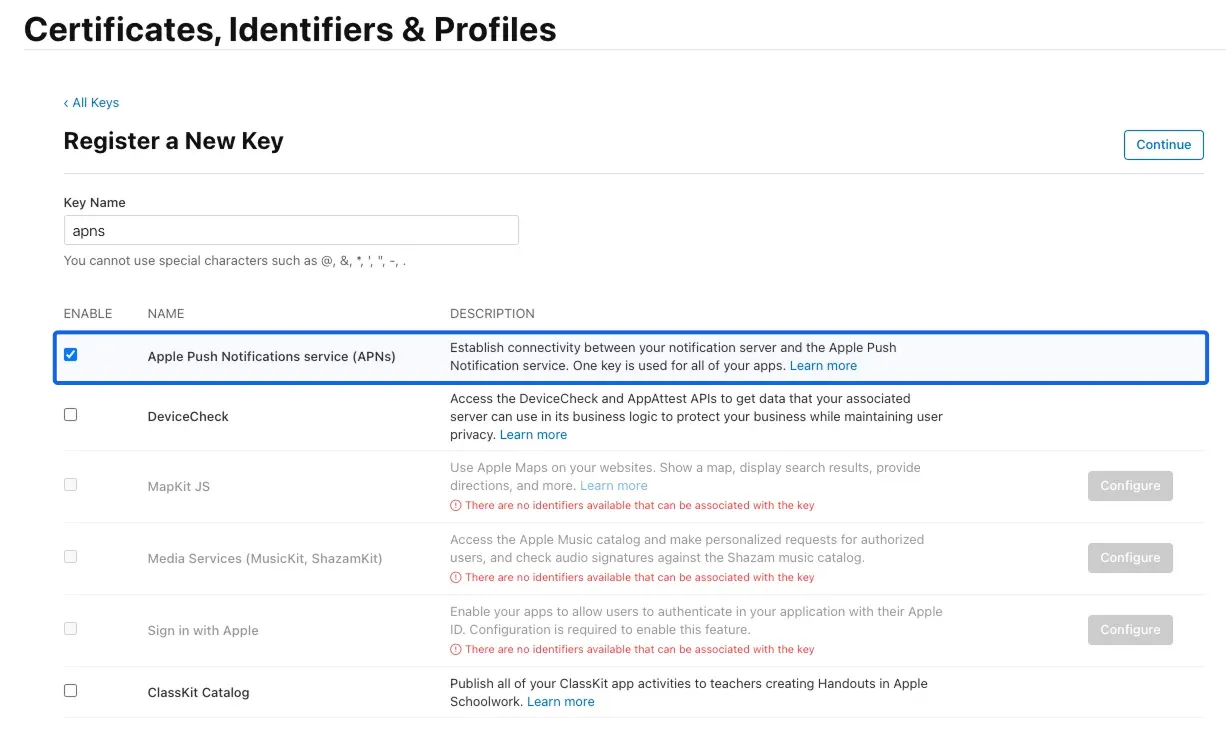
Section titled “2. 创建推送通知密钥(Key、Key ID)”- 在 Apple Developer 的密钥页面,创建一个启用了「Apple Push Notifications service」的密钥。
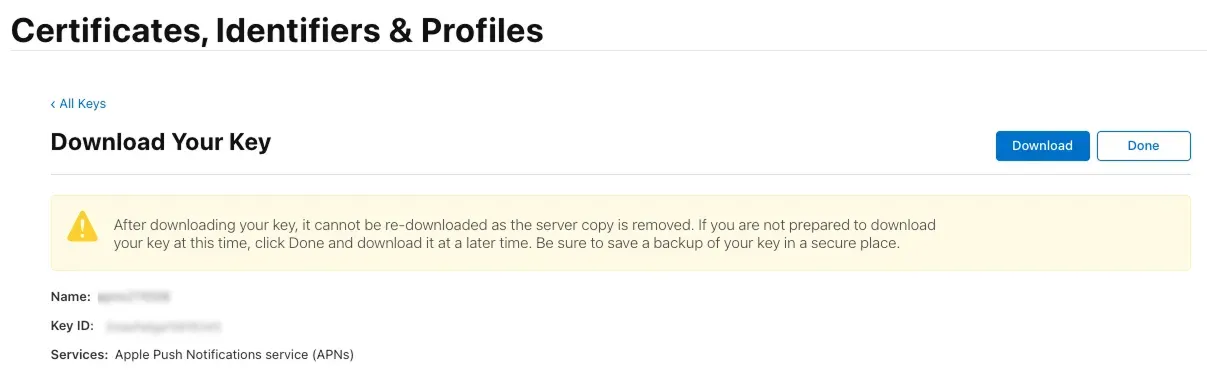
- 密钥创建完成后,下载 .p8 文件并复制 Key ID。
3. 查找您的团队 ID
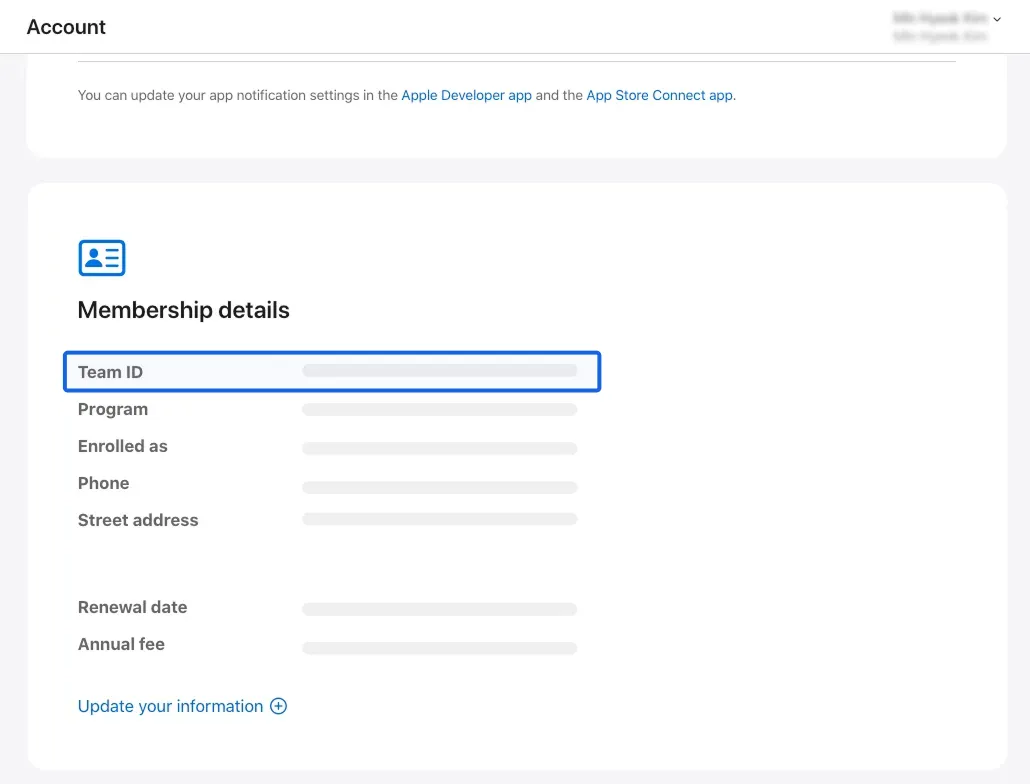
Section titled “3. 查找您的团队 ID”您可以在 Apple Developer 的会员资格页面找到您的 Team ID。
4. 连接到 FlareLane
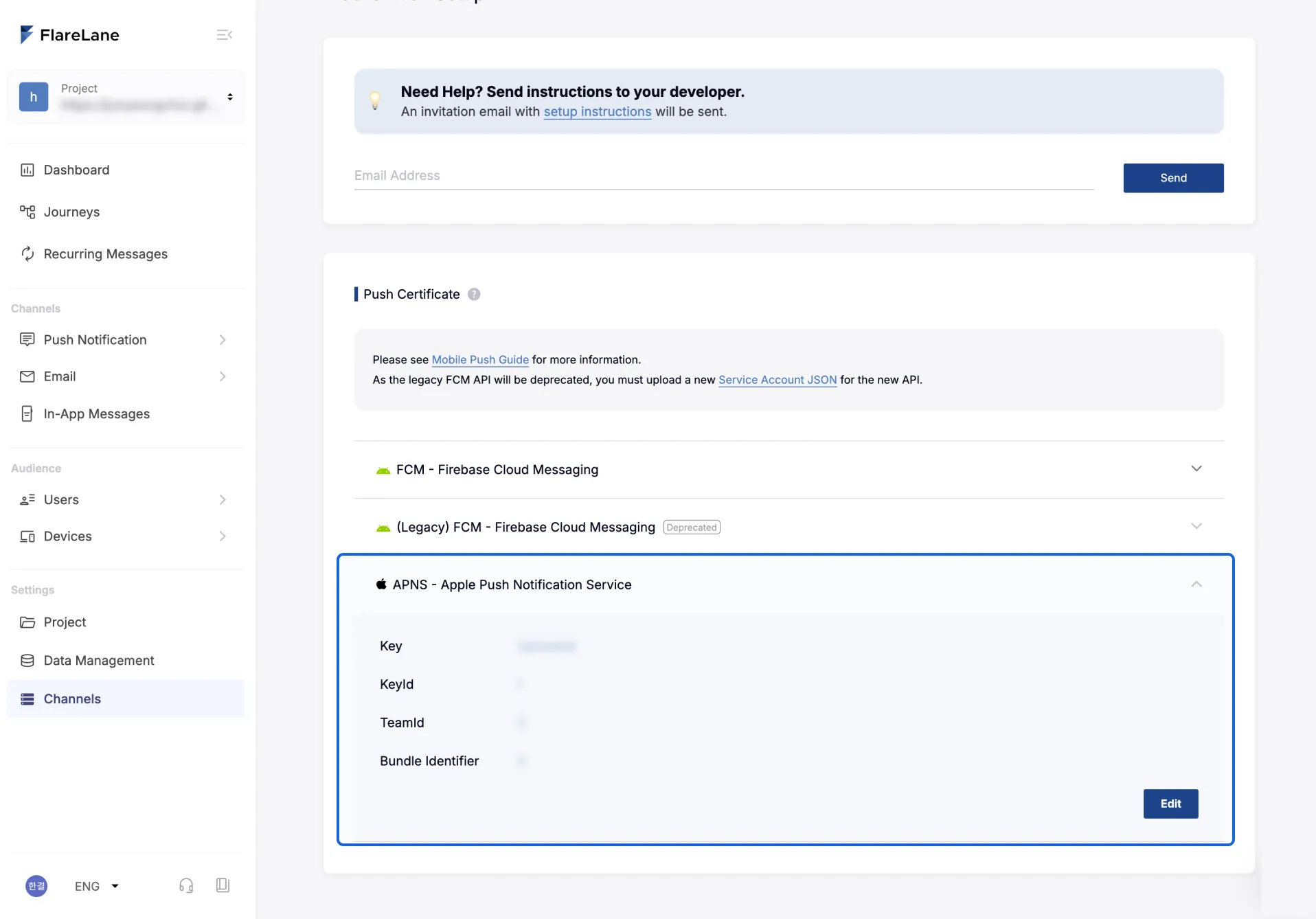
Section titled “4. 连接到 FlareLane”将第 2 步中获取的凭据逐一填入 FlareLane 渠道设置中「移动推送」下的 APNS 字段。