通知グループ
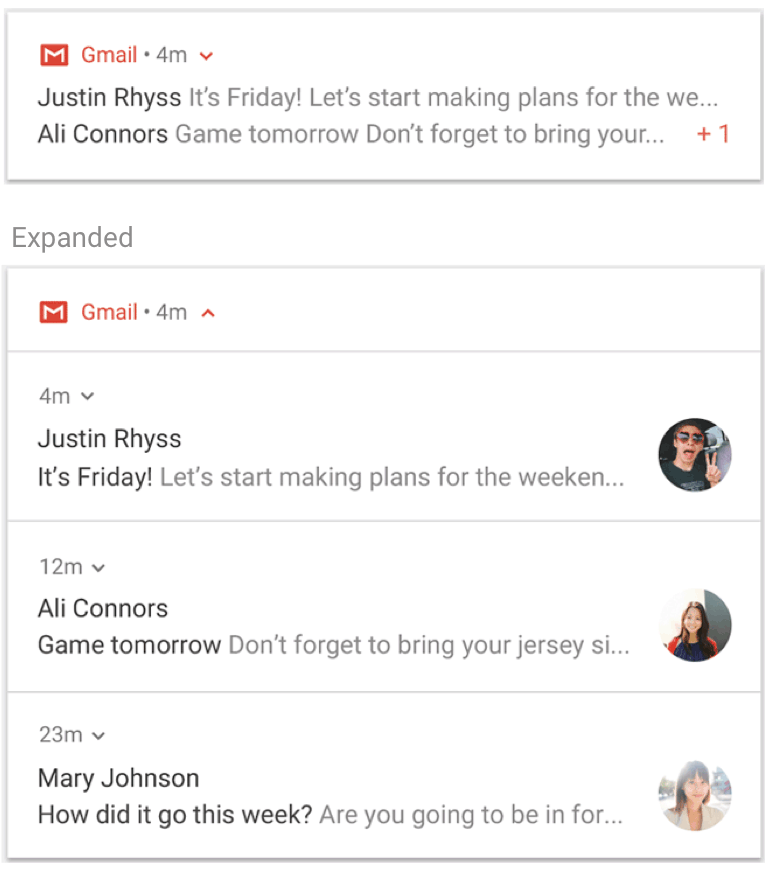
Notification grouping stacks related notifications into a single group in the device’s notification center. Even as notifications accumulate, the shade stays tidy, and users can expand the group to see each one.
Requirements
Section titled “Requirements”| Item | Requirement |
|---|---|
| iOS | Any SDK version (handled natively by the OS, iOS 12+) |
| Android | FlareLane SDK 1.11.0+ / Android 7.0+ |
See the official platform docs as well: Apple - threadIdentifier · Android - Create a group of notifications
Sending
Section titled “Sending”Set threadId on your Open API notification request. Notifications sharing the same value are stacked into one group.
curl -X POST "https://api.flarelane.com/v1/projects/{PROJECT_ID}/notifications" \ -H "Authorization: Bearer {API_KEY}" \ -H "Content-Type: application/json" \ -d '{ "targetType": "all", "title": "Order update", "body": "Your order has shipped!", "threadId": "order_status" }'| Field | Required | Description |
|---|---|---|
threadId | Optional | Grouping key (max 64 chars). Notifications with the same value are stacked. Supports Liquid variables |
Per-platform rendering
Section titled “Per-platform rendering”- iOS: notifications sharing a
threadIdstack into one thread in Notification Center. Individual notifications are preserved - Android: once two or more notifications share a
threadId, they collapse into a single group card with a count, and expanding it shows each notification individually
Combine with Chat-Style Notifications to make messages from the same sender read like an ongoing conversation.