Recurring messages
You can set up messages to be sent to a specific audience at a fixed time every day, week, or month.
Creating a recurring message
Section titled “Creating a recurring message”On the Recurring Messages page in the console, click the [New Recurring Message] button and select a channel.
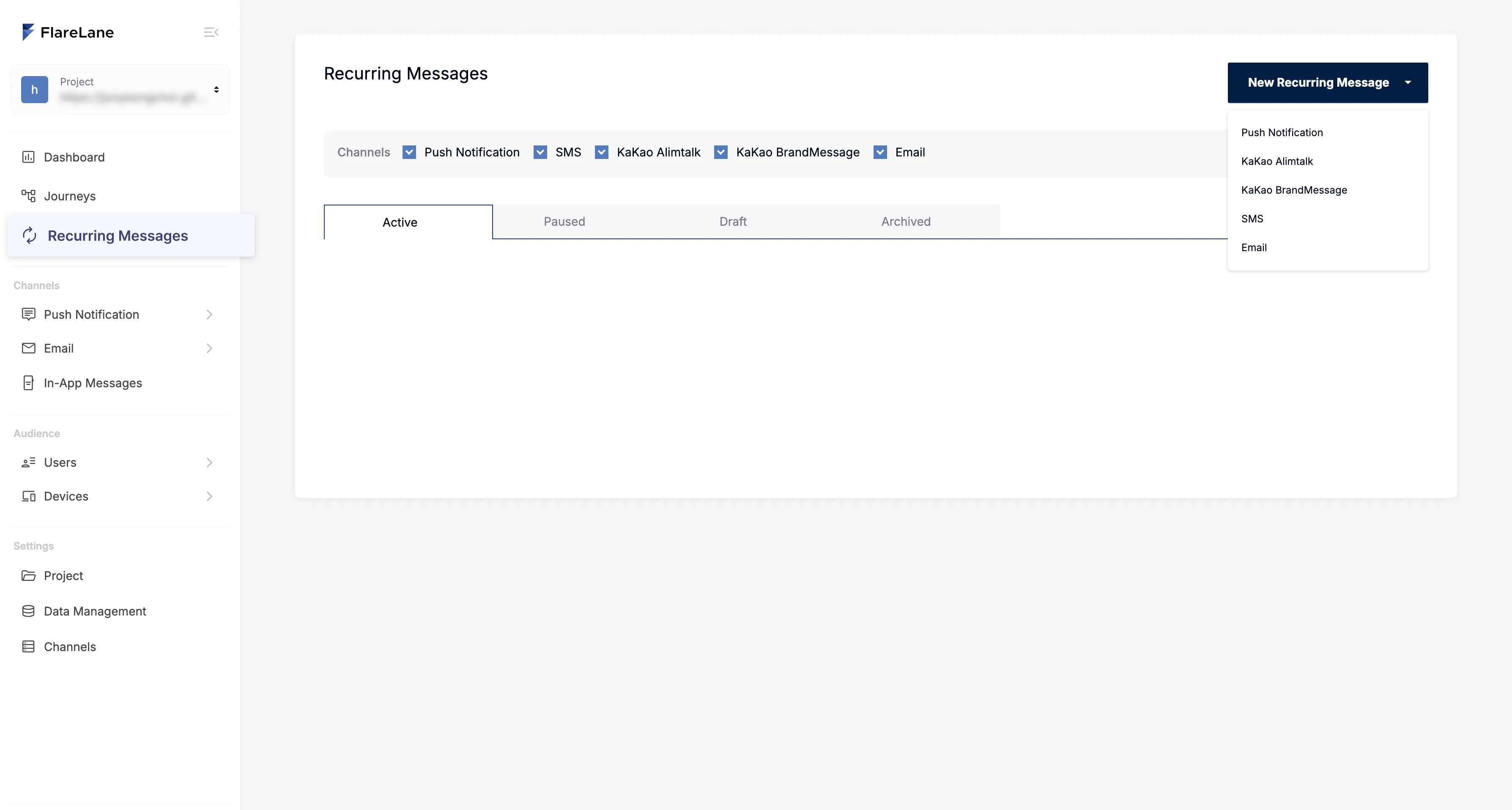
On each channel's new message page, you can configure the detailed conditions for recurring delivery in the send settings step at the bottom.
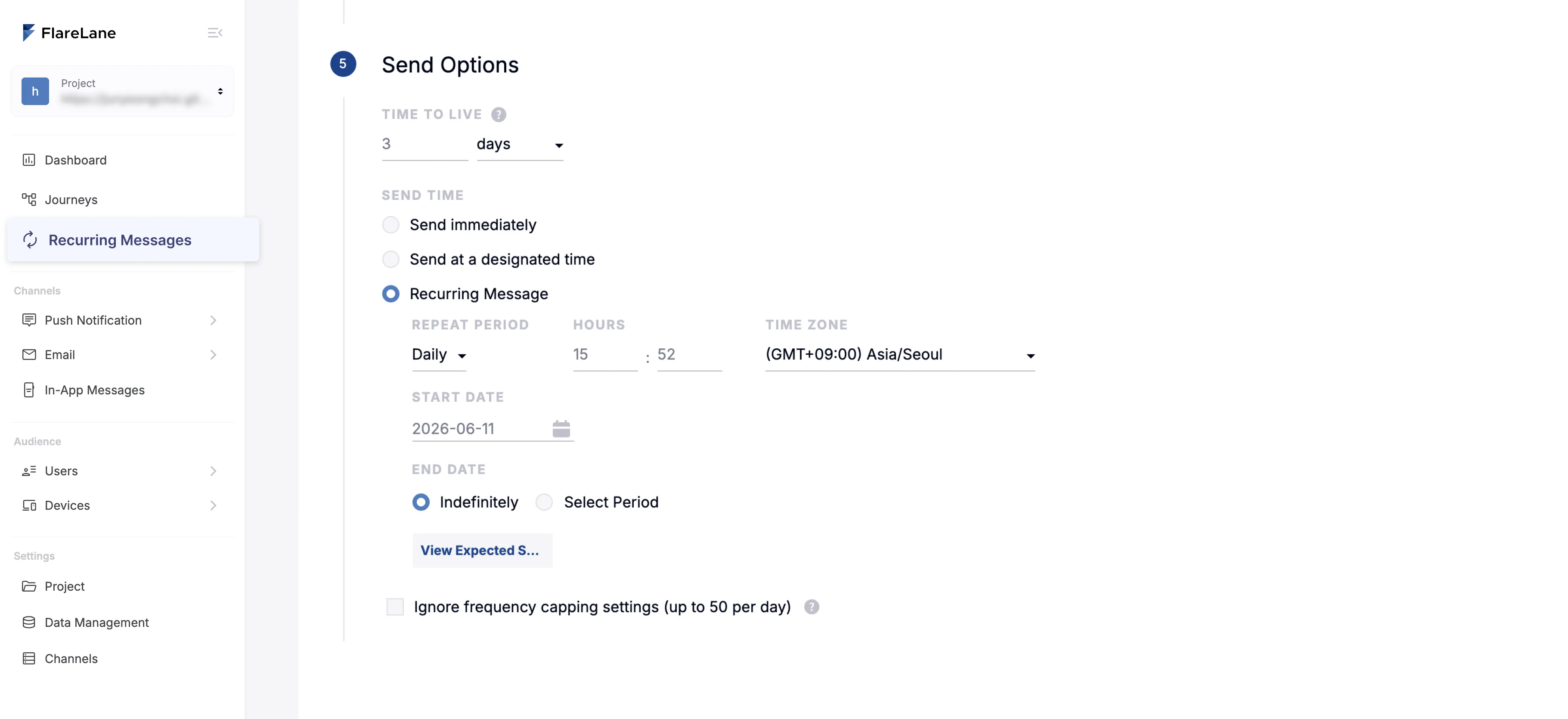
Recurrence frequency
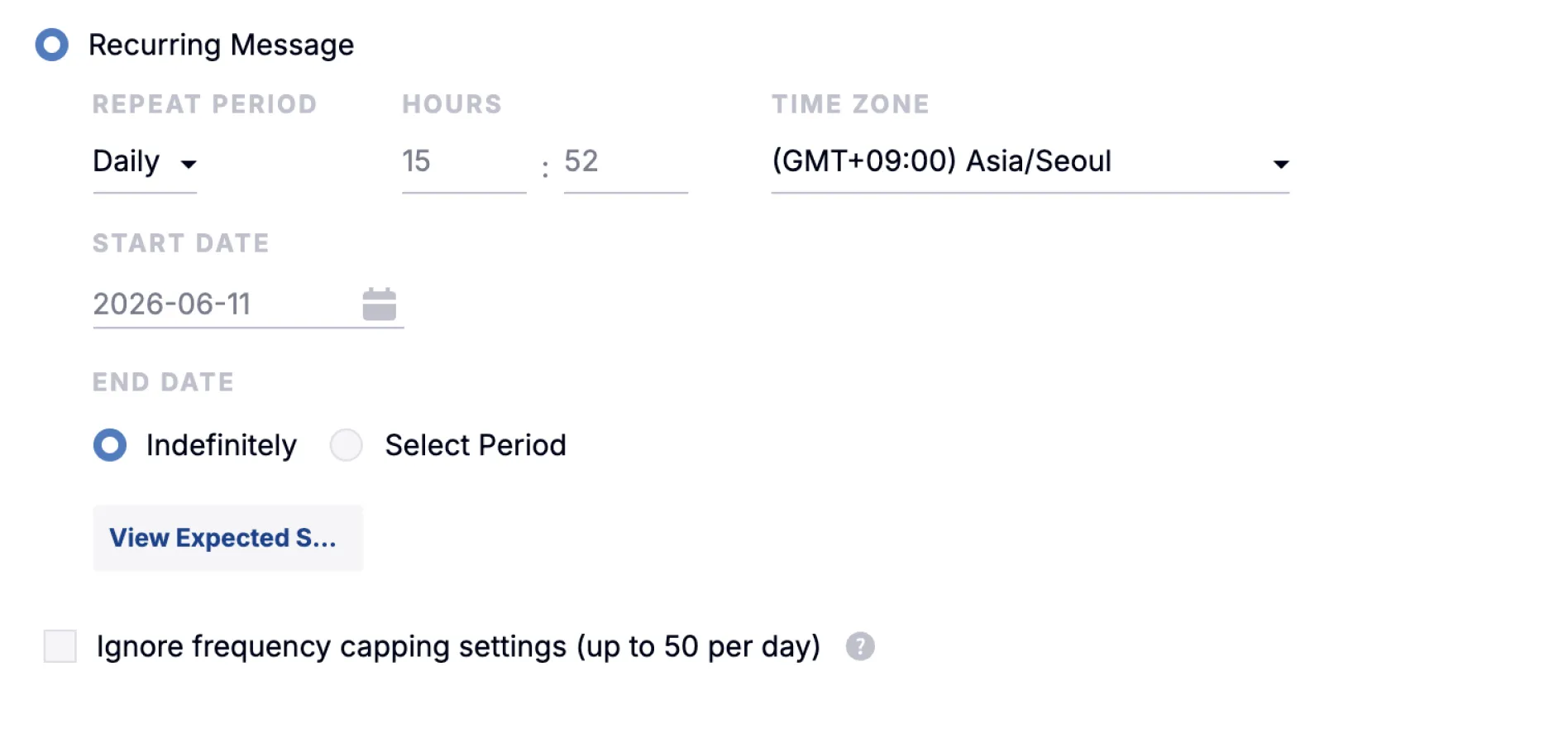
Section titled “Recurrence frequency”You can choose a recurrence frequency of daily, weekly, or monthly. See below for detailed setup instructions for each frequency.
Weekly
Section titled “Weekly”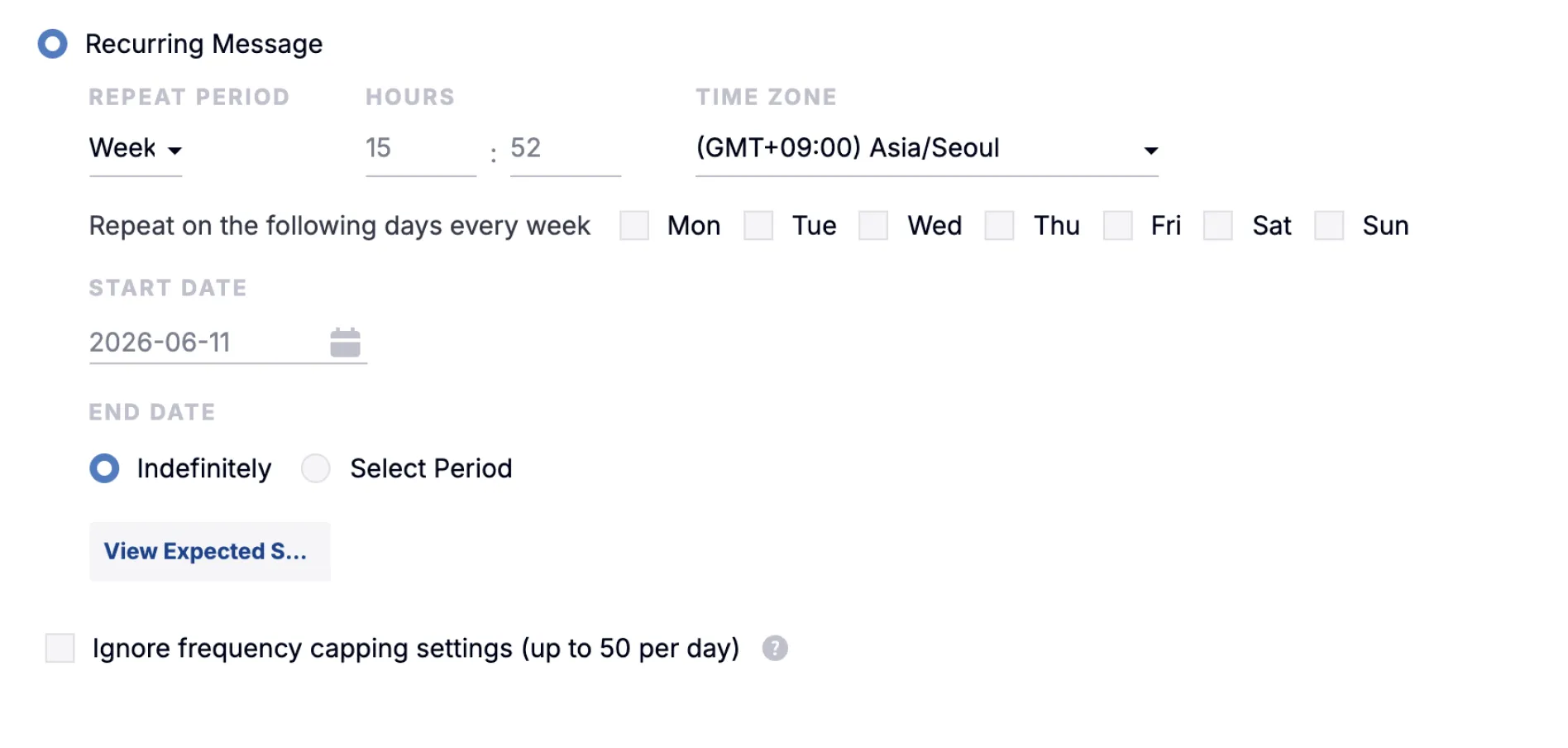
Monthly
Section titled “Monthly”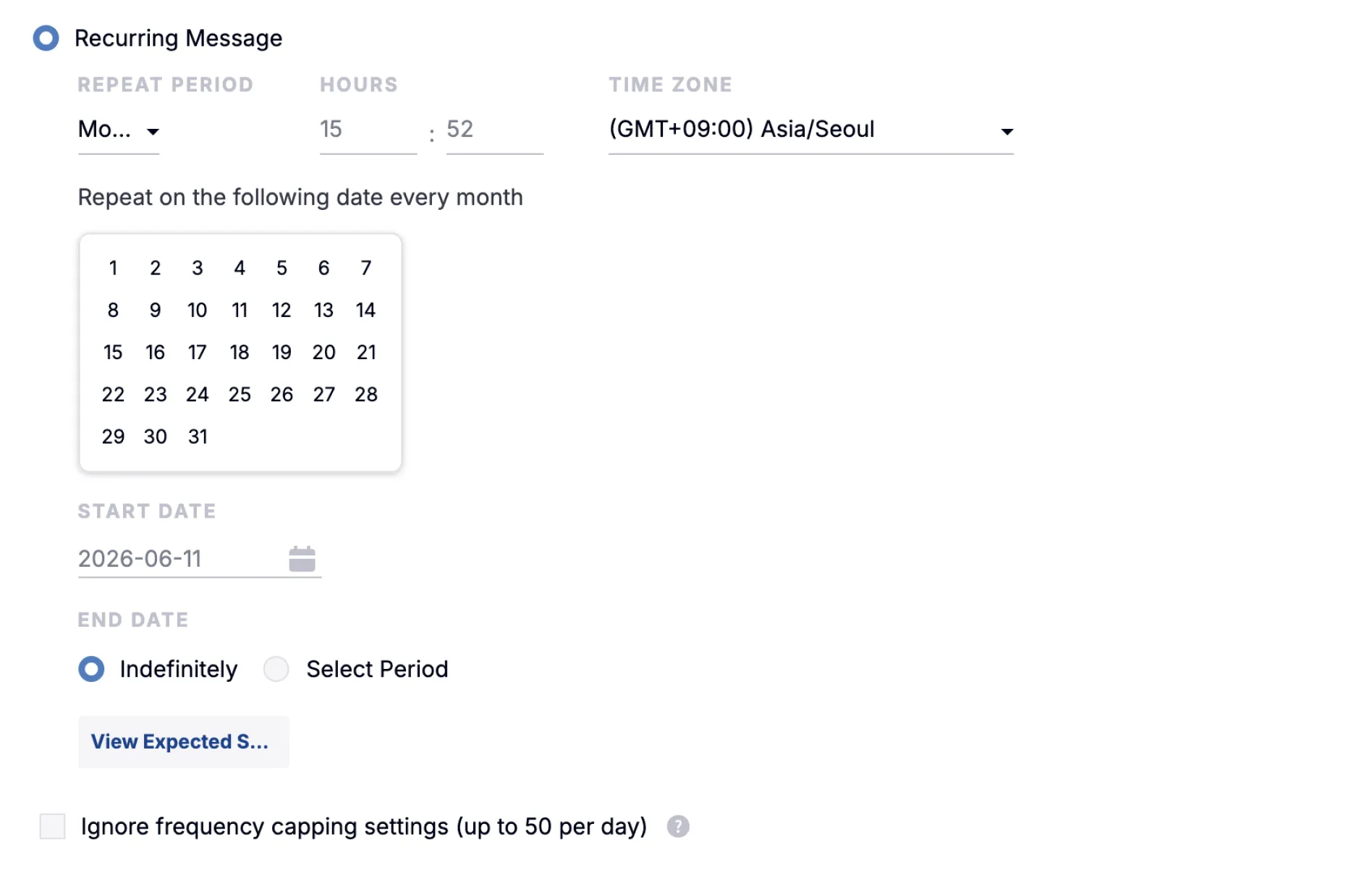
Managing recurring messages
Section titled “Managing recurring messages”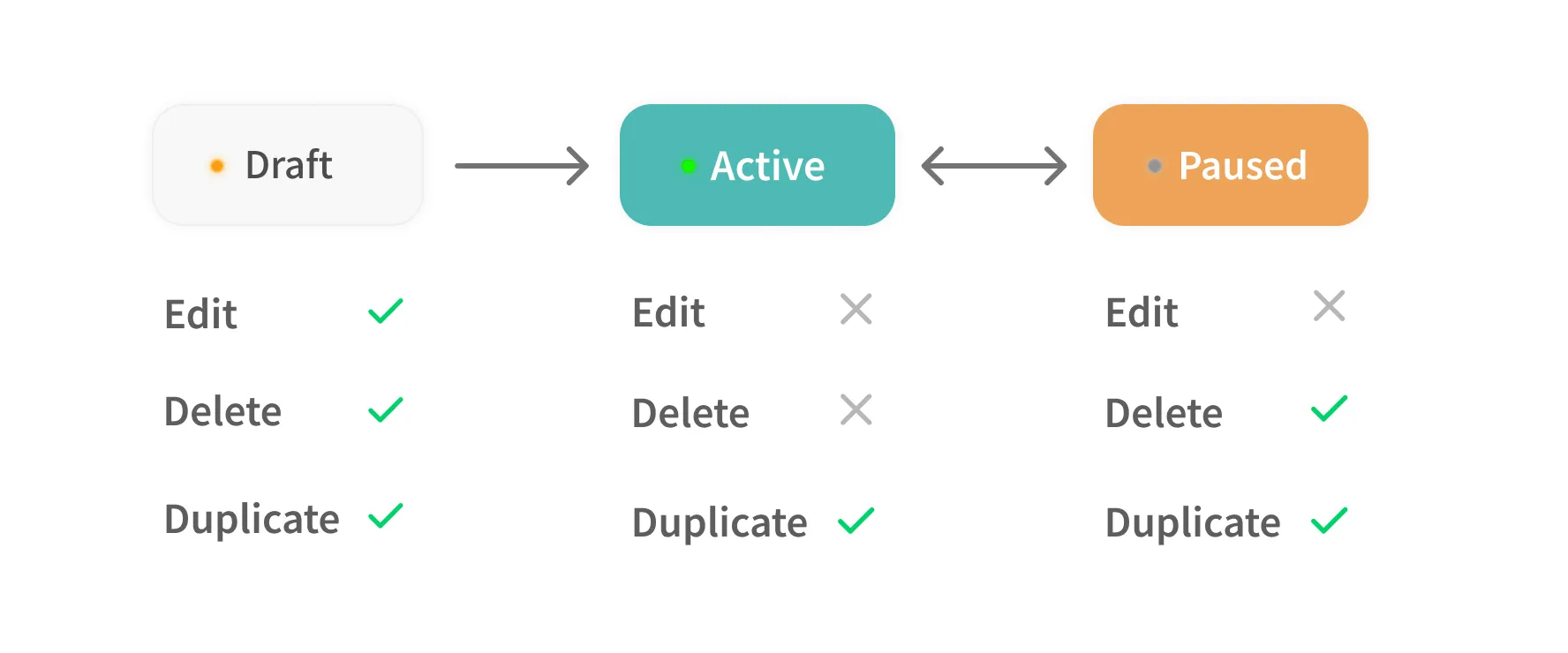
A newly created recurring message starts in a "Draft" state. To run it, you need to switch it to the "Active" state. Once it's "Active," you can only "Pause" it.