Frequency capping
Push notifications are a highly effective messaging channel, but sending them too often can accelerate user churn. To address this, Frequency Capping lets you set the maximum number of notifications each individual user can receive, helping you manage notification fatigue.
How to set up frequency capping
Section titled “How to set up frequency capping”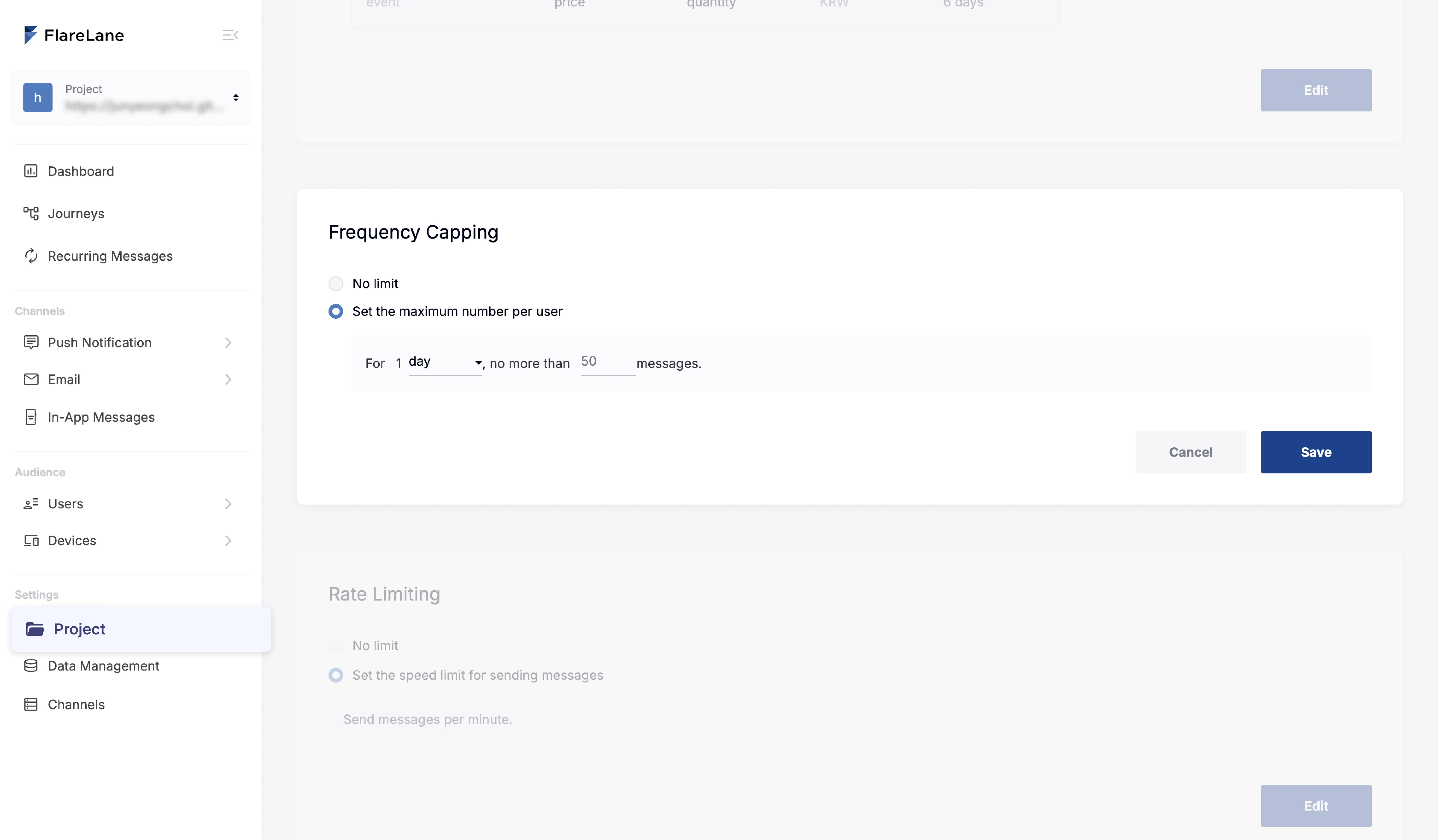
Frequency capping can be configured at the project level. On the Project page in the FlareLane console, you can choose between two options.
- Unlimited sending: No restrictions of any kind on notification sending. The default is unlimited sending.
- Per-user frequency cap: Set the maximum number of notifications each individual user can receive within a defined period. Each time an individual notification is sent, FlareLane checks whether the cap has been exceeded, and the count is reset whenever you change the setting.
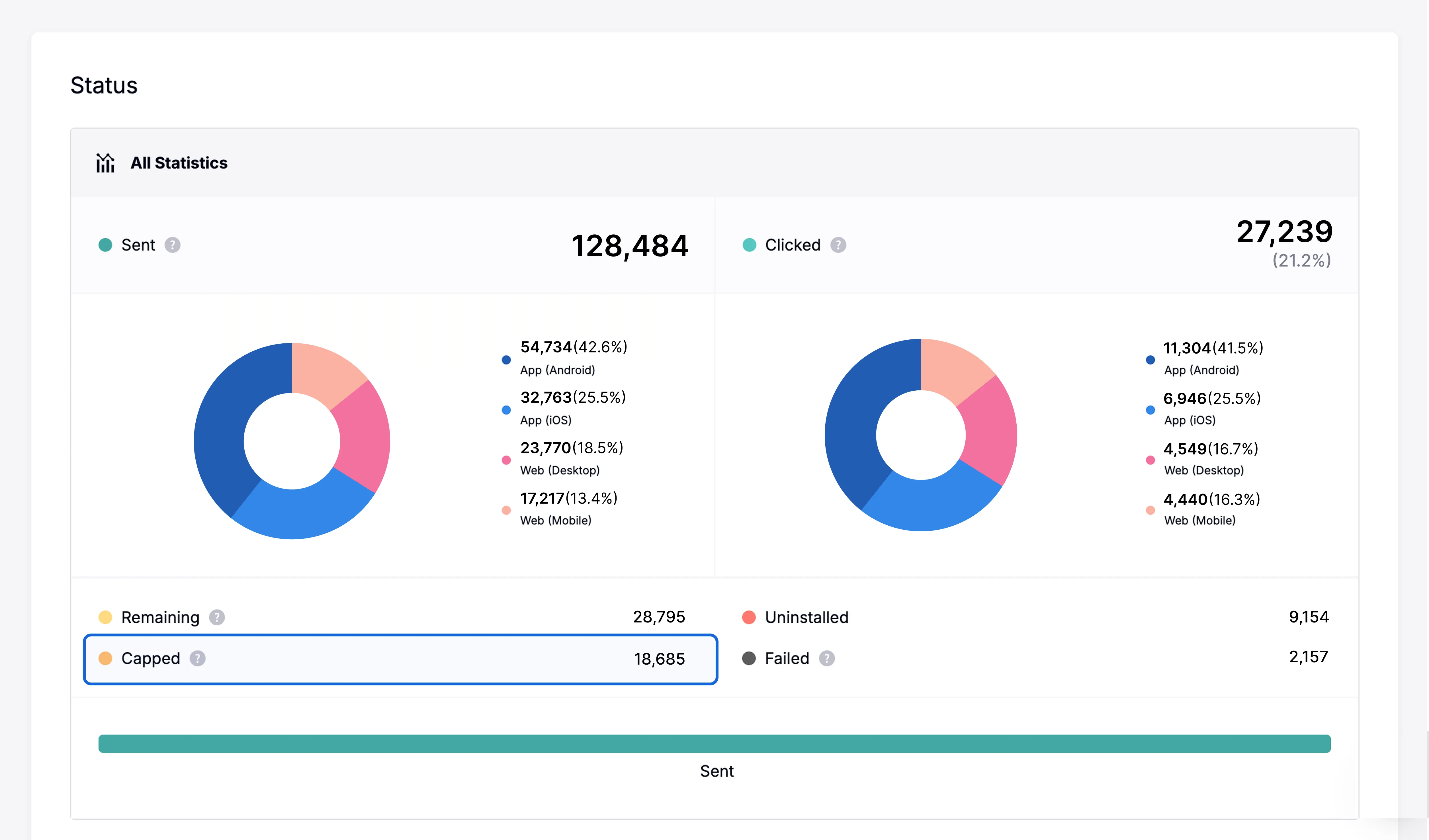
When a notification is sent, if the device exceeds the currently configured frequency cap, the "Capped" count increases in the message statistics and the notification is not actually sent.
Sending unconditionally, ignoring the configured cap
Section titled “Sending unconditionally, ignoring the configured cap”The frequency cap configured above applies across the entire project. However, important notifications sometimes need to be sent regardless of these settings.
You can currently configure important notifications to send unconditionally in the following places.
New message
Section titled “New message”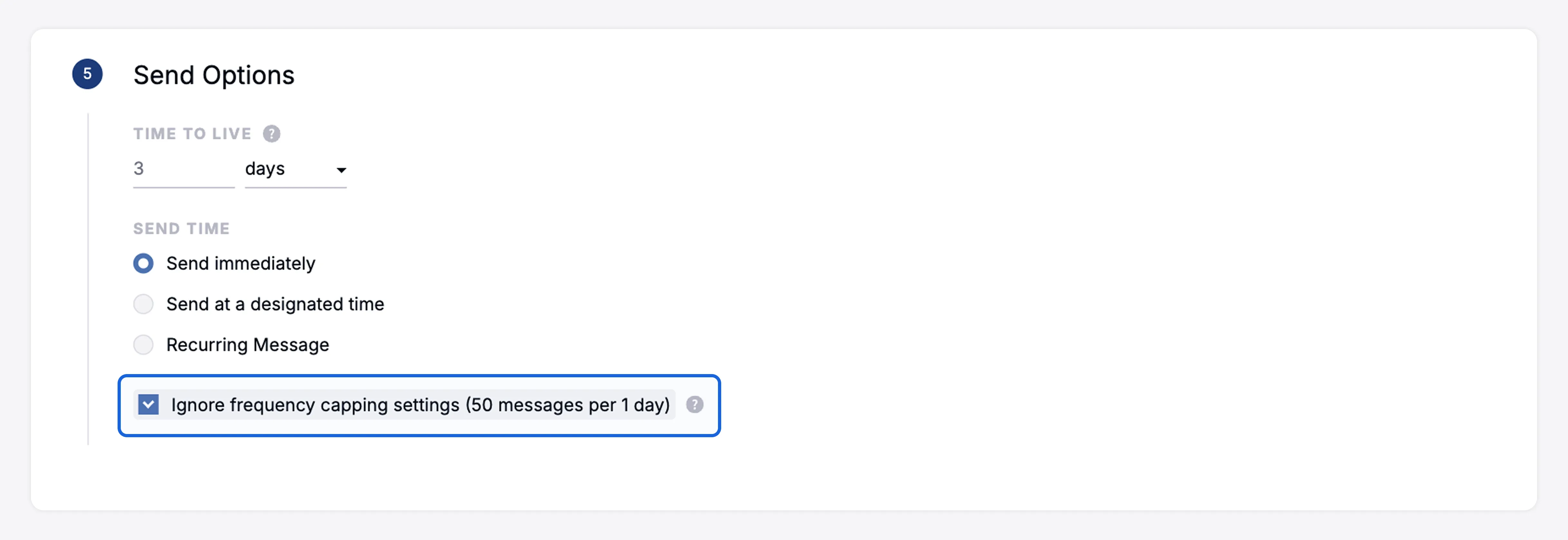
If you select the checkbox at the bottom of the send settings in a new message, that message is sent unconditionally.
Customer journey automation
Section titled “Customer journey automation”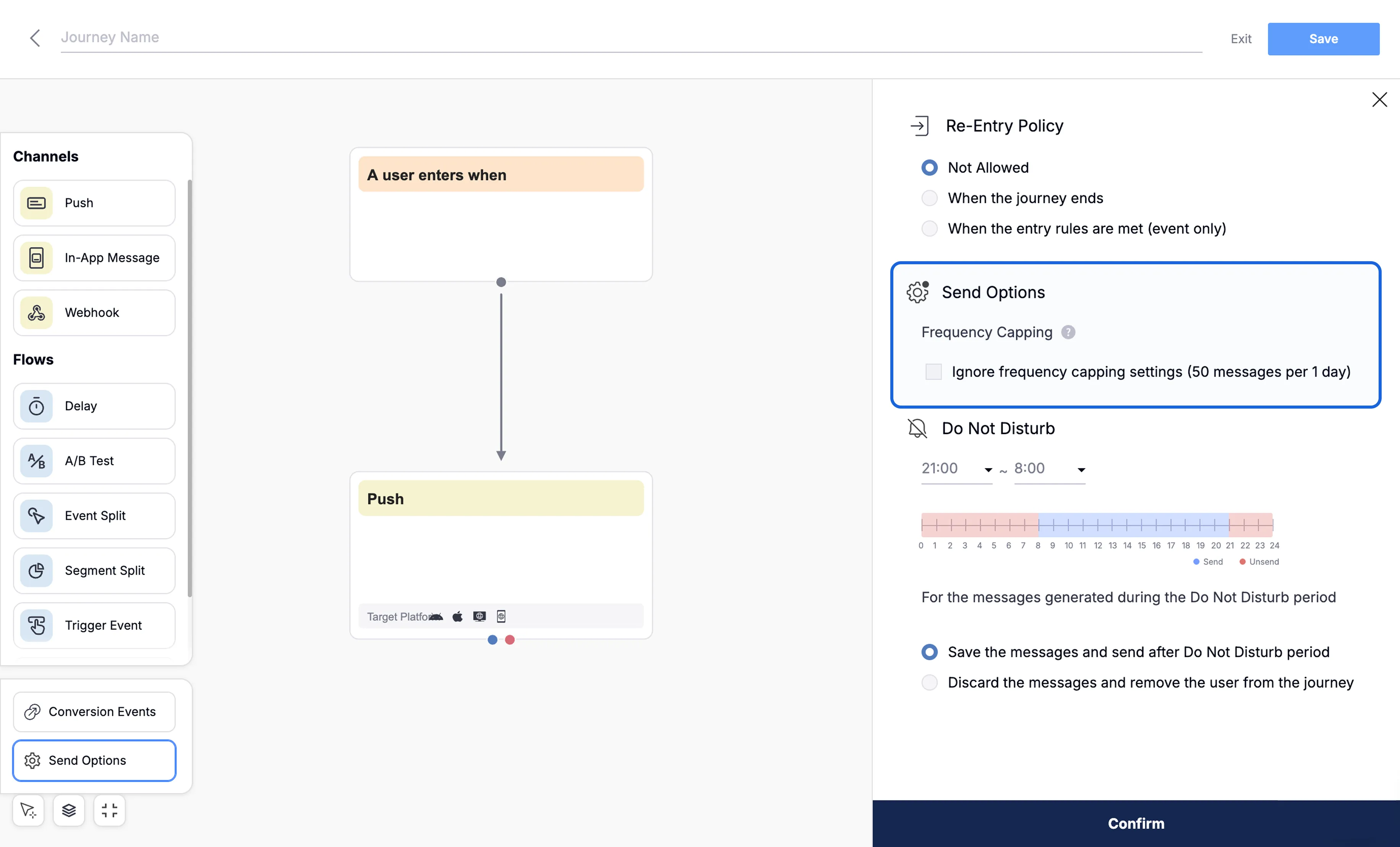
If you select the checkbox in the send settings within an automation, all messages in that automation campaign are sent unconditionally.