File Upload Targeting
You can send messages to recipients specified in an uploaded file (xlsx, csv). By adding columns to the file, you can use them as personalization variables with different values per recipient — ideal for tailored sends based on data exported from external systems.
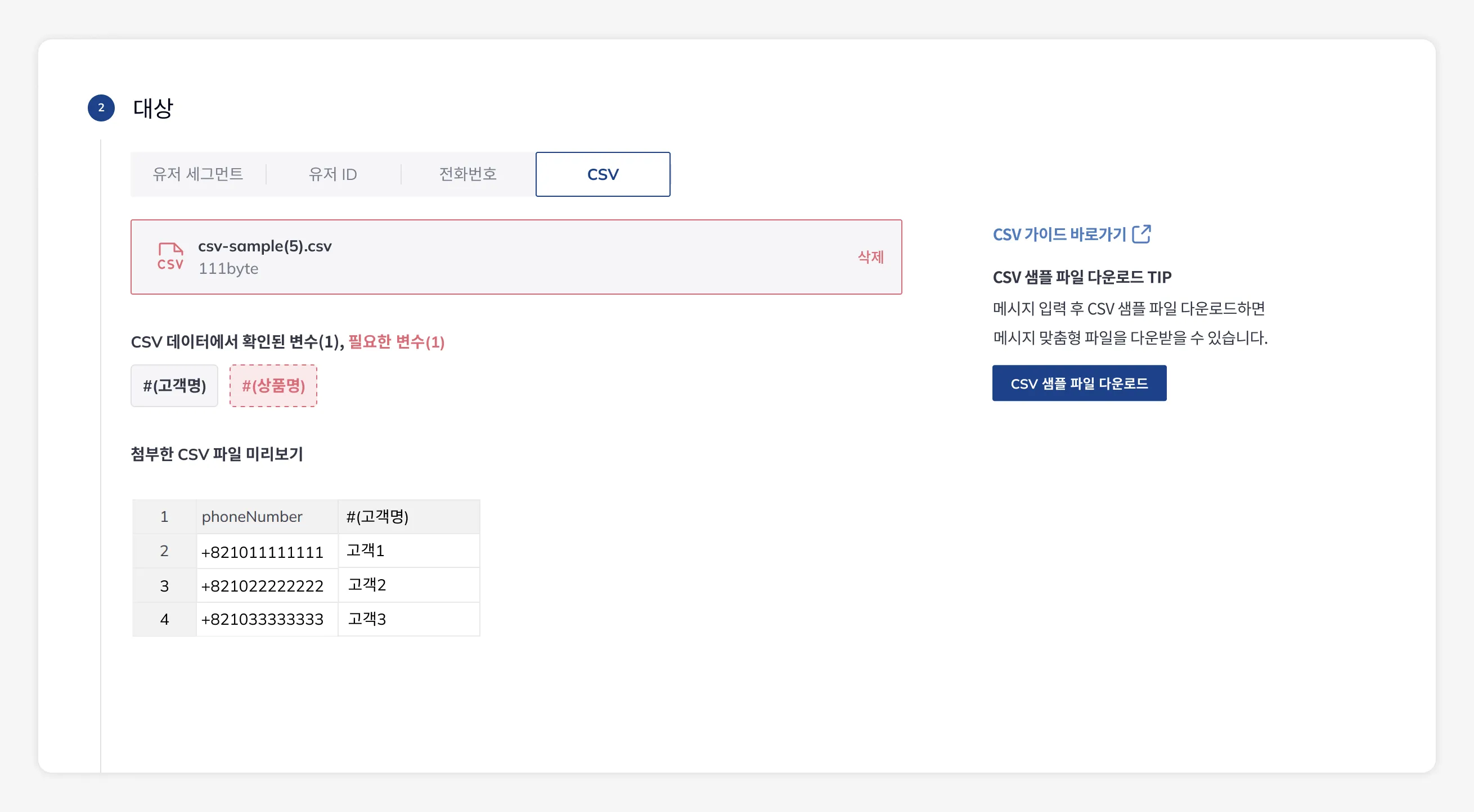
It works the same way across all channels (Mobile Push, Web Push, SMS, Email, Alimtalk, Brand Message); only the required column differs per channel. To use it, select File Upload as the target type in each channel’s message composer.
Downloading a Sample File
Section titled “Downloading a Sample File”On each channel’s new message page, if you first enter variables in your message using Personalized Messages (Liquid) syntax and then download the sample file, the file you receive will include those variables as columns.
File Structure
Section titled “File Structure”In your file, the first row is the header, the first column is the channel’s required column, and every remaining column is a personalization variable.
Required column: userId — the user ID set via the SDK
| userId | name | couponCode |
|---|---|---|
| user001 | Minjun | WELCOME10 |
| user002 | Seoyeon | VIP20 |
Required column: phoneNumber — E.164 format (e.g., +821011112222)
| phoneNumber | name | couponCode |
|---|---|---|
| +821011112222 | Minjun | WELCOME10 |
| +821033334444 | Seoyeon | VIP20 |
Required column: email — the recipient’s email address
| name | couponCode | |
|---|---|---|
| minjun@example.com | Minjun | WELCOME10 |
| seoyeon@example.com | Seoyeon | VIP20 |
Using Personalization Variables
Section titled “Using Personalization Variables”Every column other than the required one is used as a personalization variable for that row’s recipient. With the file example above, you can use the column names directly in your message as {{ name }} and {{ couponCode }}. See Personalized Messages (Liquid) for syntax details.
- Title:
{{ name | default: "there" }}, your coupon has arrived 🎁 - Body:
Enter the code {{ couponCode }} to get your discount.
Personalization variables can be used not only in the title and body but also in the URL, image URL, and buttons.
- The header must not contain empty cells or duplicates.
- The required column must not contain empty or duplicate values.
- CSV files must be UTF-8 encoded.
- If an Excel file contains cells formatted as ‘Date’, change them to ‘Text’ format before uploading.
- If the file violates a rule, you can check the error details in the console.
- For Mobile Push and Web Push, rows with no device matching the
userIdare excluded from sending. - SMS, Alimtalk, Brand Message, and Email are sent directly to the contact in the file, and for conversion measurement, events are measured based on the user ID of the user matched to the phone number or email.
- For each channel’s sending steps, see the channel docs: Mobile Push · Web Push · SMS · Email · Alimtalk · Brand Message