Setup
Overview
Section titled “Overview”Get the API details from your development team, and register a credential if the API requires authentication.
Step 1. Prepare the API
Section titled “Step 1. Prepare the API”Get the following four things from your development team. Share the API integration guide page with them as well.
| What to get | What it’s for | Example |
|---|---|---|
| API URL | Entered as-is in the instruction | https://api.example.com/points |
| Request method | How you write the instruction depends on GET or POST | GET |
| Authentication method | If authentication is required, register it in step 2 | Basic or Token, or none |
| Sample response (JSON) | Shows which fields you can use in the message | {"amount": 12000, "expires_at": "2026-09-30"} |
Step 2. Register a credential
Section titled “Step 2. Register a credential”Skip this step if the API can be called without authentication.
For APIs that require authentication, don’t put the ID or token in the message. Register it first, then refer to it by name in the message.
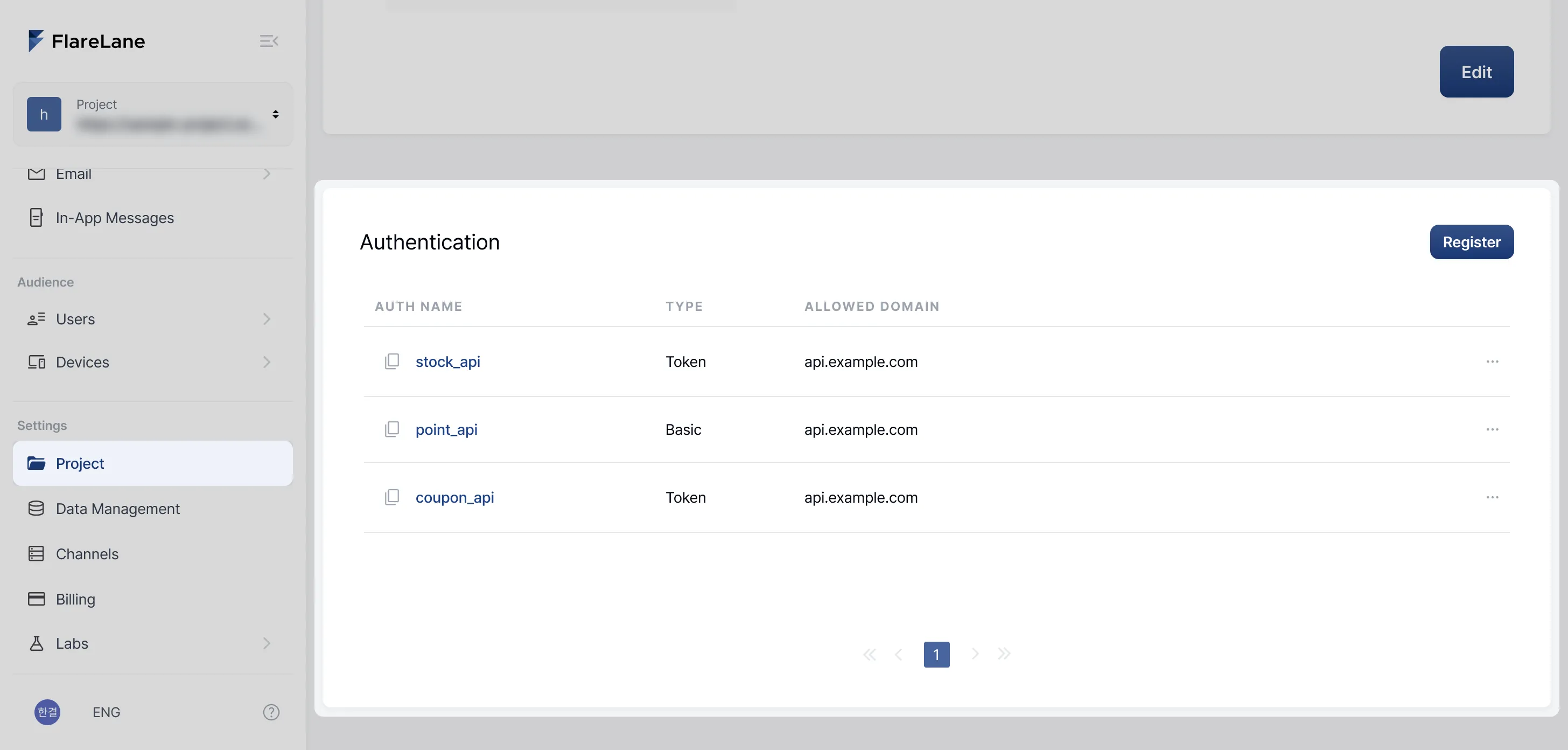
Open the Credentials section
Section titled “Open the Credentials section”In Settings › Project, you can register up to 10 credentials per project.
Choose a type and fill in the fields
Section titled “Choose a type and fill in the fields”Choose Basic or Token based on the authentication method your development team gave you.
| Type | Choose this when | Fields |
|---|---|---|
| Basic | The API authenticates with an ID and password | Credential name, ID, PW, Allowed domain |
| Token | The API authenticates with a header, such as Authorization: Bearer ... | Credential name, Header name, Header value, Allowed domain |
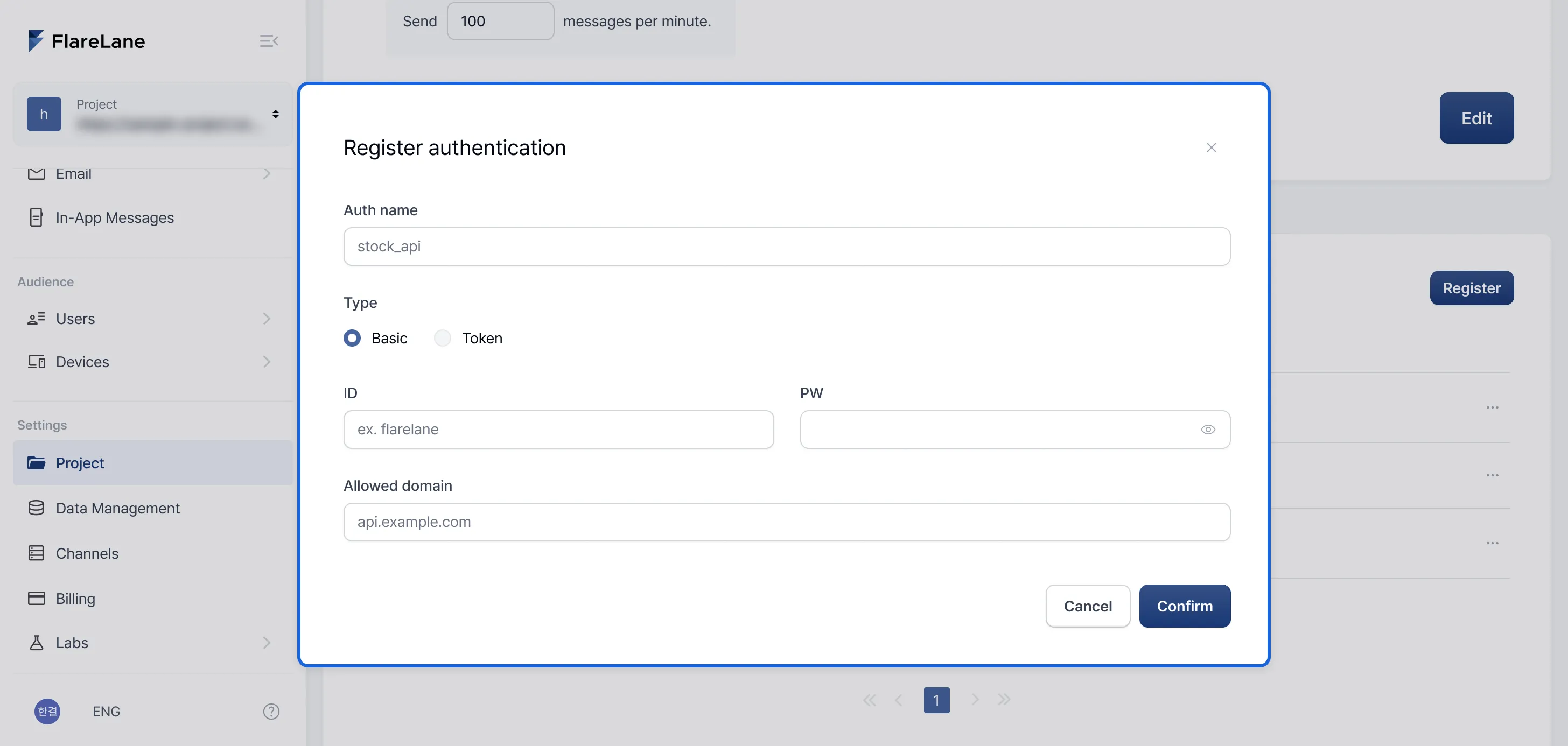
- Give the credential a name that tells you which API it’s for, such as
stock_api. - The allowed domain is used only when it exactly matches the domain of the request URL. Subdomains don’t count.
| Allowed domain | Request URL | Used |
|---|---|---|
api.example.com | https://api.example.com/stock | Yes |
api.example.com | https://other.example.com/stock | No |
api.example.com | https://shop.api.example.com/stock | No |
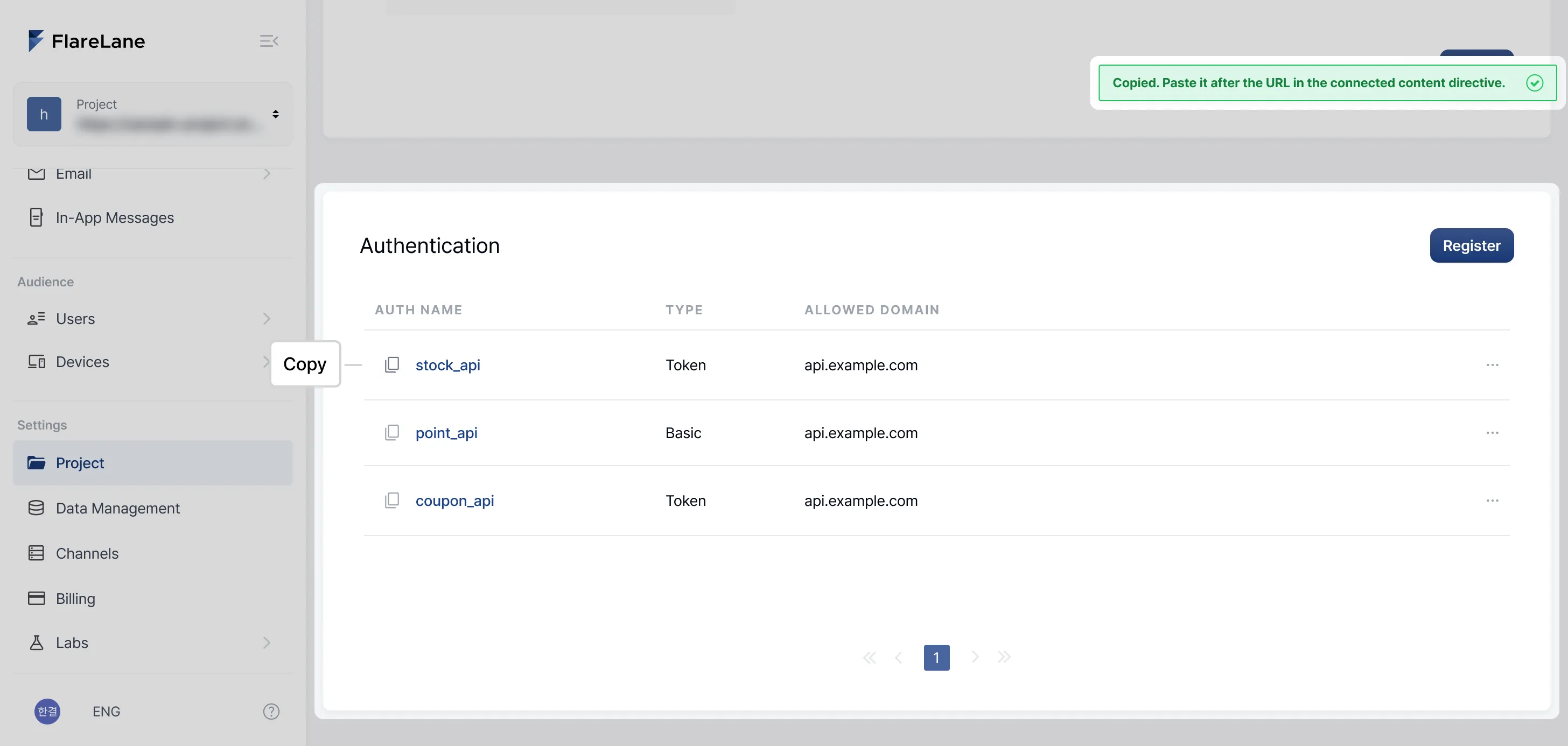
Copy the name
Section titled “Copy the name”Click the copy button to the left of a credential name in the list to copy it in a form you can paste straight into your message.