Data Masking (PII) Settings
FlareLane supports a PII masking feature to help you manage your customers' personal information securely.
Where masking applies and what it covers
Section titled “Where masking applies and what it covers”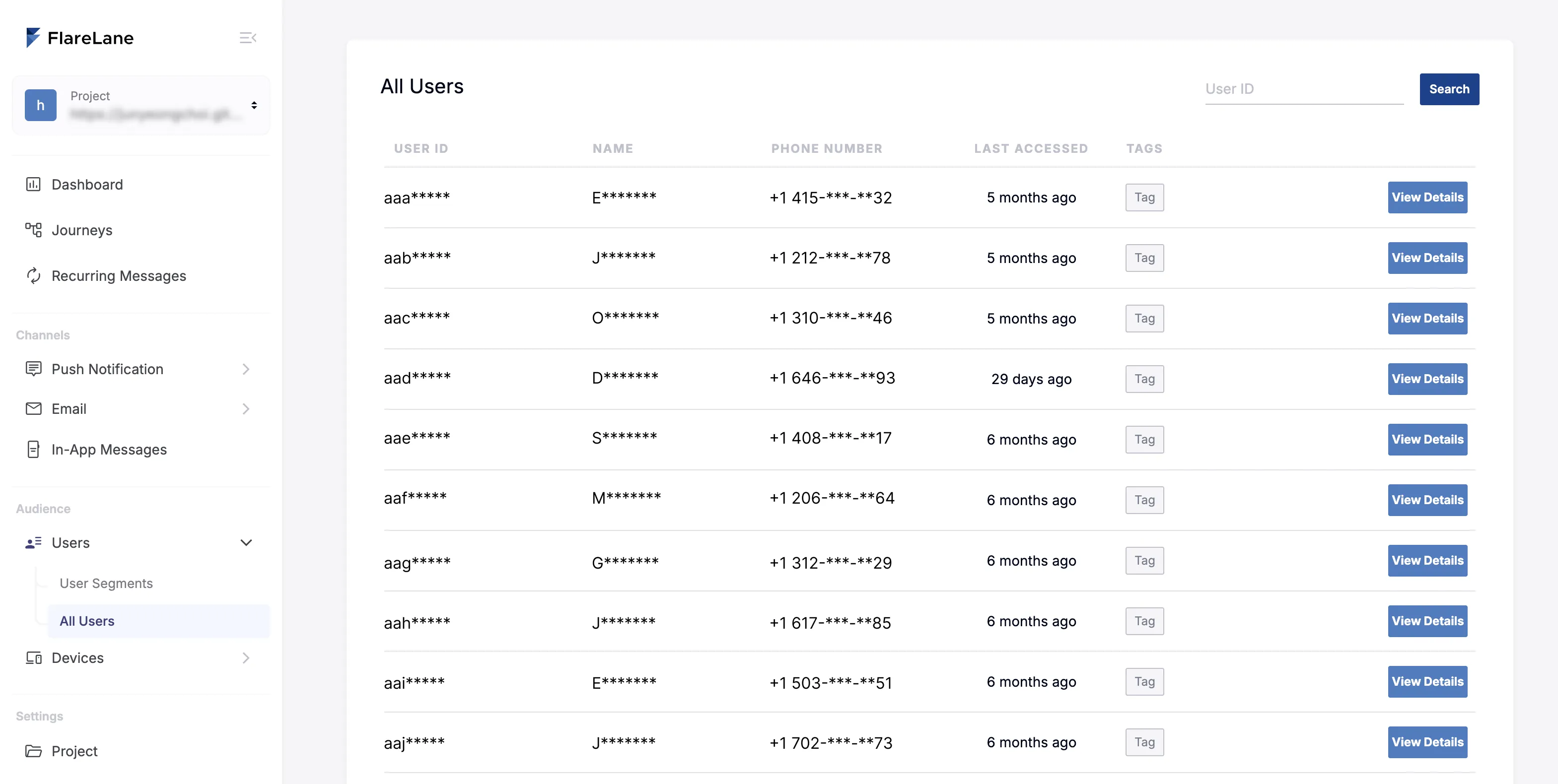
Masking can be applied on the user list and user detail pages, where user information is displayed.
The masking covers personally identifiable details such as name, phone number, email, date of birth, and age, and is applied as partial masking.
How to apply it
Section titled “How to apply it”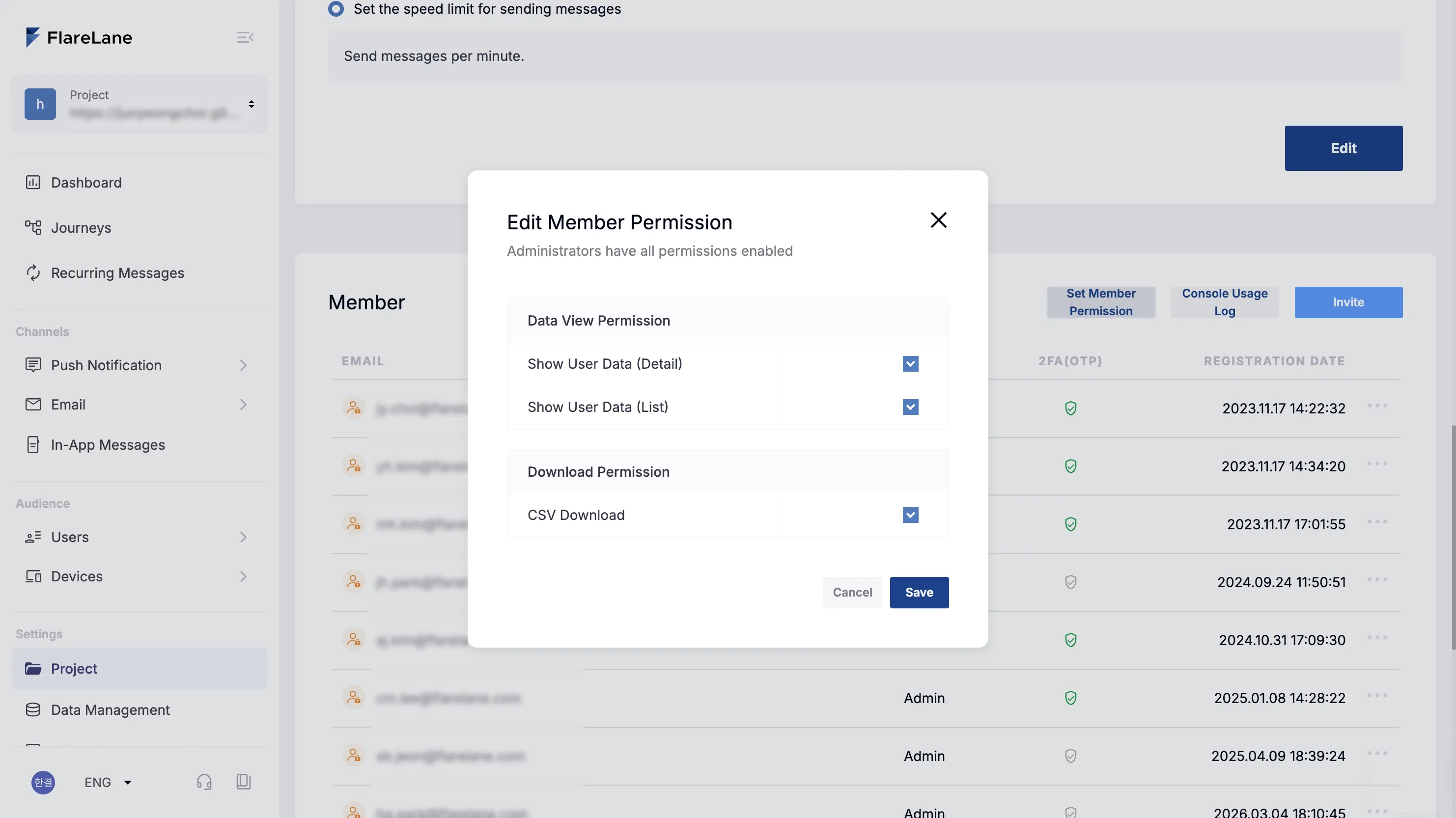
On the project page in the console, use the [Member Permission Settings] button to configure data-viewing permissions per member.
You can selectively apply masking to the user detail page and the user list page individually.
Masking applies to the Member role; admins can see all information.