iOS Web Push - Overview and How It Works
Apple announced official Web Push support starting with iOS 16.4. Being able to send push notifications without a mobile app is extremely useful, and you can now do this on iOS as well, though there are still a few limitations.
This guide explains the requirements and how Web Push works on iOS.
Requirements
Section titled “Requirements”FlareLane offers full support for iOS Web Push. To use it, your website must meet all of the following conditions:
- The FlareLane Web Push SDK is integrated
- A manifest.json file is created and applied
- The site is accessed through a web app added via "Add to Home Screen"
Integration Steps
Section titled “Integration Steps”1. Integrate the FlareLane Web Push SDK
Section titled “1. Integrate the FlareLane Web Push SDK”The FlareLane SDK makes it very easy to implement Web Push. Follow the guide below to create a FlareLane project and integrate Web Push.
2. Create and Apply a manifest.json File
Section titled “2. Create and Apply a manifest.json File”A Web App Manifest file is a JSON file that defines the app name, icons, and other properties needed to turn a website into a web app.
The file must include at least all of the values below. Adjust the name, icons, and other details to fit your service, then create and upload the file.
{ "name": "FlareLane", "icons": [{ "src": "/icon-192x192.png", "sizes": "192x192", "type": "image/png" }], "display": "fullscreen"}Insert the following code inside your website's <head> tag to link the uploaded file.
<link rel="manifest" href="/manifest.json" />3. Access via a Web App Added to the Home Screen
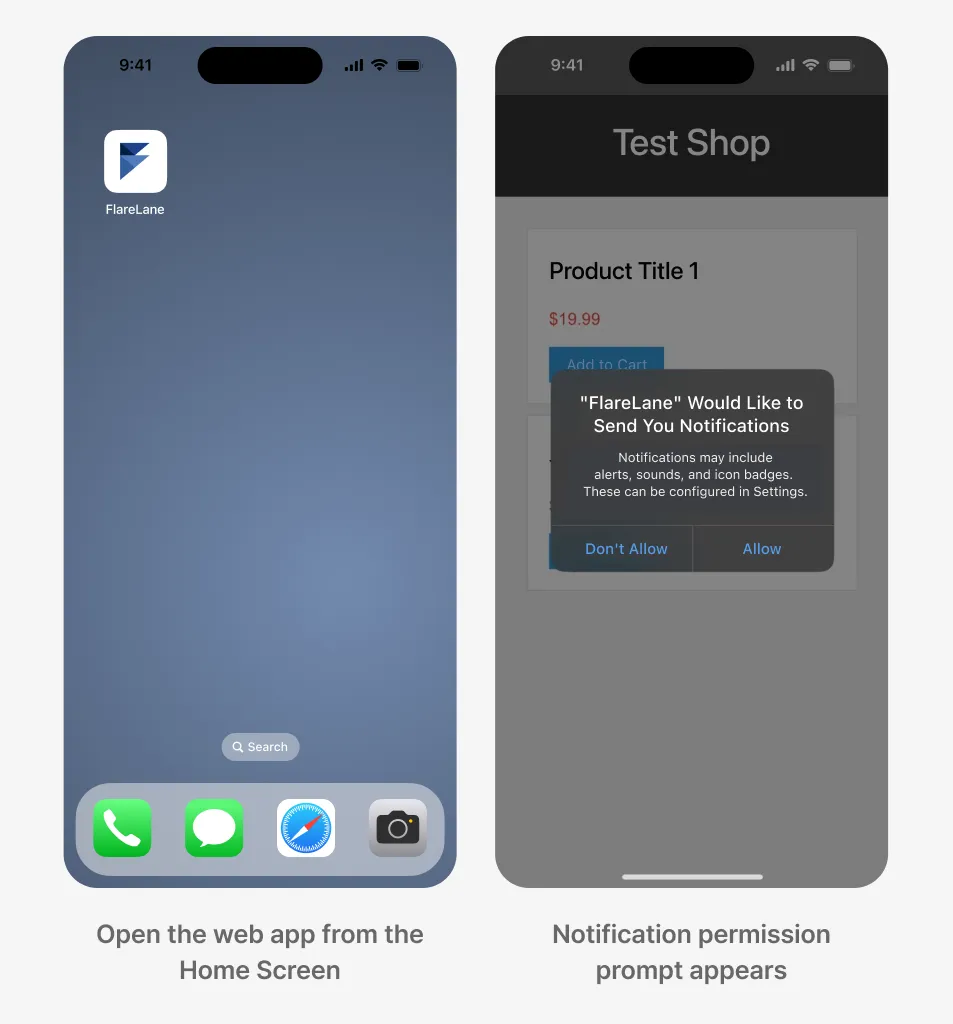
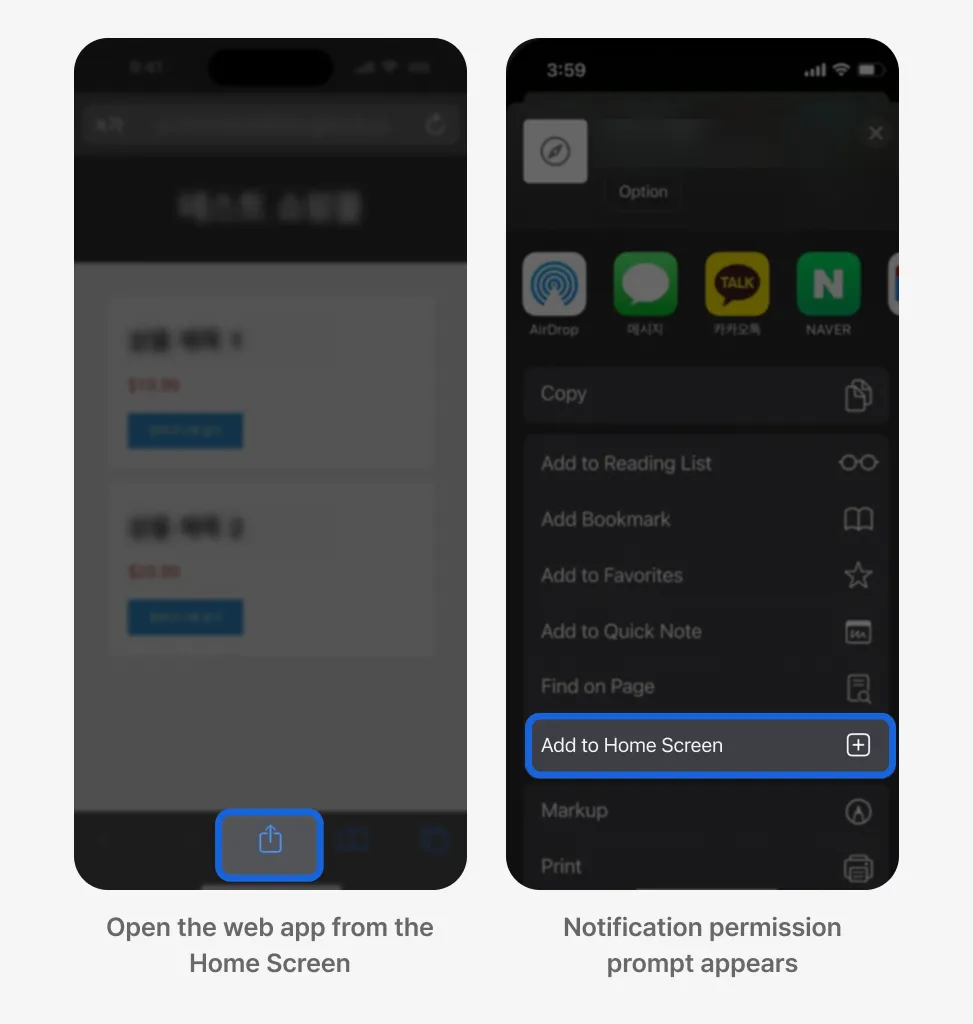
Section titled “3. Access via a Web App Added to the Home Screen”For a site that meets the two conditions above, the user must add the web app to their device by tapping "Add to Home Screen". When the user reopens the site through this web app, they will be prompted to allow notifications.
4. Subscribe to Web Push
Section titled “4. Subscribe to Web Push”When the user reopens the site through the home-screen web app added in the previous step, a prompt asking for notification permission appears automatically.