Customer Journey Analytics
After a Customer Journey is activated, you can analyze its historical performance both overall and per message. If a conversion event is set, you can also analyze conversion performance.
Overall performance analysis
Section titled “Overall performance analysis”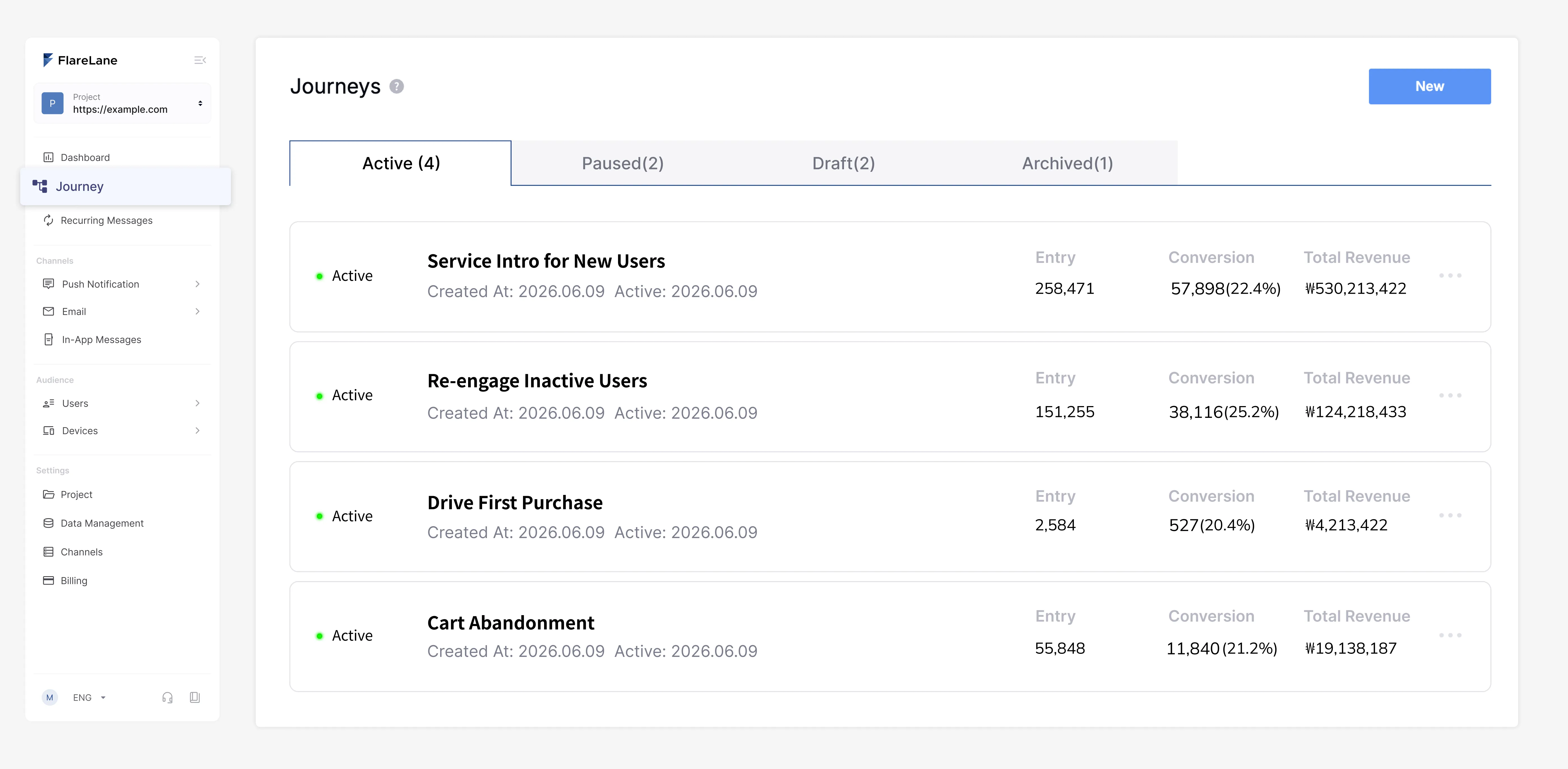
The Customer Journey list and detail pages let you view the overall performance of the journey.
Click-through rate and conversion rate are aggregated totals, but the metrics are deduplicated for the same target.
Per-message performance analysis
Section titled “Per-message performance analysis”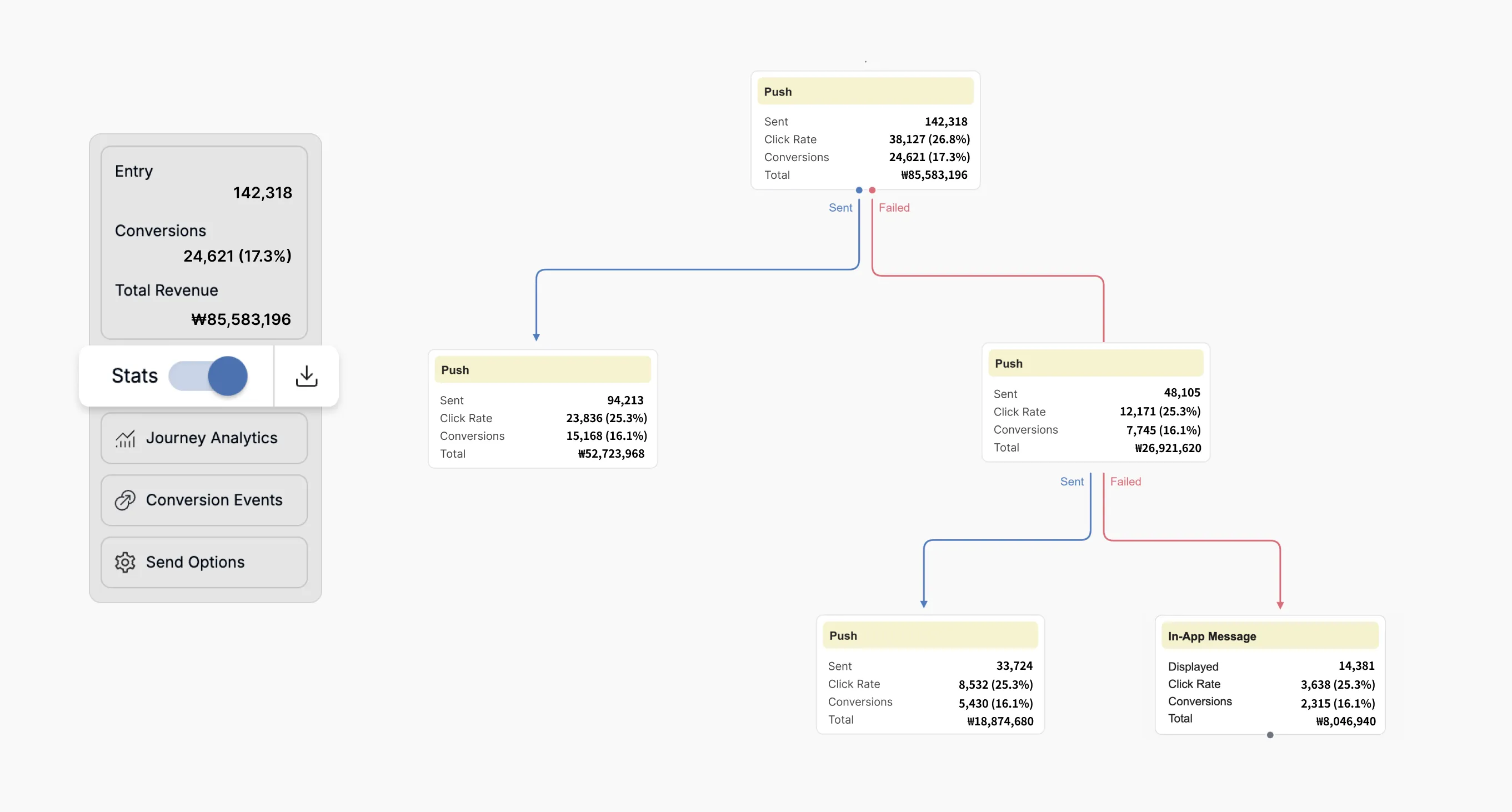
After creating a Customer Journey, when you turn on the statistics switch, you can view performance metrics for each message.
Conversions are measured based on the number of entries.
- For example, if a single user enters the Customer Journey automation once and receives 3 messages, and 1 conversion occurs, each message's conversion count increases by 1 (for a total of 3), but the overall statistics count this as 1 conversion.
For details on conversion events and how they're measured, see the Setting up and analyzing conversion events guide.