Mixpanel Integration
You can target Mixpanel cohorts to enroll users into FlareLane’s customer journey automation, send push notifications, display in-app messages, and run a wide range of connected CRM marketing.
1. Create an integration
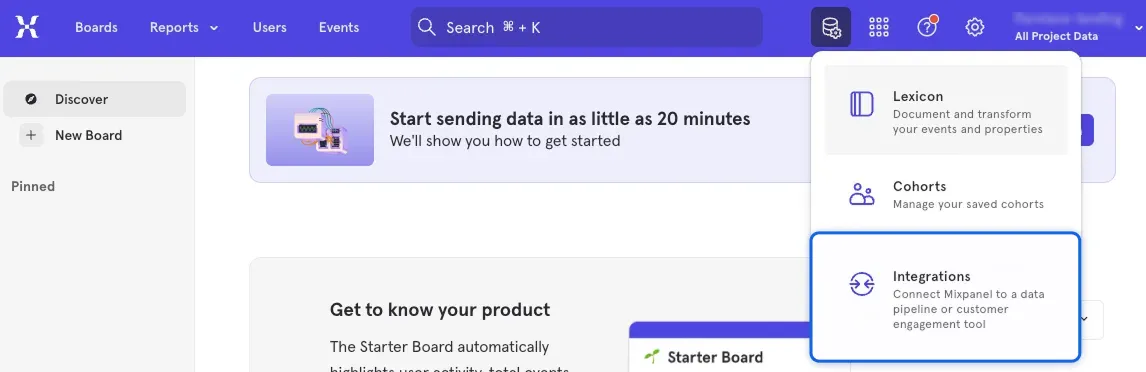
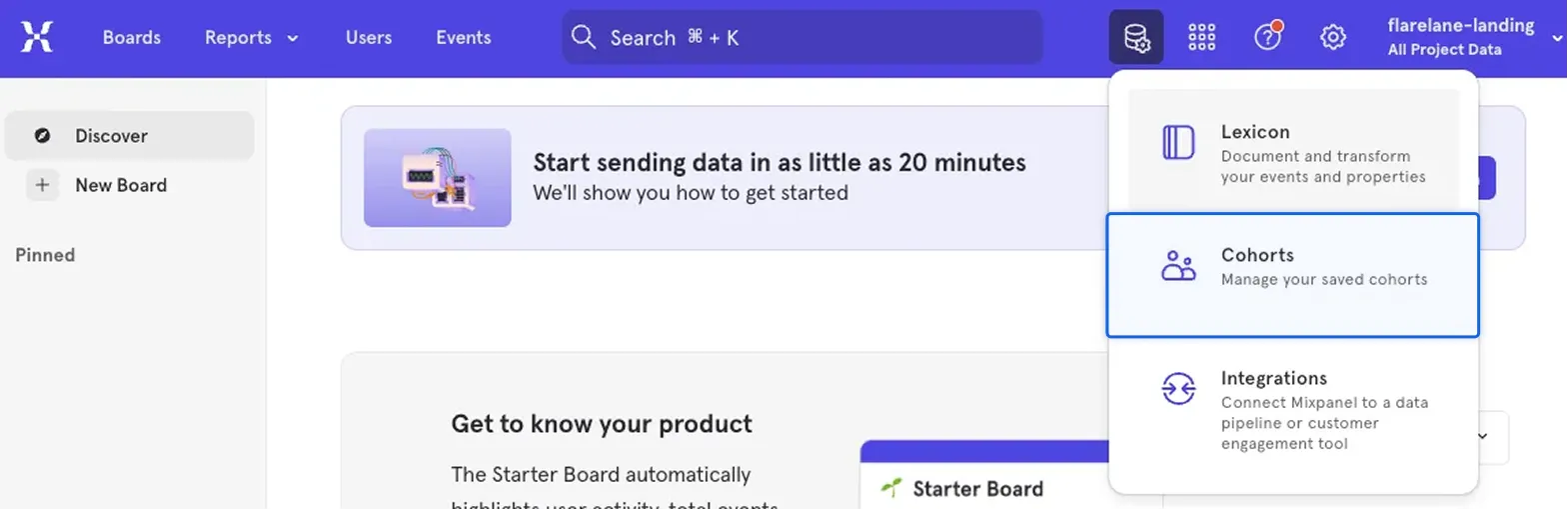
Section titled “1. Create an integration”1. In the Mixpanel console, click Integrations.
2. From the Integrations list, select Custom Webhook.
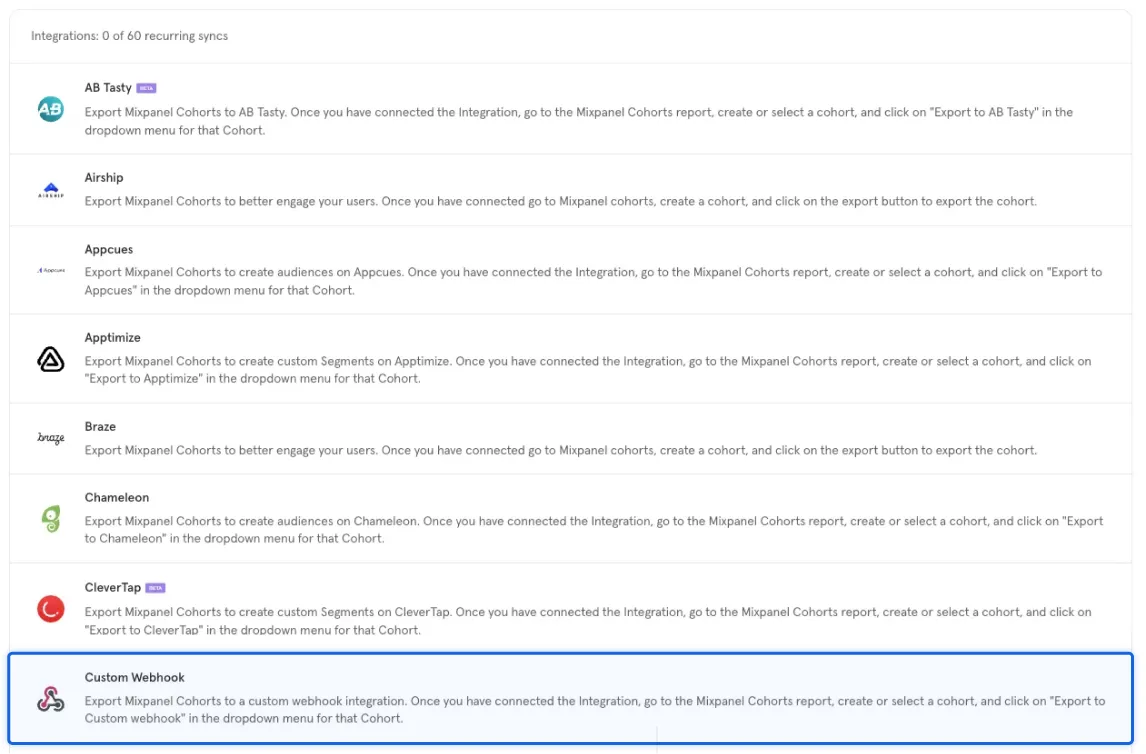
3. If you’re connecting a webhook for the first time, click the Connect button.

4. Enter the following fields to complete the Custom Webhook configuration.
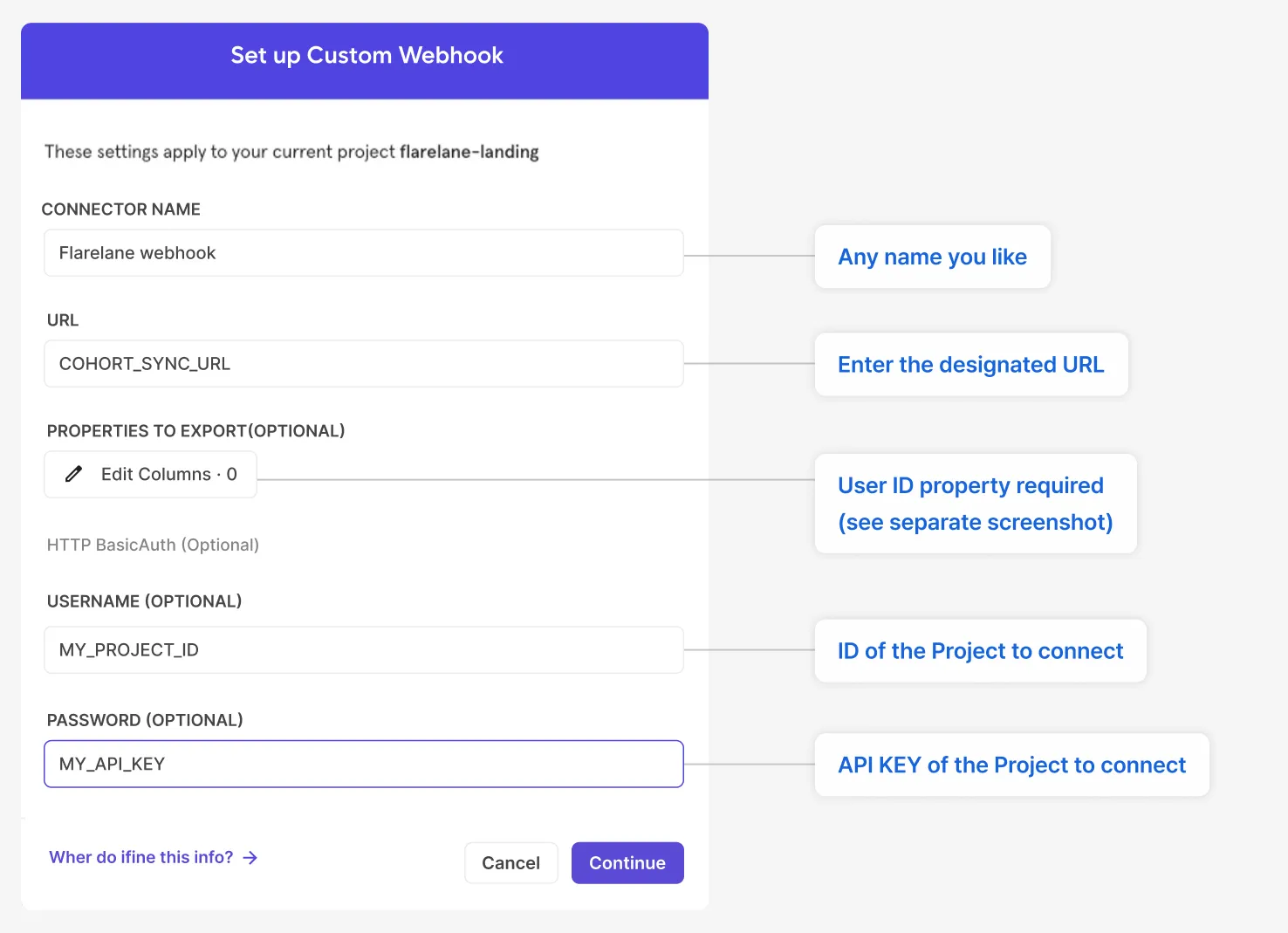
| Field | Value |
|---|---|
| URL | https://api.flarelane.com/v1/cohort-sync/mixpanel |
| USERNAME | The ID of the FlareLane project to integrate |
| PASSWORD | The API key of the FlareLane project to integrate |
2. Sync cohorts
Section titled “2. Sync cohorts”1. In the Mixpanel console, click Cohorts.
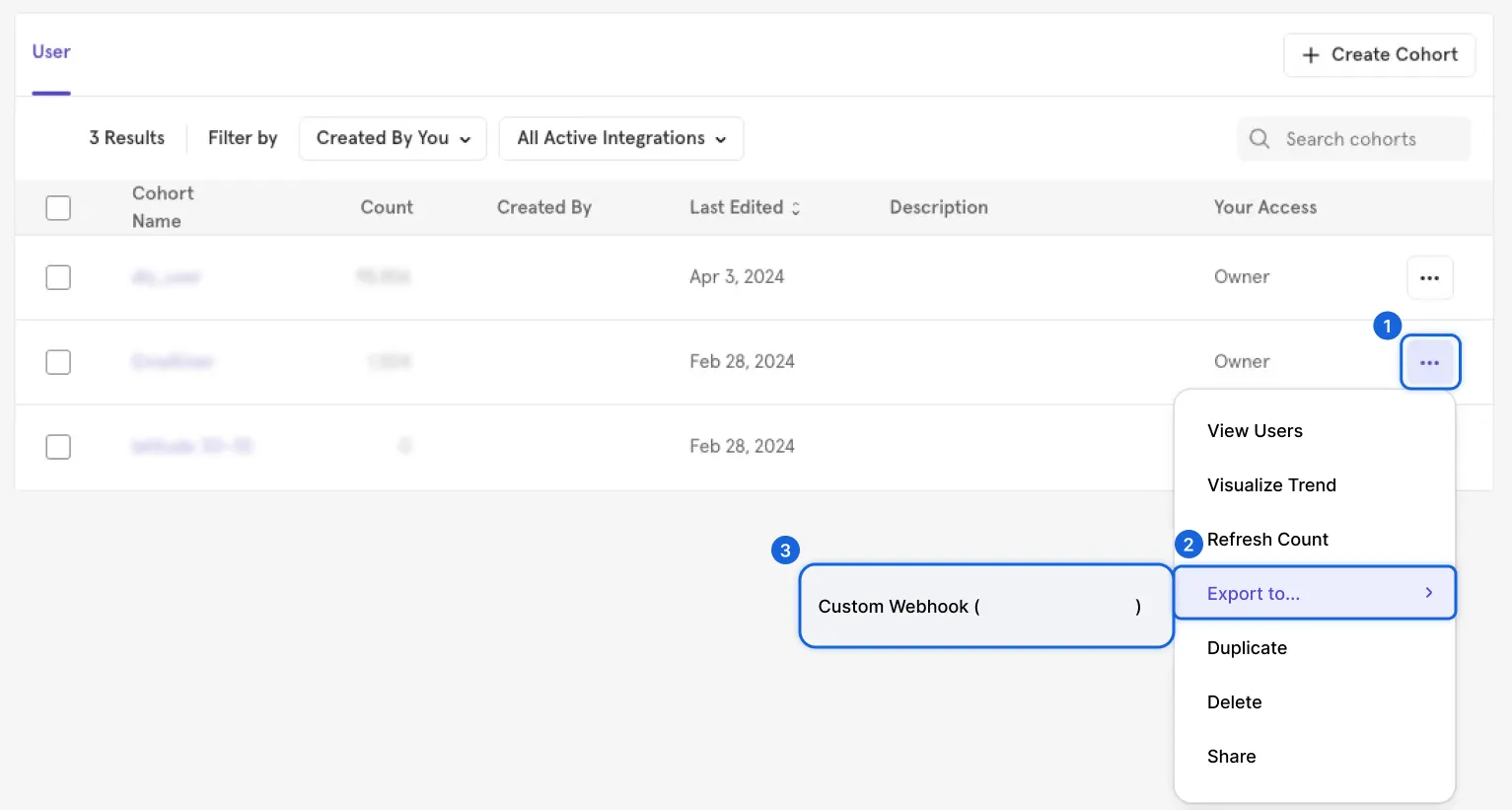
2. Select the cohort you want to sync and choose Export to > Custom Webhook.
3. Select the sync frequency for the cohort.
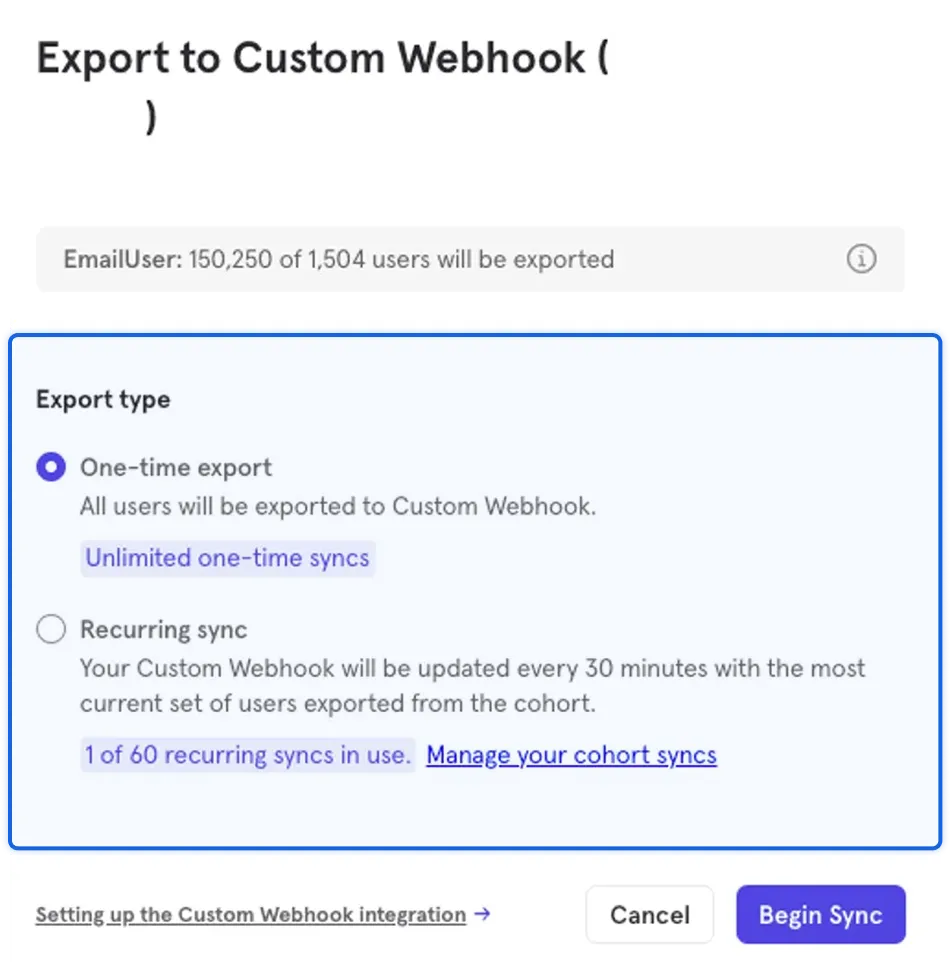
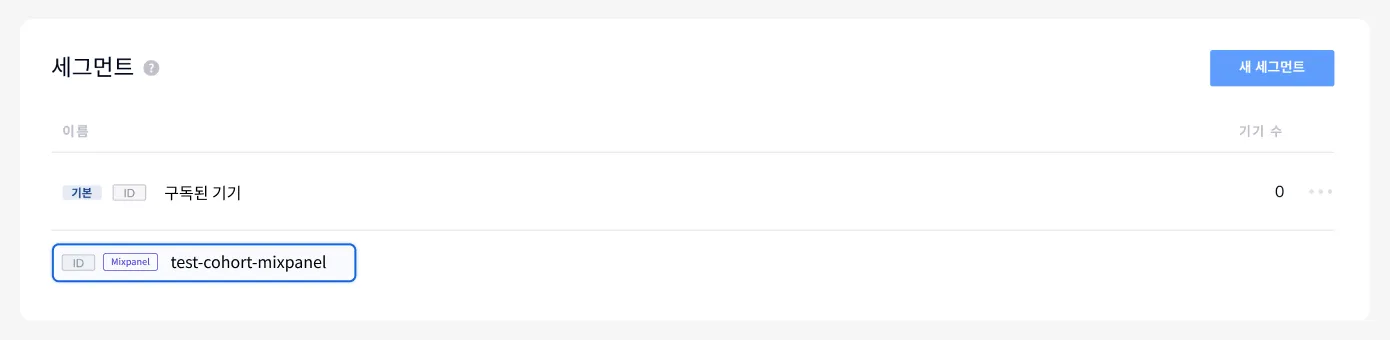
4. Once the sync starts, a separate segment with a Mixpanel badge is automatically created in FlareLane Segments.