Setting Up and Analyzing Conversion Events
Setting up conversion events lets you measure the goal conversion rate and attributed purchase amount of the messages you send, enabling real performance analysis of your messages. To set up a conversion event, you must first integrate events.
How conversions are measured
Section titled “How conversions are measured”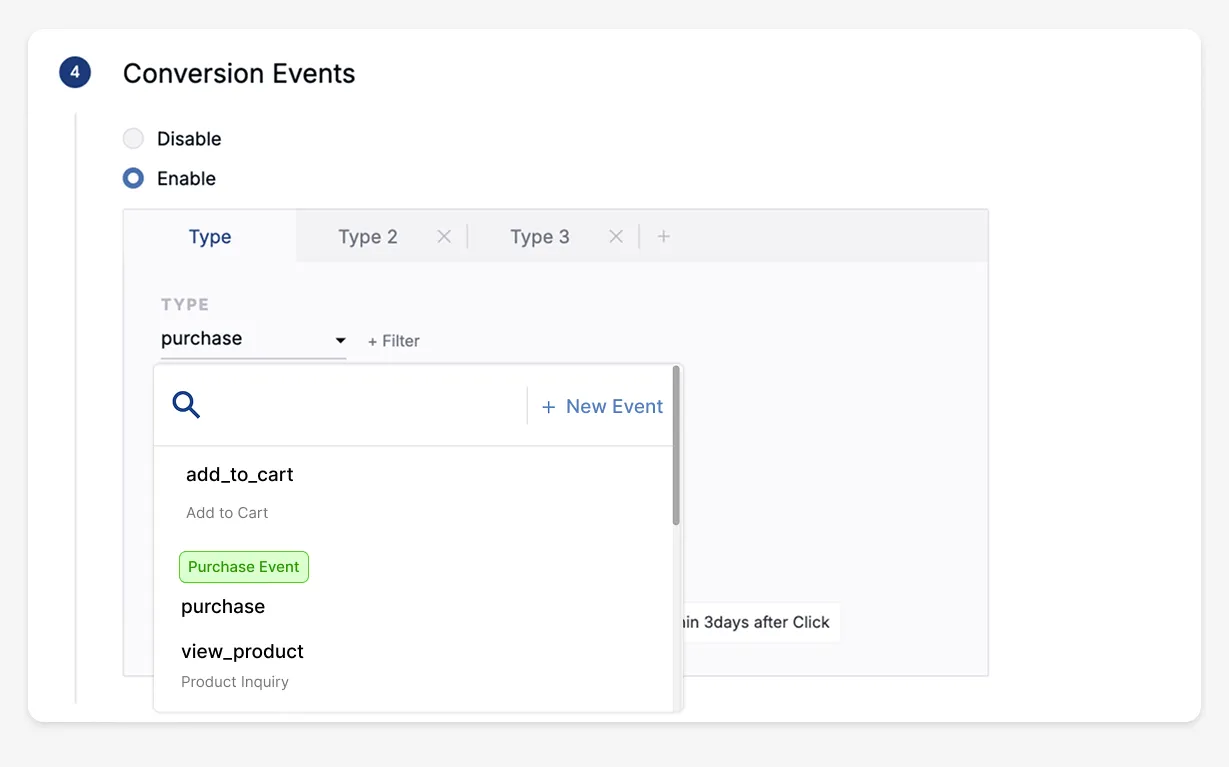
You can set up to 5 conversion events, and for each event you configure three measurement values.
- Event: Set the event that will be your conversion goal.
- Conversion measurement basis: Set the starting point from which conversion event measurement begins.
- Push notifications: choose between click-based or send-based
- KakaoTalk & SMS: send-based only
- In-app messages: click-based only
- Attribution window: Set the period over which conversion events are measured, starting from the conversion measurement basis.
For example, if you set the purchase event with a 3-day attribution window, a conversion is counted when the user triggers a purchase event within 3 days of receiving the message.
Types of conversion events
Section titled “Types of conversion events”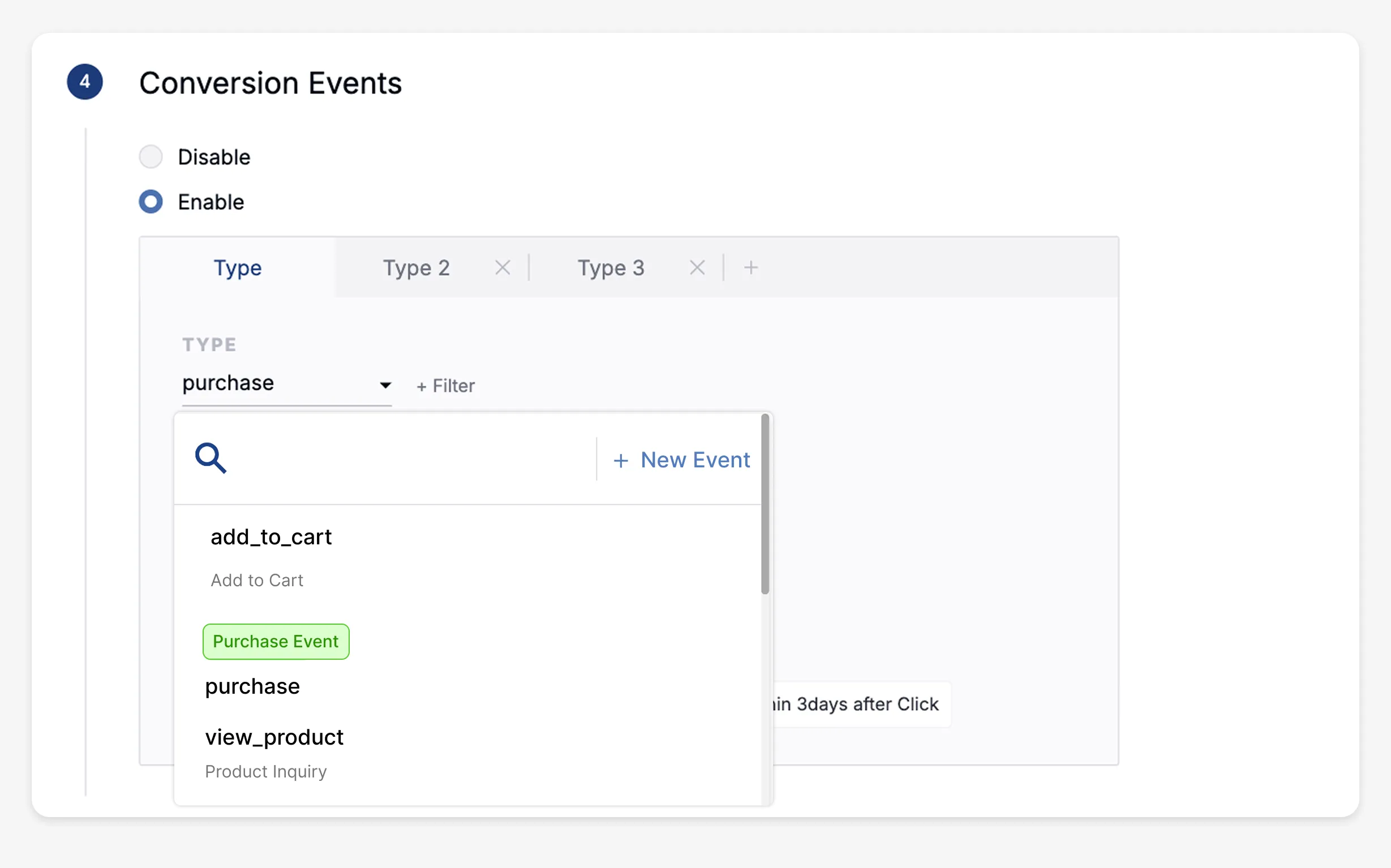
Conversion events are divided into standard events and purchase events. When you set up a purchase event, you can also measure the purchase amount.
How to set up a purchase event
Section titled “How to set up a purchase event”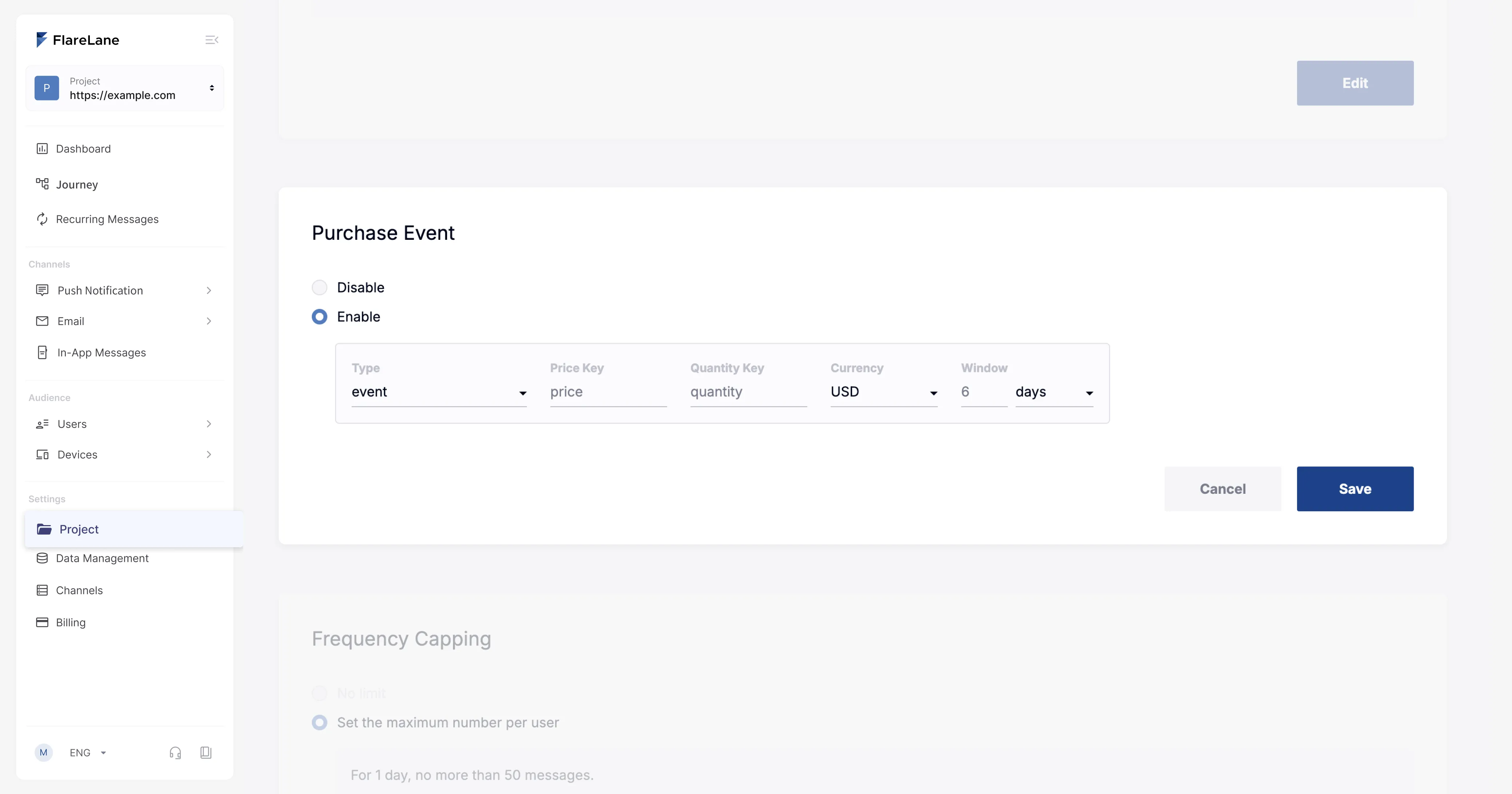
You can set up a purchase conversion event on the project page in the FlareLane console. Enter the amount and quantity data keys passed with the purchase event, along with the currency, and the purchase amount will be recorded alongside the conversion.
The purchase amount is calculated as amount data * quantity data.
Viewing conversion performance
Section titled “Viewing conversion performance”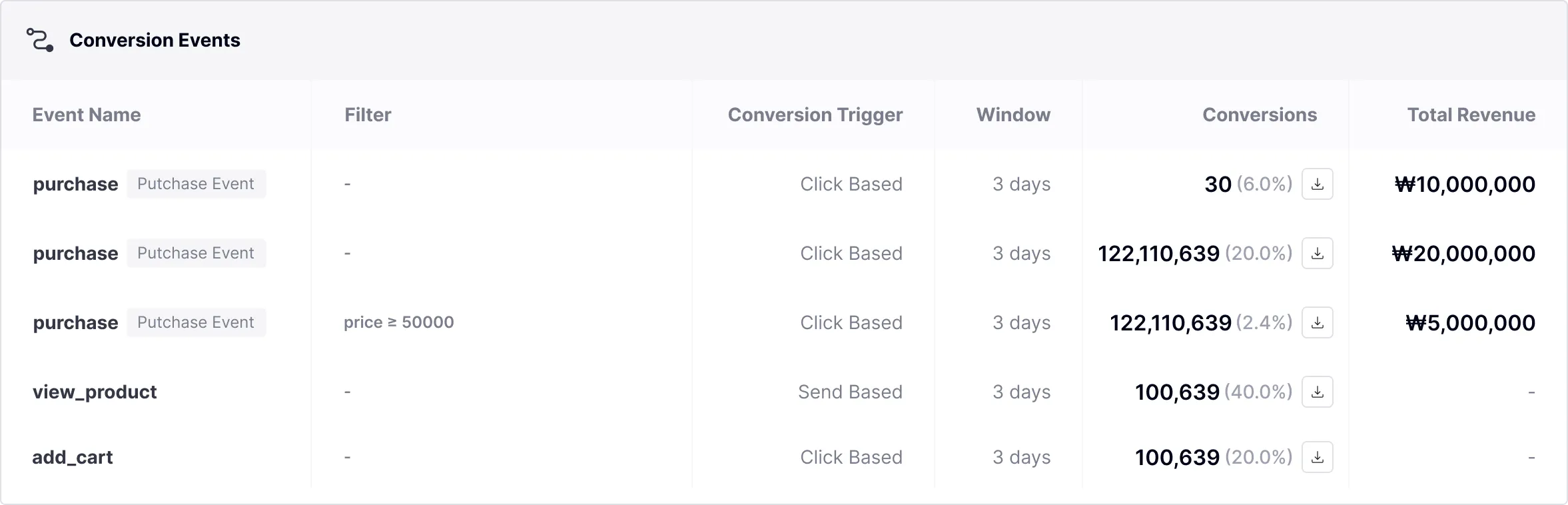
Every conversion event you set up can be viewed in the detailed campaign performance.
Along with each conversion event's configuration rules, the conversion count and total purchase amount are aggregated in real time.
Conversion measurement rules
Section titled “Conversion measurement rules”- A conversion is counted when the goal event occurs within the attribution window, measured from the conversion measurement point.
- When multiple devices share the same user ID, a conversion is counted only once per user ID, on the first occurrence.
- For example, if a message is sent to 5 devices under one user ID and a conversion occurs on 1 of them, the send count is 5 but the conversion count is 1, for a conversion rate of 100%.
- If, at the time a conversion occurs, there are two or more separate messages with the same goal event set within the attribution window, all of them are counted as conversions.