'/%3e%3c/svg%3e)

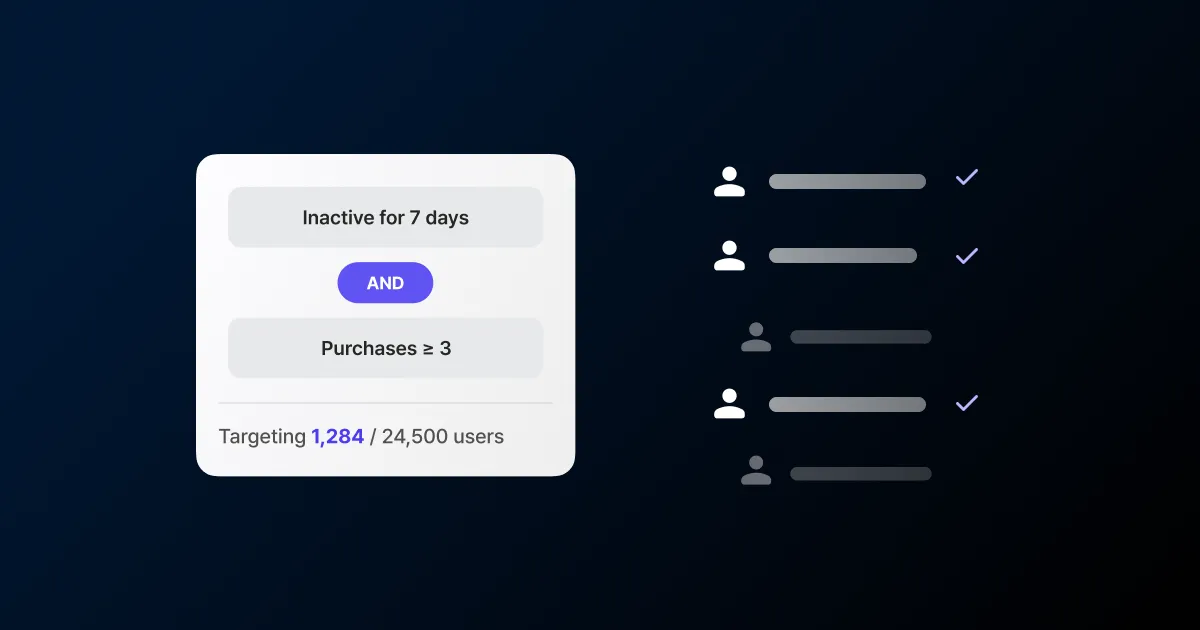
Every campaign starts with the same back-and-forth. A marketer writes up the audience: “people who added to cart last week but never checked out.” A developer turns that into SQL, runs it, and pulls a list. The marketer takes the list and loads it into the sending tool. Change one line, or want a different audience, and the whole loop starts over.
Segments move that extraction onto the marketer’s screen. Instead of requesting a list, you click filters and pick the users you want to reach.
One SQL query, a few filters
Say you want users who added 50,000 KRW or more to their cart at least three times in the last 7 days. A developer would write something like this.
SELECT u.idFROM users uJOIN events e ON e.user_id = u.idWHERE e.name = 'add_to_cart' AND e.created_at >= NOW() - INTERVAL '7 days' AND (e.properties ->> 'amount')::int >= 50000GROUP BY u.idHAVING COUNT(*) >= 3;Writing the query, reviewing it, pulling the list, handing it to the sending tool: that repeats every campaign. Even dropping the threshold from 50,000 to 30,000 means another request.
In the segment filter builder you click the same thing. Pick the add_to_cart event, set the window to the last 7 days, the count to 3 or more, and add a sub-condition of amount over 50,000 KRW. Changing 50,000 to 30,000 is editing one value.
What you can split by
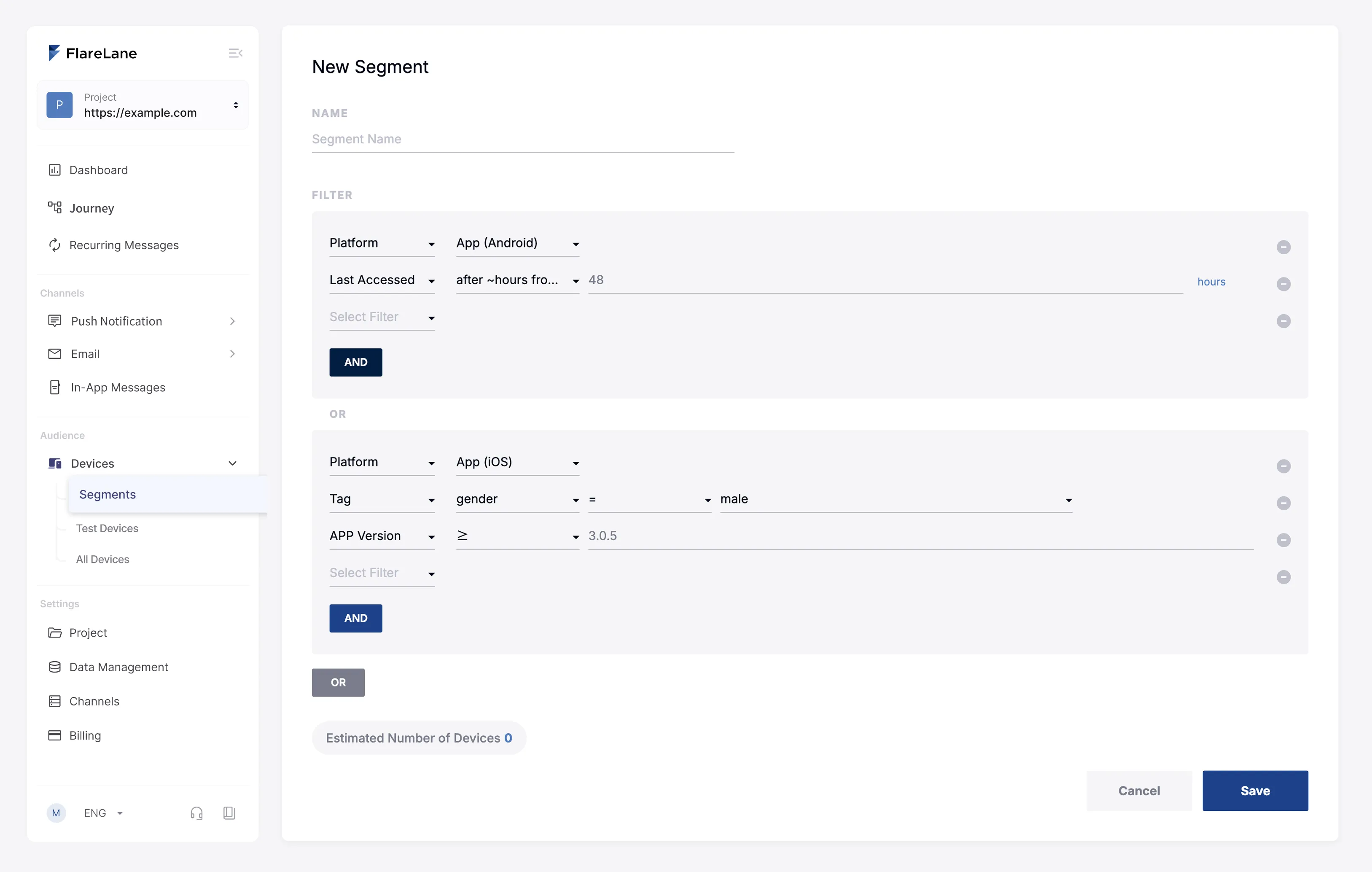
The criteria fall into two groups: users and devices. On the user side you have user ID, birthday and age, country and language, phone number, SMS opt-out status, last visit time, whether a specific event happened, and connected tag values. On the device side you have platform, OS version, app version, SDK version, web browser, country, and language. Versions take numeric comparison too, so you can pull only users on an app version below 2.5.0 and nudge them to update.
You overlap these segment filters freely. AND keeps only users who match every condition, narrowing the range. OR lets in anyone who matches one, widening it. Overlap “no visit in 14 days” with “VIP membership tier” and you isolate the high-tier users who have gone quiet.
Targeting by timing
What makes segments strong is the tag operators. Beyond equals and not-equals, you get numeric comparisons and time conditions. The time conditions earn their keep when timing is the whole point.
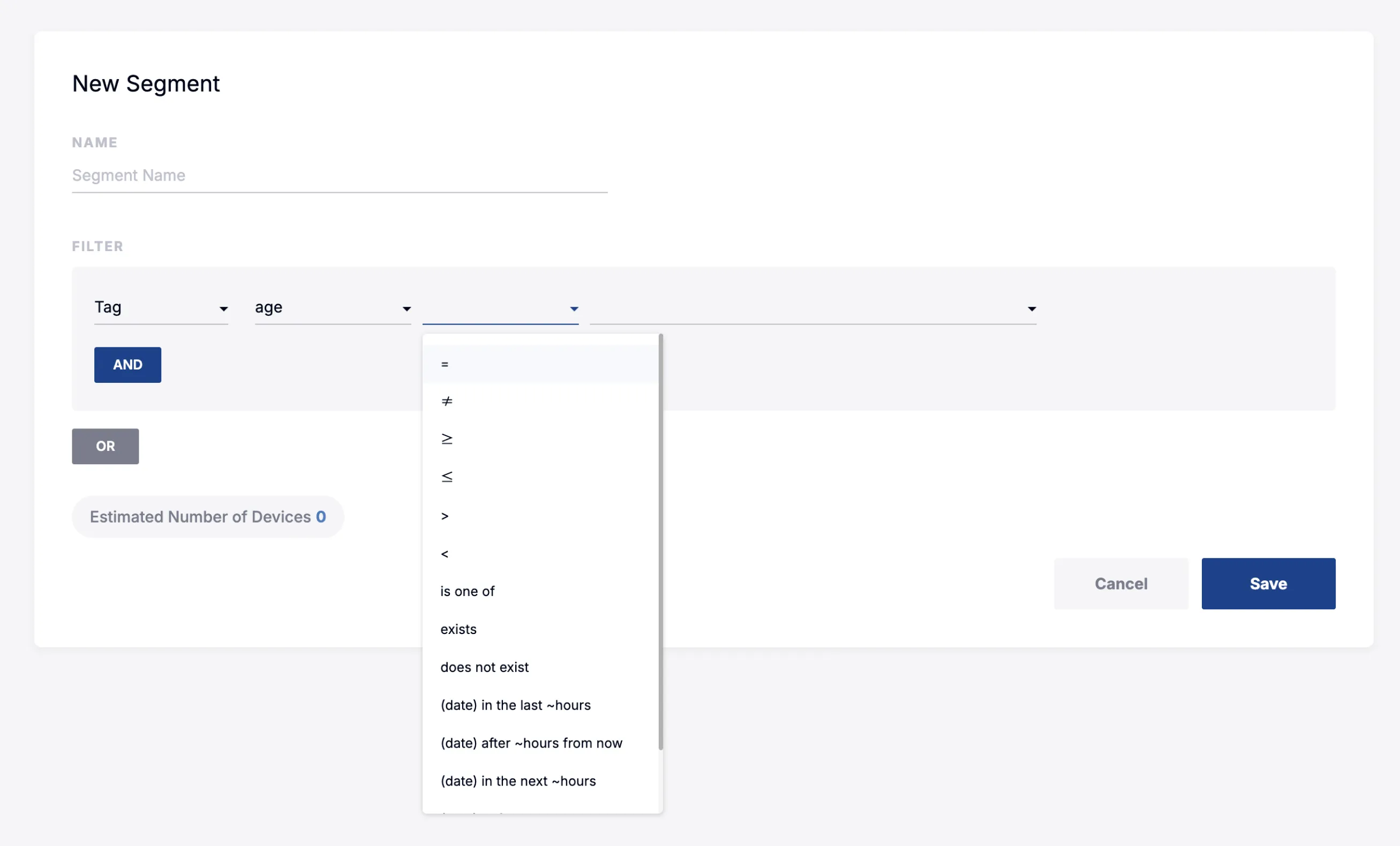
One time operator filters by how much time is left from now. Store an expiry date as a tag, points about to lapse or a coupon deadline, and you can pull users whose expiry falls within the next 72 hours with “N hours remaining,” then send a reminder. Set “last visit time” to no visit in 7 days and you catch dormant users. Overlap the two and you are left with users whose perk is about to vanish but who have stopped showing up, the ones worth one more reminder before it is gone.
Two audiences in one segment
You can join AND groups together with OR. That means two different audiences in a single segment. Take win-back. A VIP who goes quiet for 30 days is worth chasing, but a regular member you usually watch for 60. Group it as “(VIP tier AND no visit in 30 days) OR (regular tier AND no visit in 60 days)” and two dormant groups with different thresholds go out in one campaign.
A segment built this way is not only for one-off sends. Set “no visit in 7 days” as a journey’s entry condition and users who enter that state flow in automatically, no fresh list each time.
Split the audience accurately and response and conversion shift. McKinsey finds personalization usually lifts revenue 10-15%, and that lift starts with deciding who you send to.
Which combination to start with depends on your data. If you want to pick the highest-priority segments together, you can request that below.

'/%3e%3c/svg%3e)