'/%3e%3c/svg%3e)

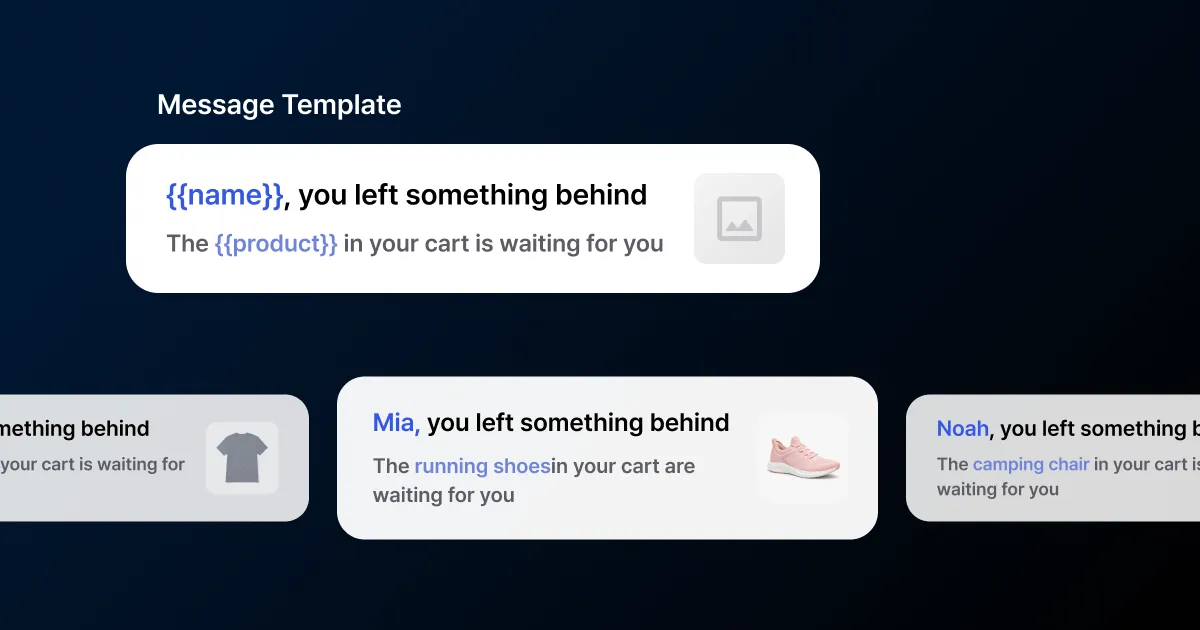
Say personalization and most people picture a greeting like “Hi Minhyuk.” A message with your name in it does catch the eye for a second. But when everyone gets the same discount and only the name changes, it reads like a blast with a name filled in.
Getting past first names means the message reflects what a user viewed, what they bought, and what they just did. This post walks through that in three steps: connecting data, branching by condition, and pulling in behavior.
Put user data into variables
To put user data in a message, connect the data first. Send values like name, tier, interest category, and sign-up date as tags or user profiles, and you can pull them into any message as variables. In FlareLane you insert variables with Liquid1 syntax and set a default that goes out when the value is empty. Liquid works the same in every channel (push, Kakao Alimtalk, email, SMS, in-app) and in every situation, one-off sends and journey automation alike. For the full syntax, variable types and filters included, see the Personalized messages (Liquid) docs.

Set the default on a name variable to “there” and users with name data get their real name while everyone else gets “Hi there.” No awkward blank is left when data is missing. You don’t need to memorize the syntax either - pick variables in the console in a few clicks.
Branch by purchase category
Once variables feel routine, you can change the sentence itself based on a data value. Users whose last purchase was sneakers get the new sneaker drop. Outerwear buyers get outerwear news. Everyone else gets general new arrivals. One campaign, a different sentence for each person.
It’s easy to confuse this with segments. Segments filter who you send to, like buyers from the last 30 days. Branches change the wording inside that audience. Use both and a narrowed audience each gets their own version in a single send.
Pull in behavioral data
In customer journey automation, the event that starts a journey carries its data straight into variables.
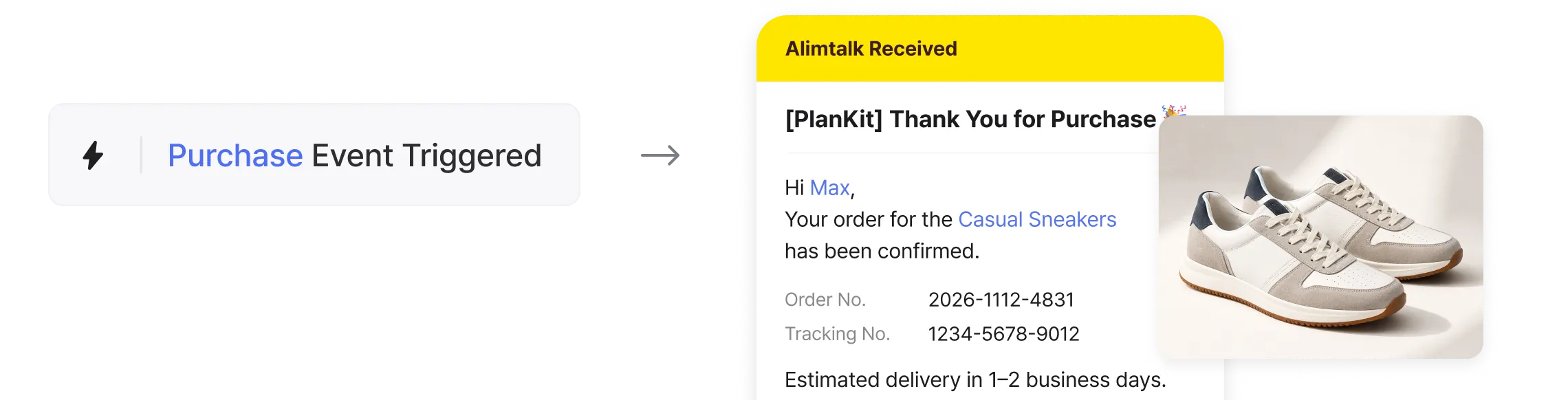
Pull the product name left in a cart and send “The running shoes in your cart are waiting,” or drop a freshly shipped product name into a delivery update. The user is getting a reply to something they just did, and that lands differently than a bulk send.
More granular is not automatically better, though. McKinsey estimates personalization typically lifts revenue 10-15%, while noting that personalization done wrong breeds resistance instead. When a variable surfaces information a user never knowingly shared, the message starts to feel invasive.
A/B test the copy per user, then read the stats
Personalization doesn’t stop at the data you drop into a message. Given the same nudge, some users respond to a calm product reminder. Others move only when a low-stock warning adds urgency. You can’t guess who is which, so you A/B test both, record which one each user reacted to, and send that person the copy that fits them next time.
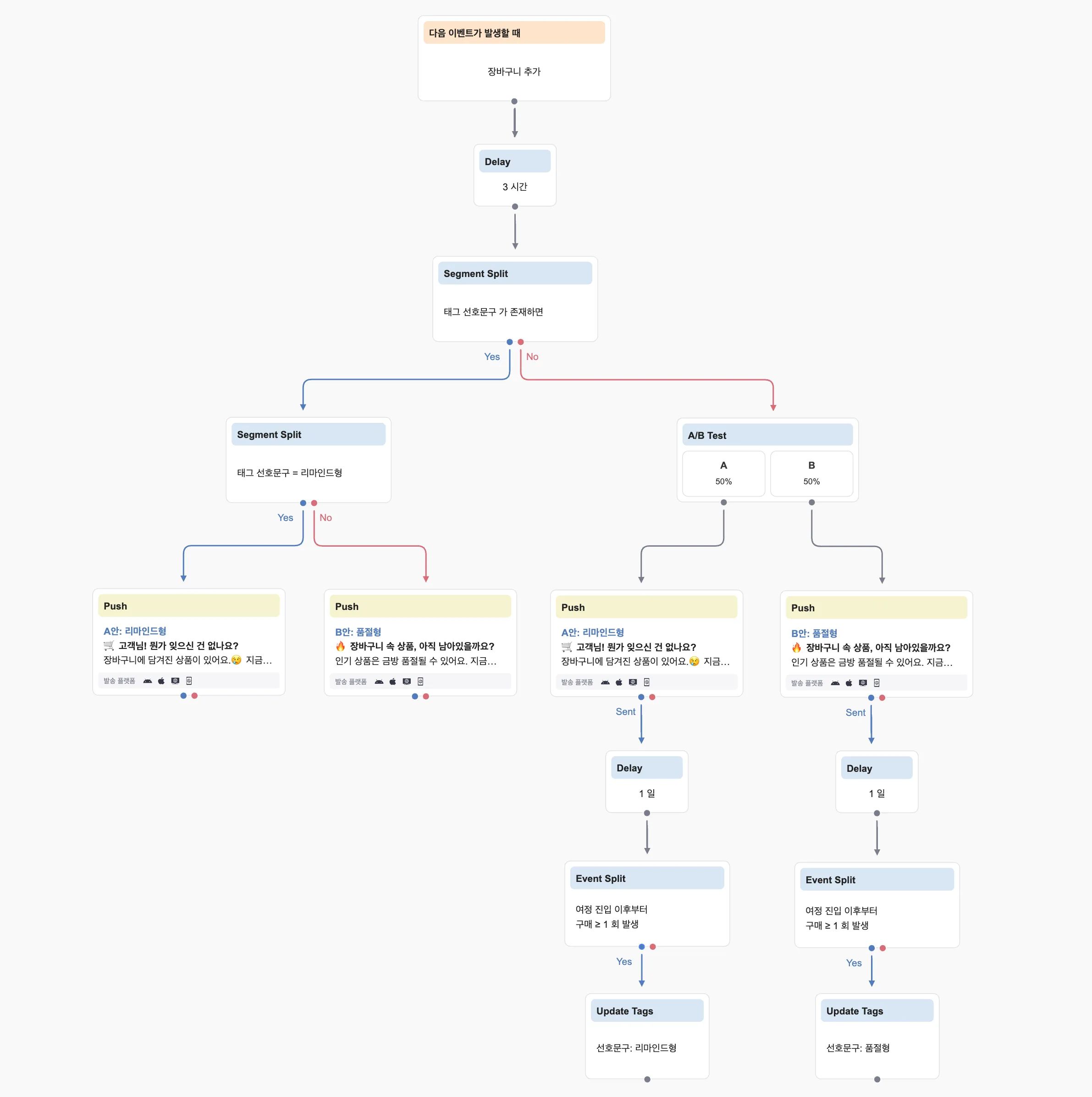
Take a cart abandonment journey. Here is how it is set up:
- Entry and wait: the journey starts on a cart-add event and sends three hours later.
- Preferred-copy branch: users who already carry a “preferred copy” tag skip the A/B test and get the copy they responded to last time.
- A/B test: users without the tag split 50/50 across two copy styles. Variant A, the reminder, nudges gently with “Forgot something in your cart? Your saved items are still there.” Variant B, the stockout warning, leads with scarcity: “Are your cart items still in stock? Popular ones sell out fast.”
- Tag the result: one day after the send, the journey checks whether a purchase happened since entry and writes the winning copy to that user’s “preferred copy” tag. From the next campaign on, that tag sends each user the copy that works for them.
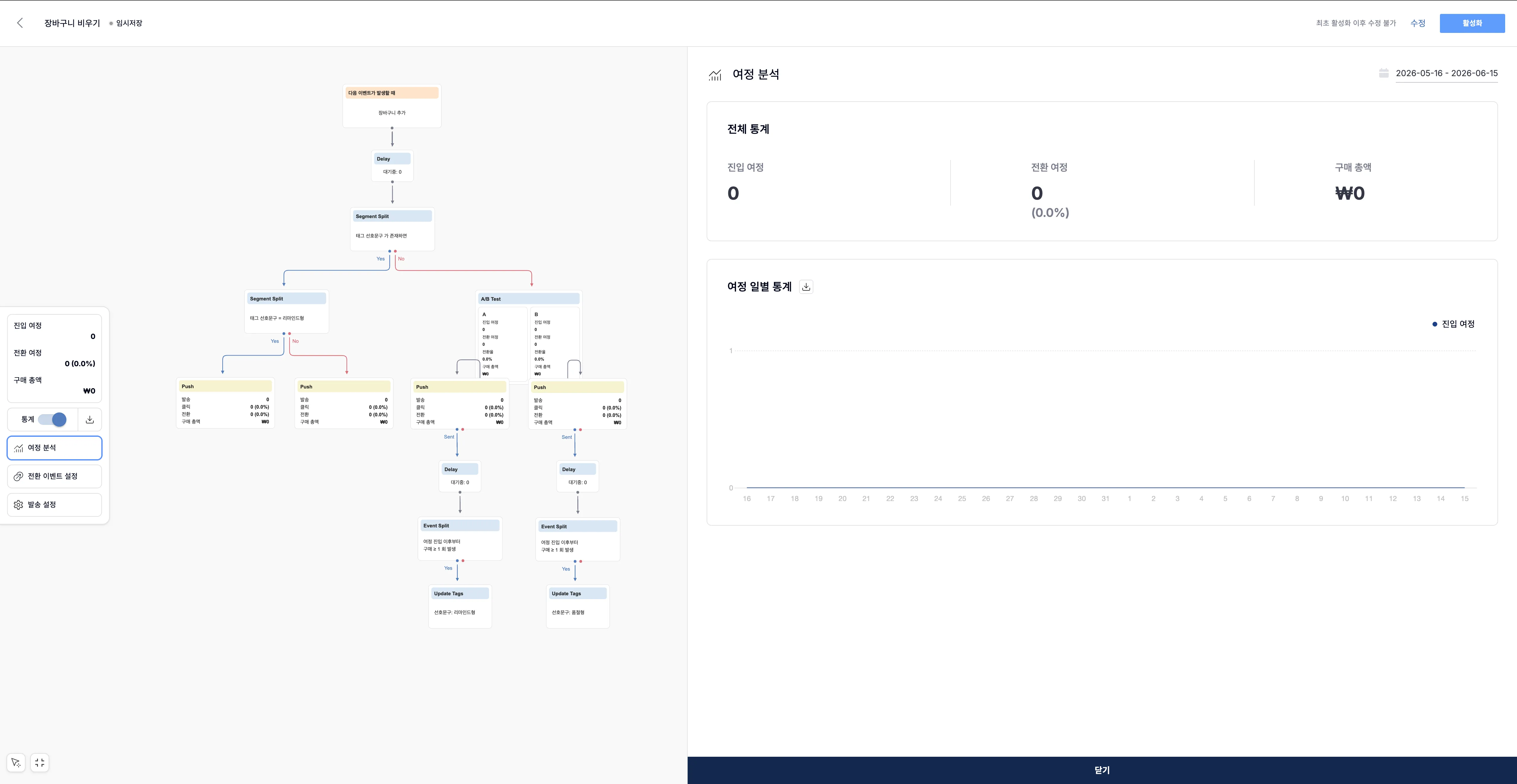
While each user’s preference builds up in a tag, the analysis screen shows the overall performance. The top row gives entered journeys, converted journeys with a rate, and total revenue for the period, and every node carries its own sends, clicks, conversions, and revenue. Put the Variant A push node next to the Variant B node and compare which copy leads on conversion rate and revenue.
Say that over a month the reminder (A) came in at a 3.1% conversion rate and $7,200 in revenue, and the stockout warning (B) at 2.4% and $4,800. For new users who have no preference yet, switch the default copy to the reminder and dial the stockout variant back. Just don’t decide on clicks alone: if the stockout warning pulls more clicks on pressure but books less revenue, the reminder is the better earner. Reading conversion rate and revenue together is what points you to the copy that actually contributes to sales.
When choosing values, check that each one feels natural to receive. If you are deciding which of your data to turn into variables first, you can request a consult below.

'/%3e%3c/svg%3e)