'/%3e%3c/svg%3e)

There are several ways to send Kakao Alimtalk. The simplest is to upload a phone-number list and blast it all at once. Used that way, Alimtalk stays a one-way send that costs a little less than SMS.
Tie the same Alimtalk to user data and a customer journey, and its role changes. It goes out the moment an order comes in, and each message fills with something different per user. You also see in one place whether the tap led to a conversion. This post is about running Alimtalk as a channel you automate and measure, not a one-off blast.
A channel for transactions and journeys
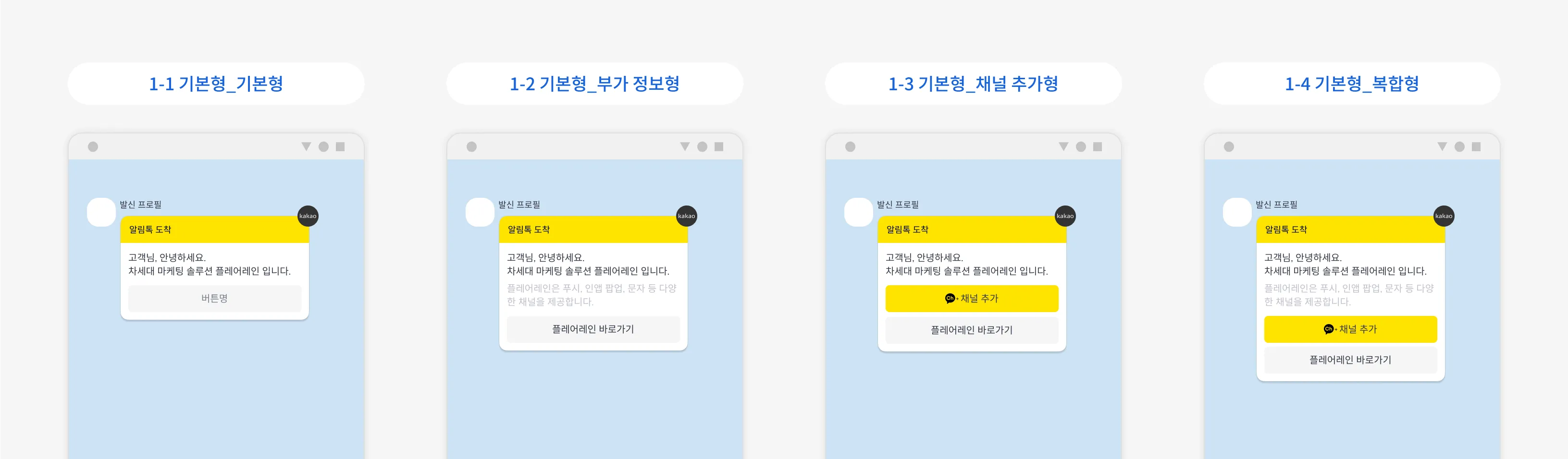
Alimtalk reaches customers on KakaoTalk with nothing more than a phone number. No app install, no push opt-in. In return, it is the place for informational1 messages Kakao has approved. An order went through, a booking is confirmed, a package shipped, and it shows up in KakaoTalk. Customers were waiting for it, so it opens before any ad.
The split between what goes where is simple.
| Send over Alimtalk | Send over Brand Message |
|---|---|
| Order and payment confirmations, booking confirmations, shipping updates | New product launches, sale events |
| Sign-up and verification, password change notices | Promotions pushing a return visit with coupons or points |
| Application and intake results, schedule changes | Invitations to join an event |
Promotions go on Brand Message. Blend the two in one template and it tends to get rejected in review. What counts as informational is laid out in Kakao’s Alimtalk content guide. Keep Alimtalk for transactions and journeys and Brand Message for promotions, and your operating rules stay clear.
What you need to open the channel
To send Alimtalk, you first verify your KakaoTalk channel as a business channel. Verification usually asks for these documents:
- Business registration certificate
- Mail-order (e-commerce), medical device, or health functional food sales registration, for those industries
- Proof of employment or the representative’s ID
Opening the channel for the first time can be a little involved. If you are not sure where to start, reach out and we will walk you through it step by step, from verification to sender-profile registration.
Automatic sends off user events
Alimtalk’s impact turns on when it lands. A shipping notice means something only if it arrives the moment the package actually leaves, and a booking reminder fits the day before the visit. Building a phone-number list and sending by hand, you will not hit that timing every time.
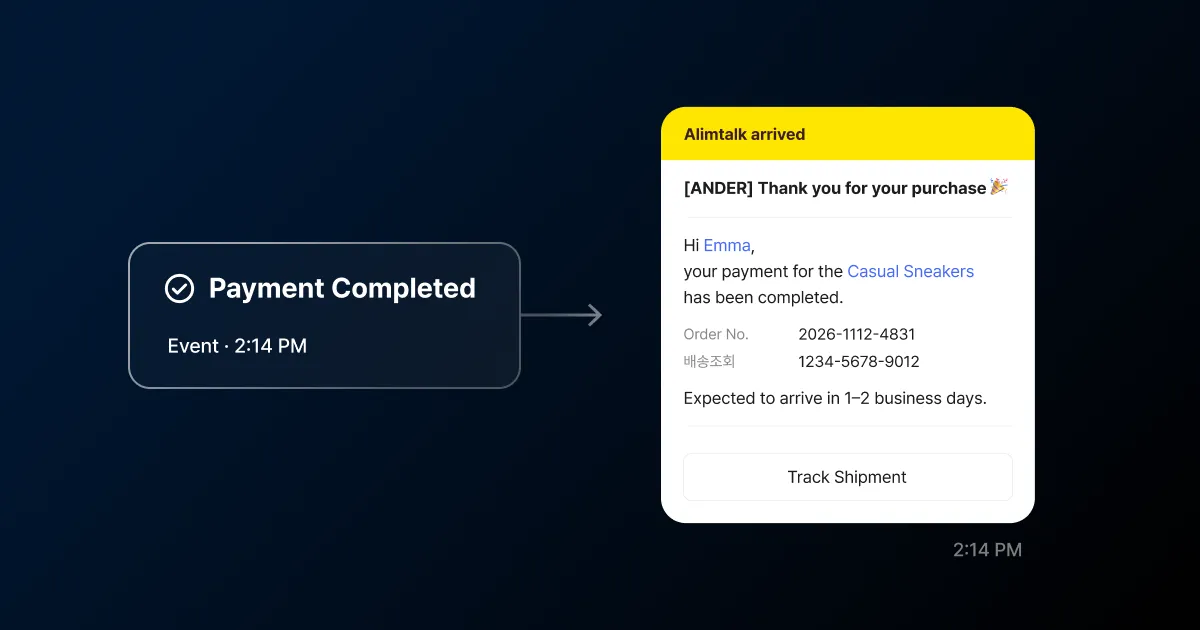
In FlareLane, Alimtalk is one step inside customer journey automation. Set the moment an event arrives, like order complete, booking changed, or shipping status, as a trigger, and the message goes out automatically to the customer in that situation. Add waits and branches to shape the flow, and route customers whose send failed to SMS instead. Alimtalk is not the whole picture; it moves inside the same journey as push, in-app, and SMS. Whether each situation’s send led to a conversion you check with conversion tracking. You can still upload a file or build a segment for a one-off send.
One template, a different message per user
An Alimtalk message goes out as a template that passed Kakao review. In the FlareLane console you build the template, track its review status, and if it is rejected you read the reason, fix it, and resubmit. Review takes roughly two to three days from submission, and a template that passes you reuse for the same situation. If you already have templates approved elsewhere, migrating them in is supported.
A reviewed template does not mean everyone gets the same wording. Leave a slot as #{variable} and at send time it fills with the customer’s name, order number, or booking time. FlareLane connects that slot to its personalized-message (Liquid) syntax, so {{ name | default: "there" }} drops in a default when the value is empty or shapes the data before it lands. The links inside buttons take the same variables, sending each customer to a different URL.
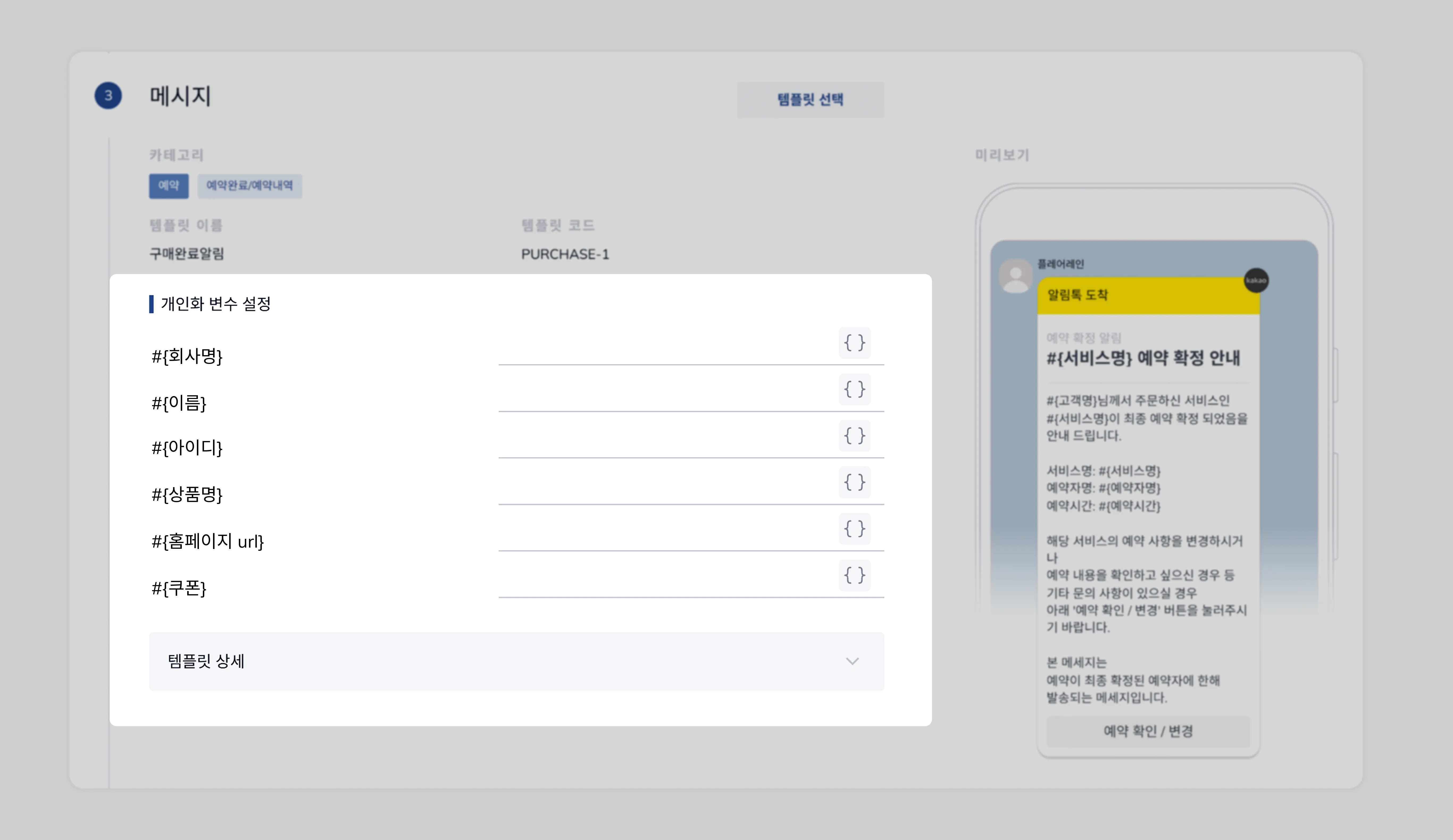
You keep one reviewed template while sending each customer something different.
From the tap to conversion and revenue
Delivery is not the end. A single Alimtalk message can carry up to five buttons that shape what happens after it arrives. A web link opens a detail page, a deep link2 sends the customer to a specific screen in your app, or Kakao’s shipment lookup connects them straight through.
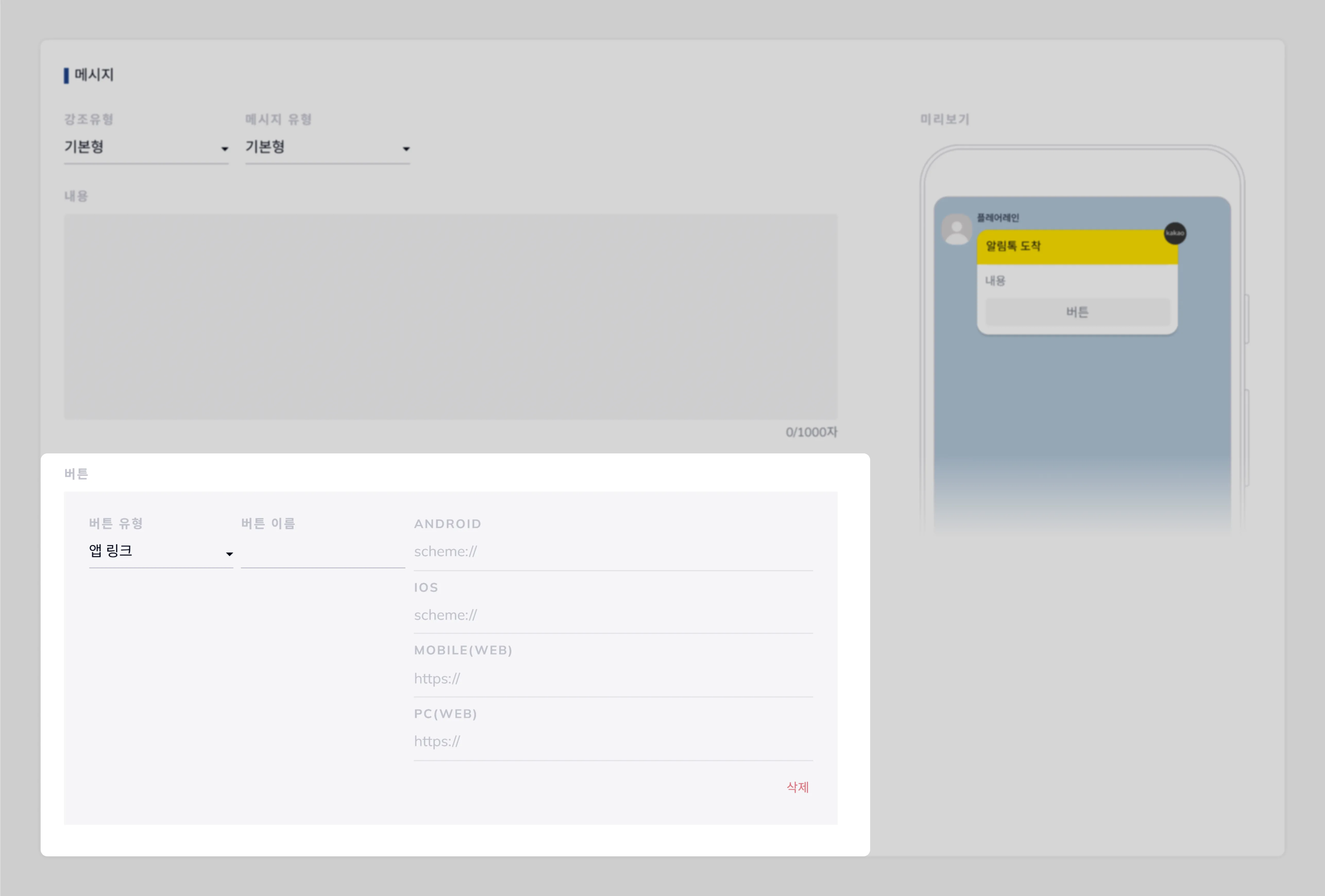
Attach a goal event and you move past counting sends to seeing whether the message led to action. Did the customer who got a shipping notice tap the lookup button? Did the one who saw a booking reminder show up? Beyond the conversion, the revenue from that conversion is tallied per message, so which notice contributed to sales becomes the basis for what you do next. A plain sending tool shows delivery and reads; here you see everything from delivery to conversion and revenue contribution on one screen.
You can leave Alimtalk as a one-off blast to a phone-number list, or run it as a channel you automate and measure to conversion. If you still send transactional alerts by hand, jot down which of them could become a trigger, and we can map it out together below.

'/%3e%3c/svg%3e)