'/%3e%3c/svg%3e)

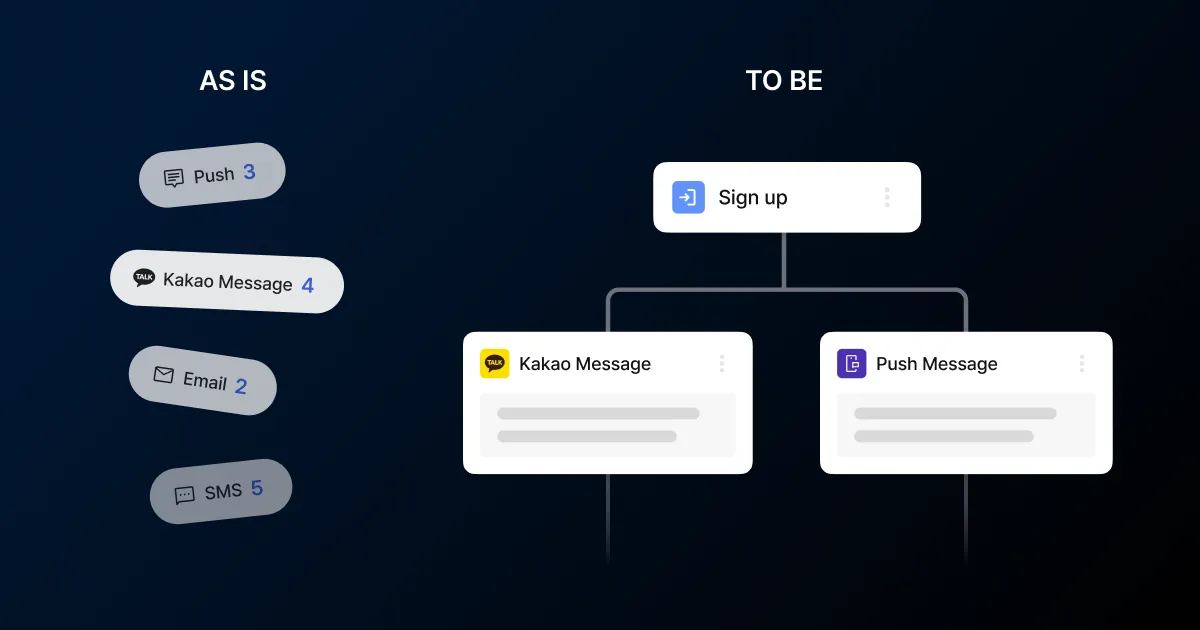
Run push, Kakao Alimtalk, and email campaigns separately and messages start to overlap for the user. A discount alert for yesterday’s purchase arrives today. A notice delivered by push goes out once more by email. And because send history piles up per channel, checking what one user has already received is hard for the operator too.
Customer journey automation groups sends around user behavior instead of managing them channel by channel. An action like signing up or adding to cart becomes the starting point, and the messages that follow go out automatically based on conditions.
Entry and exit conditions
Entry conditions come in two types. Event-based starts the journey when a user takes a specific action1, like adding to cart or completing a purchase. Segment-based starts it when a user reaches a specific state, like seven days since last visit or hitting a certain tier. Event-based entry happens within about 30 seconds of the action, while segment-based checks for matching users roughly every 30 minutes.
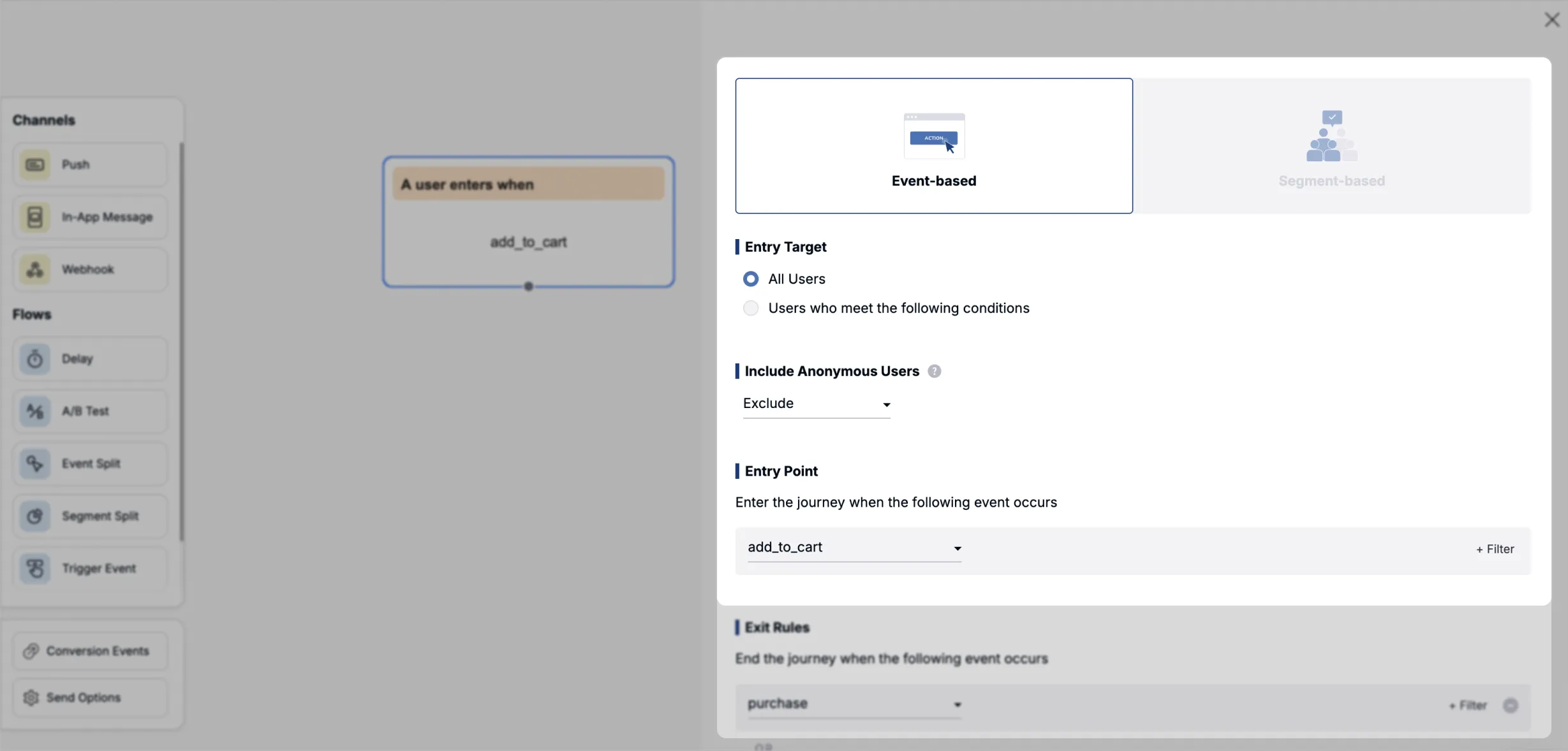
The exit condition stops follow-up sends. In a cart reminder journey, the remaining messages have to stop the moment the user completes checkout. Set an exit event and the journey ends without further messages when that action happens mid-journey, so a user who already bought never gets another nudge to buy. You can set multiple exit events. Conditions can also compare against the entry event’s data, such as ending the journey only when the user buys the exact product they searched for.
Segment-based journeys need no separate exit condition. When a user no longer meets the entry condition, follow-up sends are canceled automatically and the journey ends.
Delays, branches, and A/B tests
A journey that only fires message after message is rare. Most put delays and branches in between. A delay holds the next step for a set period or until a set time: wait three days, or wait until 3 p.m. Branches come in two kinds. An event split routes users by what they did within a window, like sending different messages to those who opened the email and those who did not. A segment split routes them by current state, like tier or a stored tag.
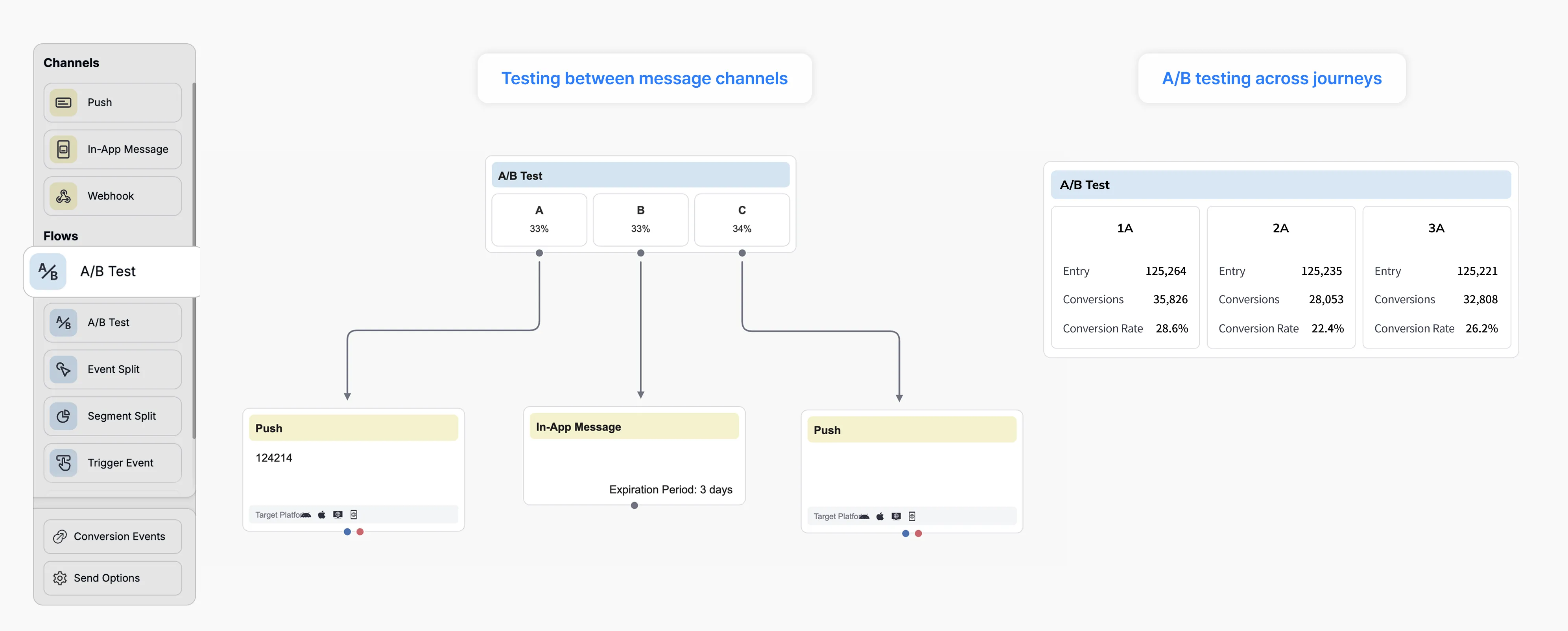
An A/B test node splits users randomly at the ratio you set. Send different copy or different channels from the same spot and compare which converts better. You can create multiple test groups, and a holdout group shows the conversion gap against users who received nothing at all.
Send results can drive branches too. If a push fails because the app was deleted, you can route that user to Kakao Alimtalk or SMS as a fallback.
An onboarding journey example
Take a signup onboarding journey, a common one in e-commerce. The entry condition is the signup-complete event. The exit condition is first purchase.
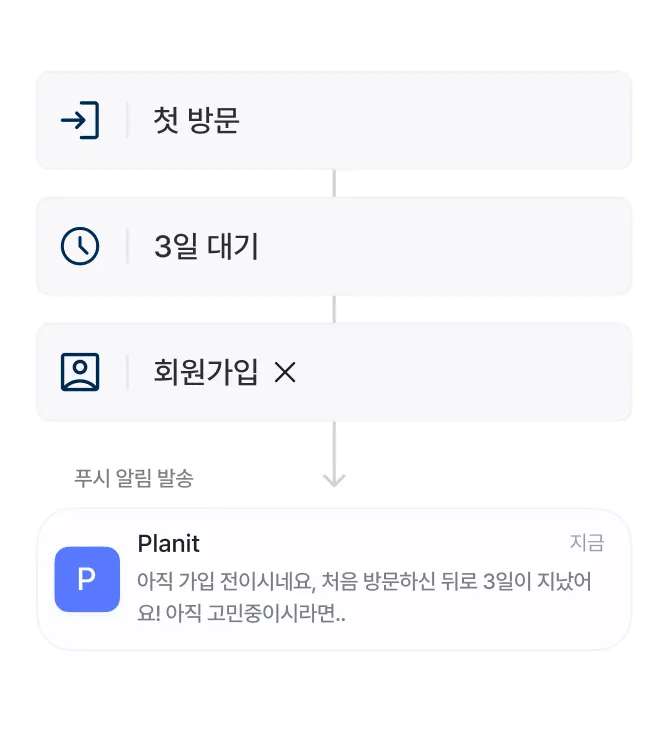
Right after signup, a welcome in-app message appears. Users who buy right there meet the exit condition and leave the journey. Users who do not buy wait three days. An event split then routes them by whether they opened the app even once in that window. Users who opened it get a push with a first-purchase coupon for the category they browsed. Users who never came back get a Kakao Alimtalk instead of a push. If there is still no purchase, one email goes out and the journey ends.
The operator builds this whole flow on a drag-and-drop canvas, with no developer work and no deploy. You drag entry conditions, delays, branches, and per-channel messages onto nodes, and any scenario you need is built right there.
Quiet hours and re-entry policy
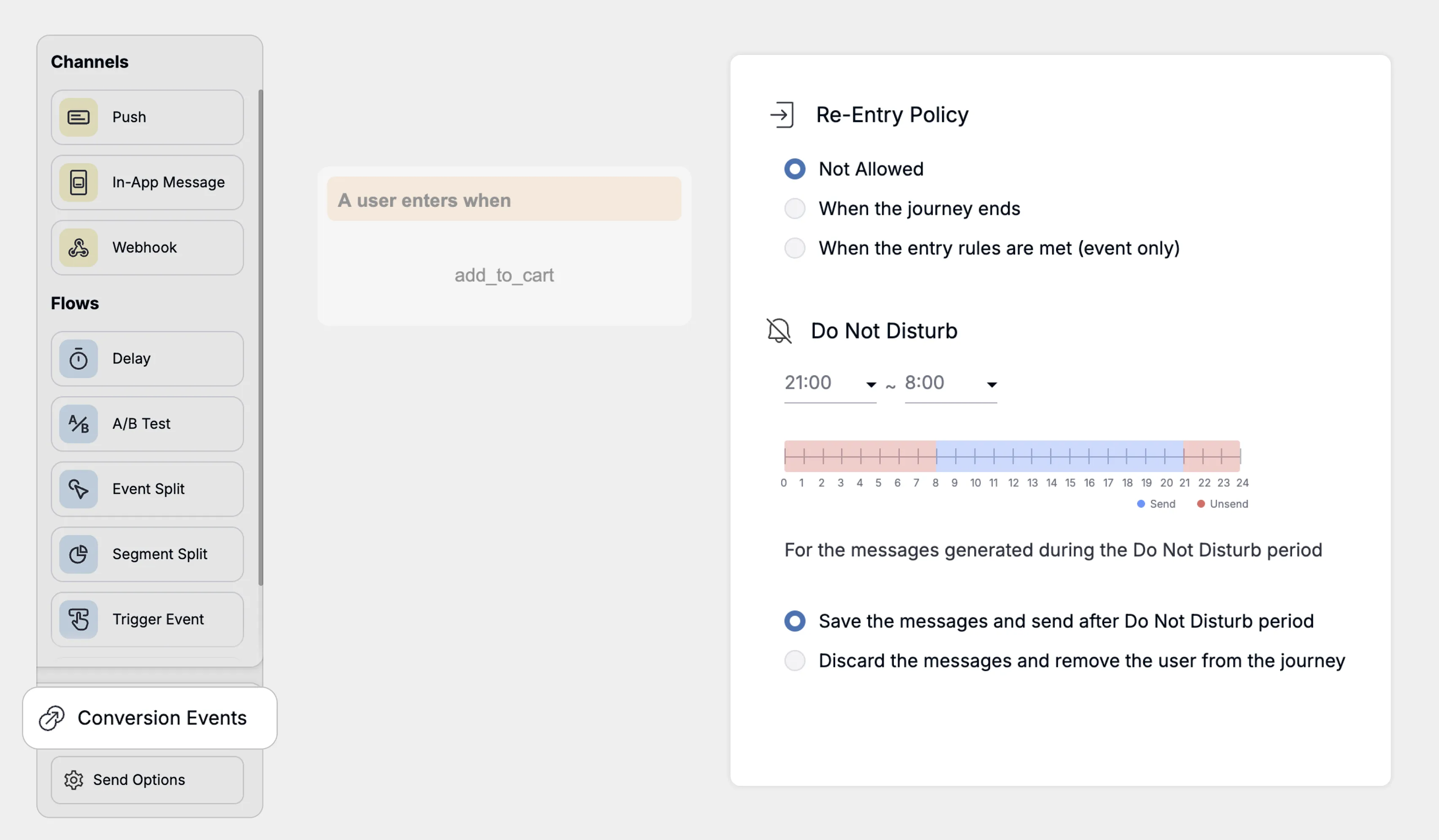
Automation does not have an operator checking each send, so the times you must not send have to be set in advance. Quiet hours block sends during the window you choose, like late at night. A message that lands in that window can either be rescheduled for the next available time or canceled with the journey ending there. The window is calculated from the user’s device time zone, so users abroad get it in their local time.
You also decide how many times one user can enter the same journey. The re-entry policy has three options: no re-entry, re-entry after the journey ends, or re-entry every time the entry condition is met. The last one applies when both entry and exit conditions are event-based. If the project has a frequency cap, it applies to journey messages by default, and must-send notices can be set to ignore the cap per journey.
Per-node performance
Once a journey is active, check sends and clicks per node in stats mode. When you can see after which message users drop off, adjust that step’s copy or wait time.
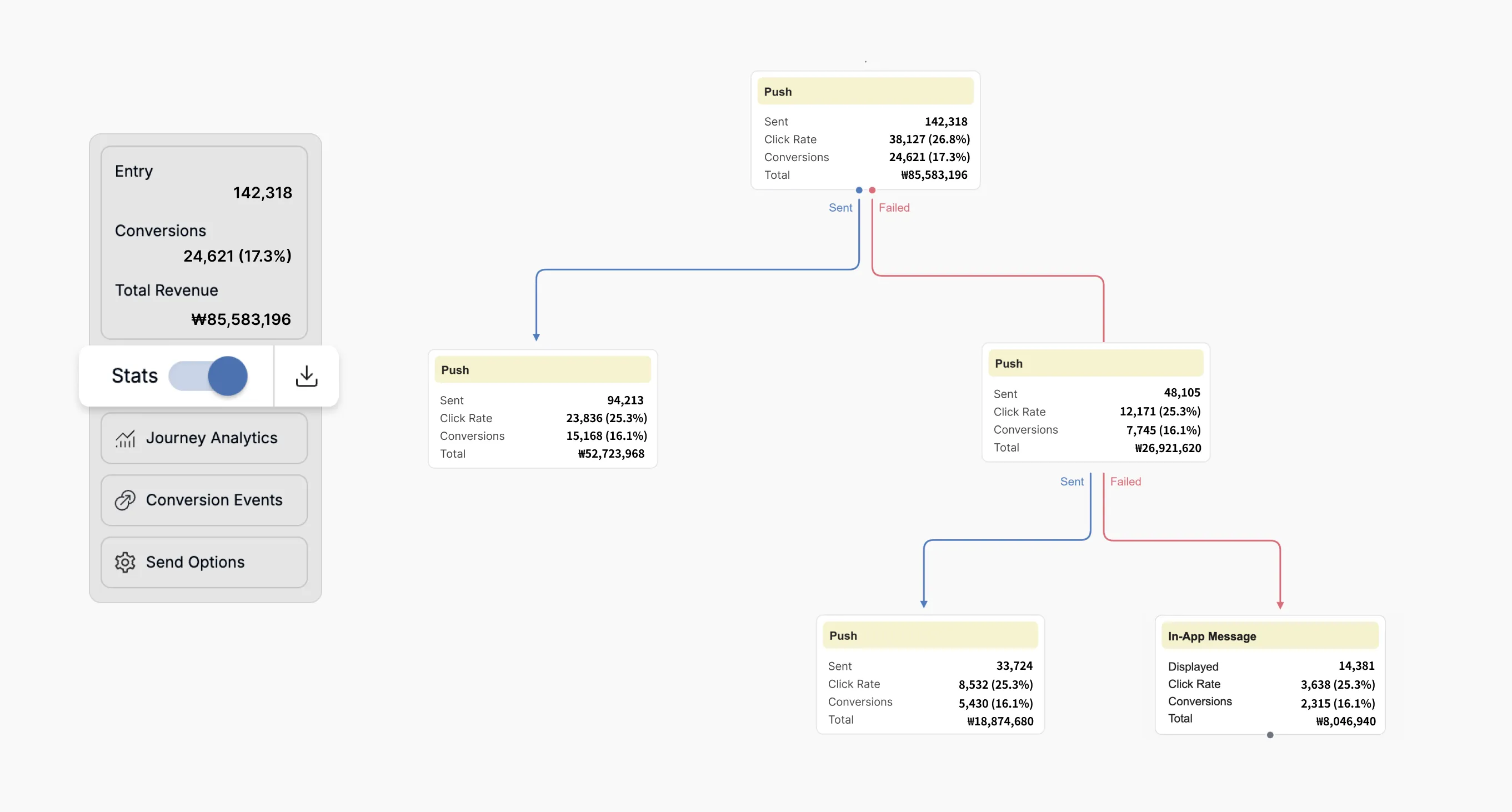
There is no need to start with a complex journey. Pick one campaign with a clear start and end, like a cart reminder or signup onboarding, and grow the branches from there. If you want help deciding which of your current sends to fold into a journey first, you can book a consultation below.

'/%3e%3c/svg%3e)