'/%3e%3c/svg%3e)

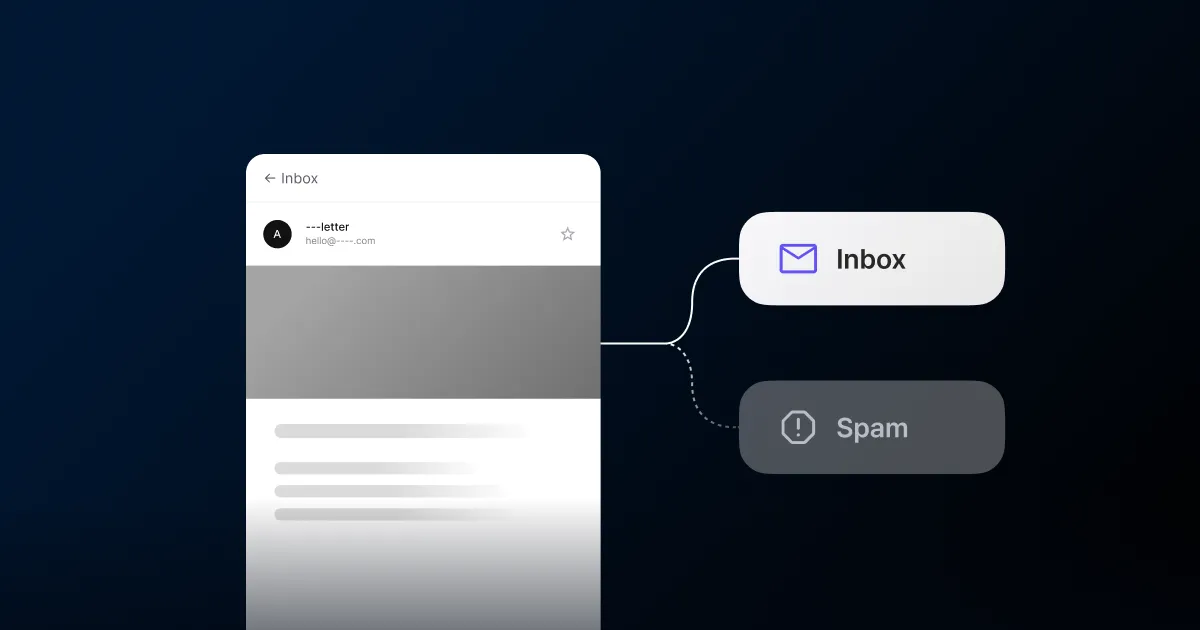
Email costs almost nothing to send, so nearly every team uses it. Most jump straight to design and copy. Two questions come first: does the email reach the inbox, and can you prove it drove revenue?
Sender domain authentication
Before you send, you authenticate a sender domain. It’s how receiving mailbox providers come to trust that mail from this domain is really yours. Skip it and your mail tends to land in spam or bounce.
Authentication comes down to three settings: DKIM, SPF, and DMARC. The names sound technical, but FlareLane generates the exact DNS records to add, so you set them on your domain once and you’re done.
Bounce and spam-complaint rates
The bigger variable in arrival is sender reputation. Send to addresses that don’t exist and bounces pile up. Get reported as spam and that rate climbs. Amazon SES recommends keeping spam complaints under 0.1% and bad-address bounces under 5%. Cross those lines and sending itself can be blocked.
You don’t have to track these rates yourself. FlareLane watches your bounce and complaint rates and pauses sending when they get close to the danger line, so your reputation stays intact.
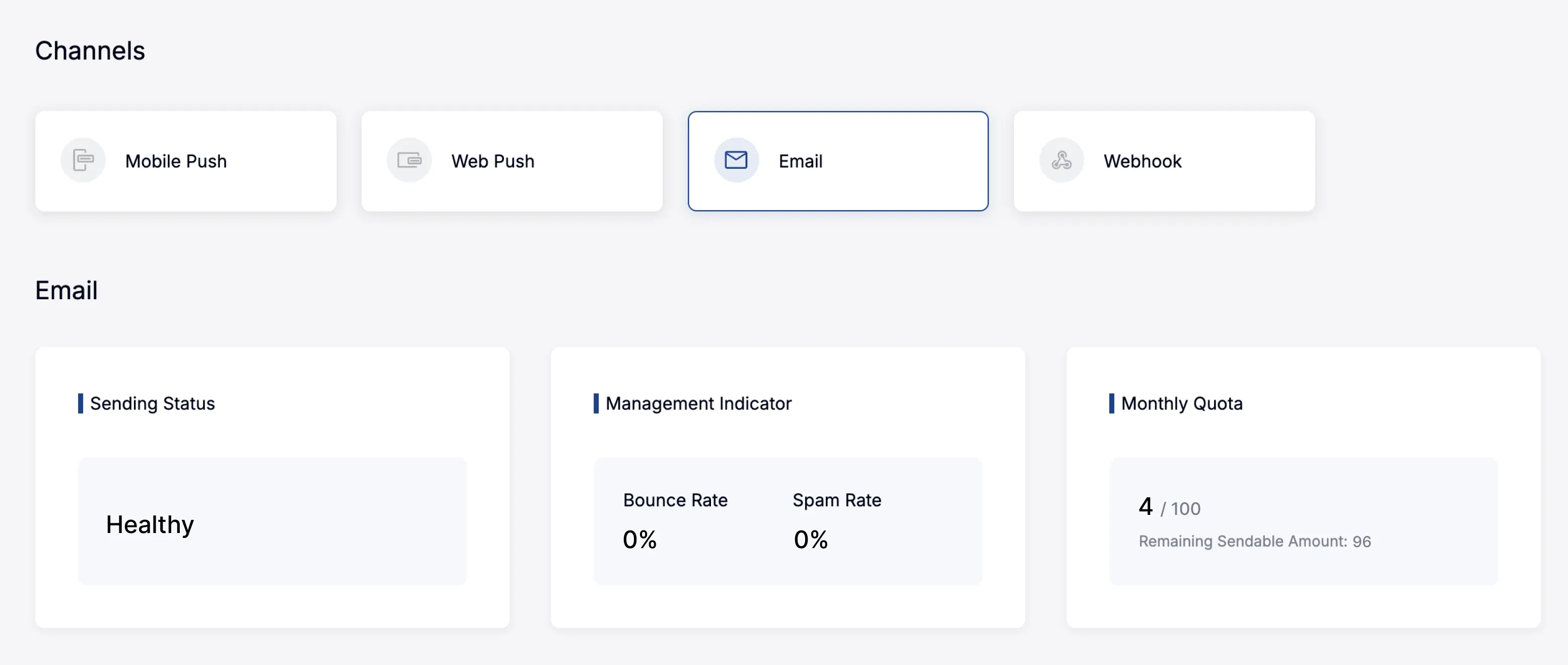
Addresses that keep bouncing, report spam, or unsubscribe drop out of the next send automatically. In the console you see your current bounce rate, spam rate, and remaining monthly send volume on one screen.
The limits of open rates
For a while, open rate was the only email metric anyone watched. But email benchmark data shows that as Apple Mail preloads messages for privacy, even unopened mail counts as opened. Open rates read higher than reality.
So the metric shifted. More than whether it was opened, look at whether the link was clicked and whether that click led to an actual purchase or sign-up.
Conversion and revenue attribution
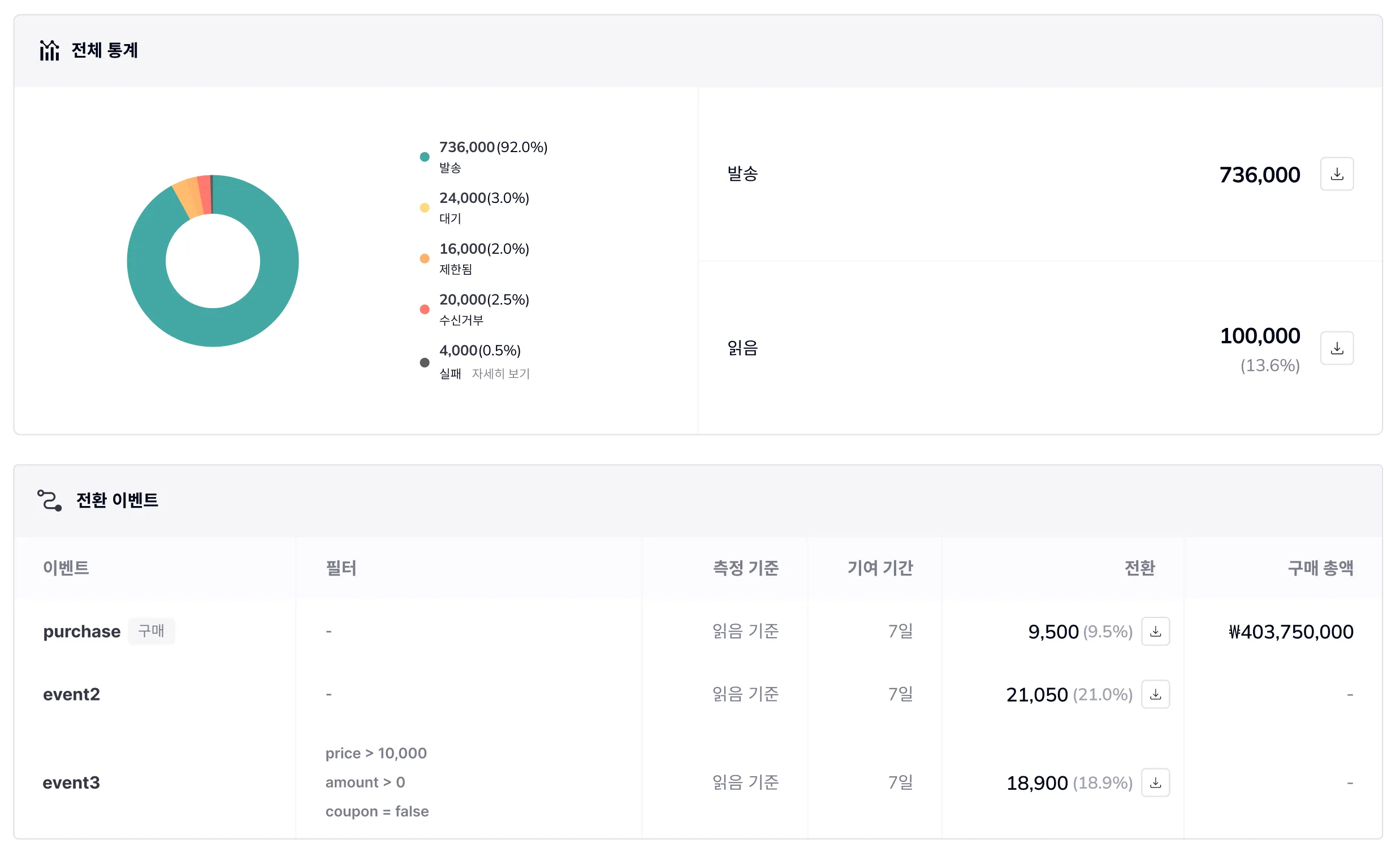
Conversion measurement looks at revenue driven, not sends made. You register an event like purchase or sign-up as a conversion, then decide how many days after someone opens the mail a conversion still counts toward it. The screen below is set to “on open, 7 days”: a user who opens the mail and buys within 7 days is credited to that email, with the gross revenue rolled up too.
Of 736,000 sends, 100,000 users opened the mail (13.6%). Of those 100,000, 9,500 (9.5%) went on to buy, for 403,750,000 won in gross revenue. You read actual revenue contribution, not send or click counts.
Conversion events take conditions. Set something like “over 10,000 won” or “no coupon used” and only full-price purchases count, leaving out coupon discounts and small payments so you see real contribution. You can track several conversion events per campaign, so add-to-cart and sign-up sit next to purchase.
Building the email
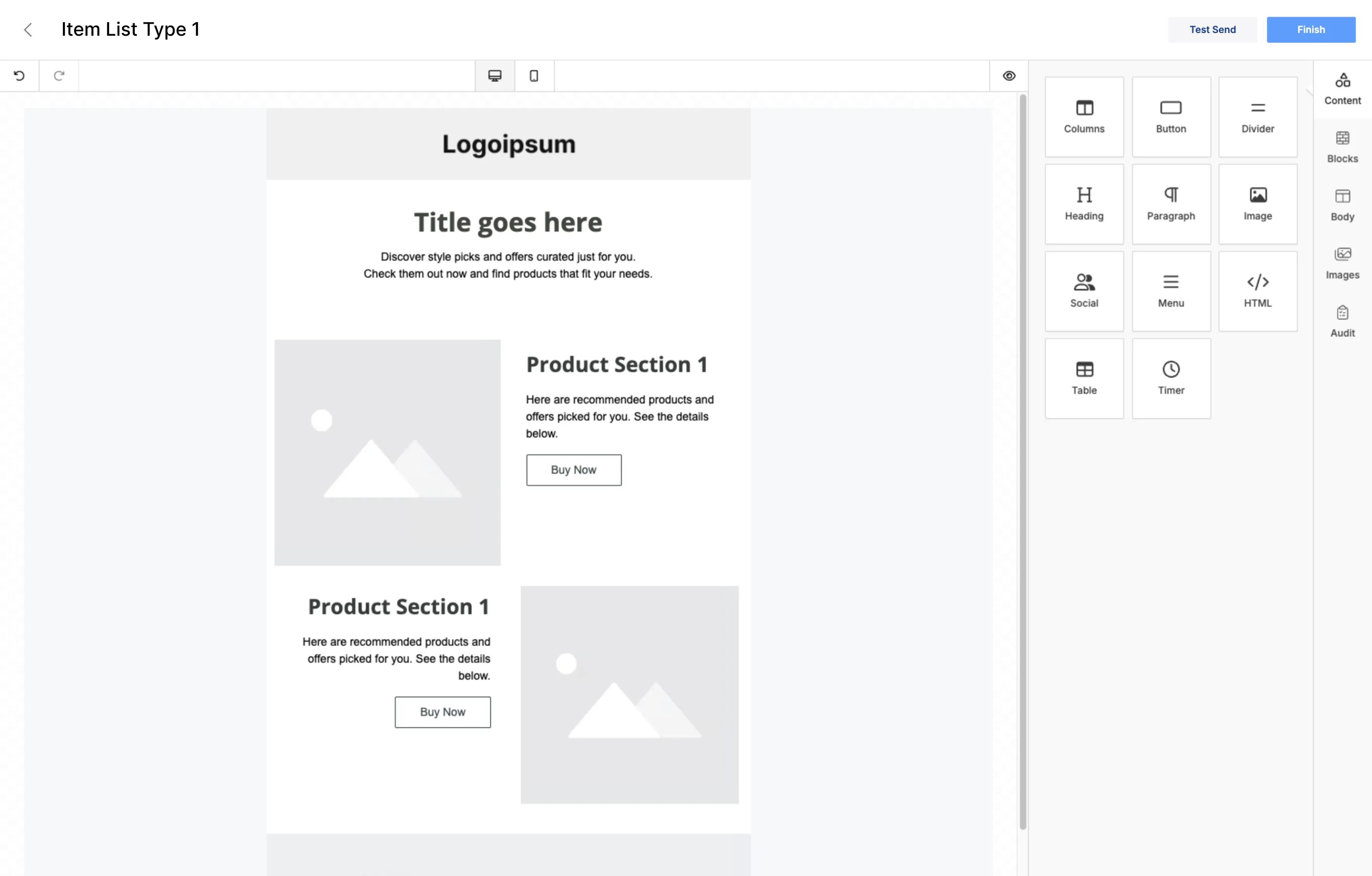
Once arrival and measurement are handled, building is the easy part. Pick a template, refine it in a drag-and-drop editor, and add personalization variables to send a different message per person. For promotional mail, put an unsubscribe link at the bottom. Addresses that opt out are excluded from the next send automatically.
Email is an old channel, but the return on cost still holds. To see that return, start by checking your sender-domain authentication and your conversion setup. You can request an email performance review below.

'/%3e%3c/svg%3e)