'/%3e%3c/svg%3e)

Getting someone to install your app is hard. Getting them to reopen it is harder. Within a few days of installing, the share of users who never open it climbs fast. The most direct way to bring those users back is app push.
Design from the moment you ask for permission
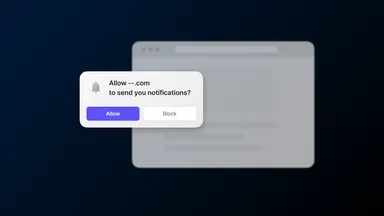
To send app push you first need notification permission, and that opt-in rate is lower than you’d think. Push notification statistics put iOS opt-in around half. Android now asks for a runtime notification permission from version 13, so winning that opt-in matters more than it used to.
When you ask changes the answer. Throw up the system permission dialog the moment the app opens and it’s easy to tap no. The FlareLane SDK lets you split the permission request from app launch, so you can hold it until after a screen that shows why notifications help.
Users who already blocked permission aren’t a lost cause. When you request a subscription while permission is blocked, FlareLane sends them straight to the app’s notification settings to re-enable. The full setup and operations checklist lives in the app push docs.
Personalization and the screen behind the tap
Sending more push doesn’t get people into the app more often. If anything, irrelevant notifications pile up and users turn them off. So two things matter: personalization and the destination.
Personalization means dropping in values like a viewed product, a saved item, or a name as variables, so each person gets a different notification. FlareLane handles this with Liquid-based personalized messages that insert those variables into the copy.
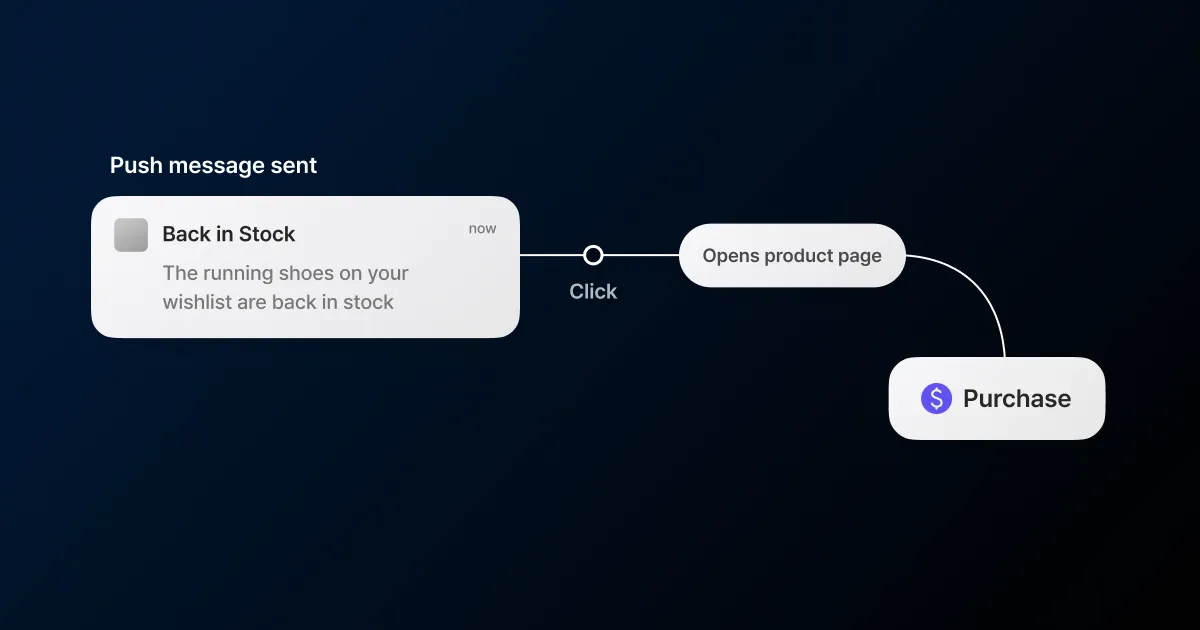
The destination matters just as much. A tap should open the relevant screen right away. Drop people on the home screen and they have to search again, and they leave in that gap. The FlareLane SDK opens http and https URLs in a web view (and launches the app if you support App Links or Universal Links), and for an OS-recognized deep link it opens the app and the screen with no extra code. If you run a custom deep-link scheme, you wire the routing through the click handler. The handling is laid out in the URL and deep link guide.
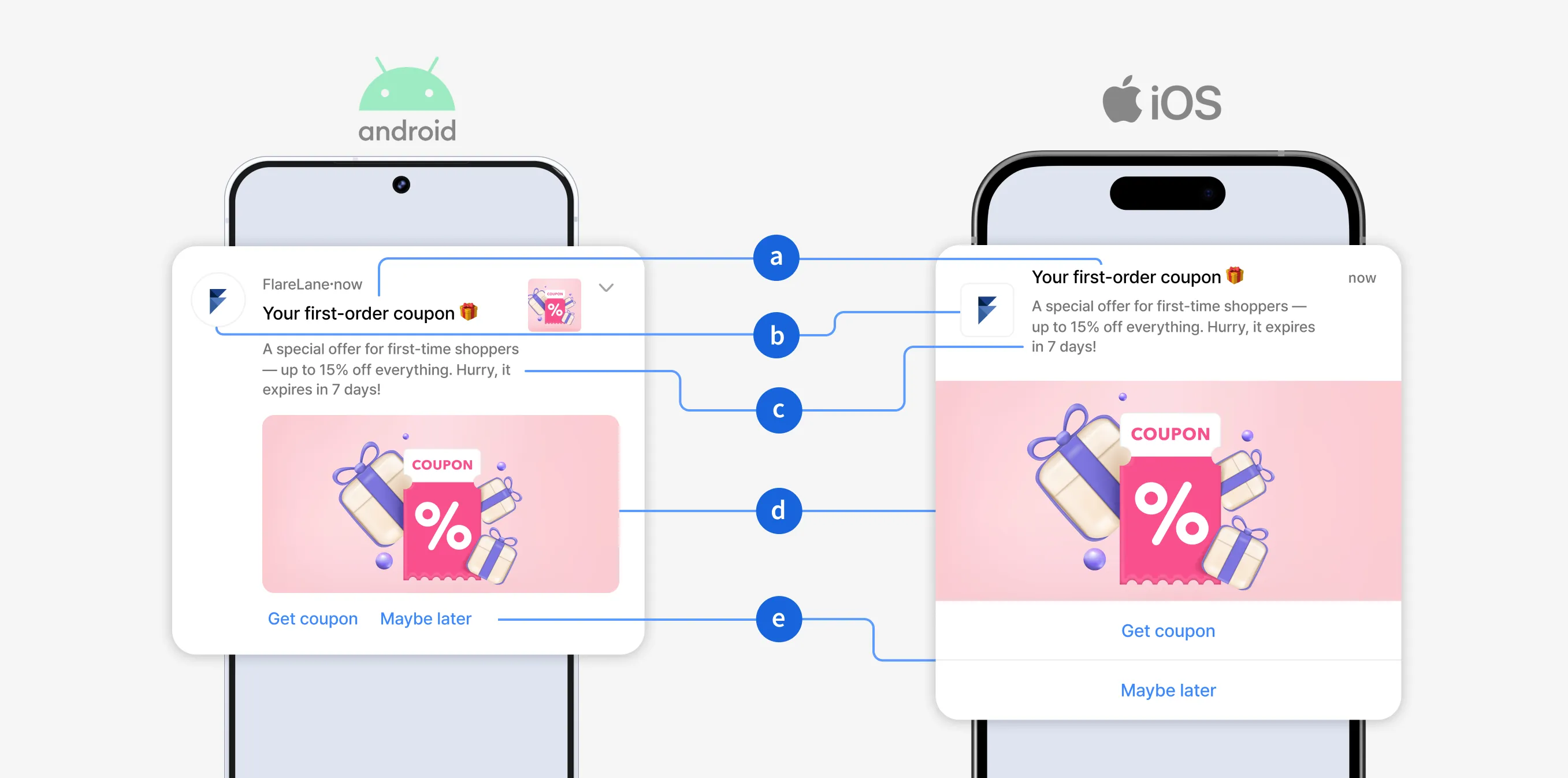
You can also add action buttons so each one sends people to a different screen. The tap is counted per button, so you can compare which offer in the same notification gets pressed more.
Send frequency and pacing
You also have to control the volume. Turn on a per-user frequency cap and you set the maximum notifications one user can get in a given period. Sends over the limit never go out and show up as restricted in your stats. Important notifications like an order confirmation or a delivery update can be set to ignore the cap and send anyway. The setup is in the frequency capping docs.
Send too fast in one burst and the clicks cluster, spiking traffic to your own servers. Set a per-minute send volume with rate limiting and FlareLane converts it to a per-second rate to send at a steady pace. Set 1,019 per minute, for example, and it sends at 16 per second.
Dead tokens and reading your stats
Your subscriber count and the number of devices that actually receive a notification are not the same. Push tokens for uninstalled apps stop working. FlareLane reads the failure and delete feedback from FCM and APNS and clears invalid tokens out of your subscriber base, so the sent count in your stats reflects devices that actually received the push. On iOS, Apple’s policy can mean delete confirmation takes a few days.
Don’t read one metric alone. Sent, click, click rate, deleted, failed, and restricted have to be read together before you decide what to adjust next. Low click rate points at copy and the destination screen; rising deletes point at send frequency. The definitions are in channel metrics.
Post-click conversion and revenue
The strength of app push is that even a single send lets you see what came next in detail. Beyond click rate, you can see whether the user who got it actually purchased and how much that conversion was worth.
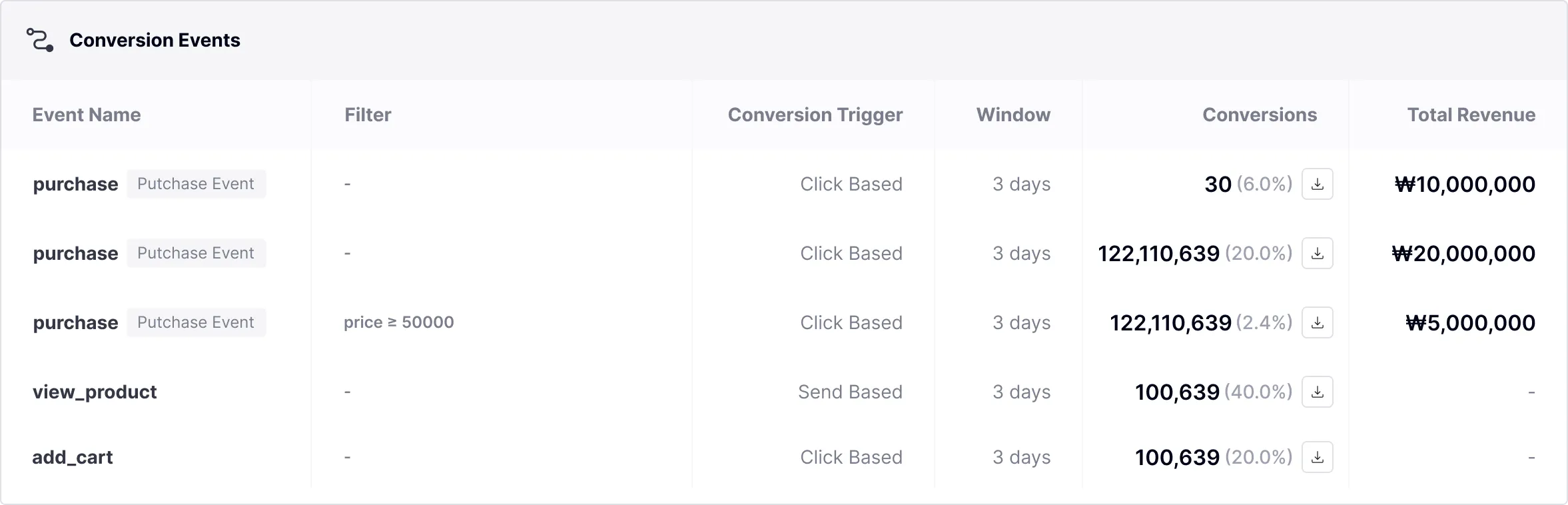
A conversion event is set with three values: the goal event, the measurement basis, and the attribution window. For push, you choose the measurement basis between click-based and send-based. Set a purchase event with a 3-day window, for example, and a user who purchases within 3 days of getting the notification counts as a conversion. One message can carry up to five conversion events.
Set it as a purchase event and the purchase amount gets recorded too, calculated as the amount data times the quantity data you sent along. A conversion is counted once per userId even if a user has several devices, so sending to 5 devices and getting a purchase on 1 reads as 5 sent, 1 converted, 100% conversion rate.
Measuring conversion requires that you connect events like purchases first. Send the purchase amount and quantity through the SDK’s event tracking, and conversion events and analysis aggregates conversions and total purchase amount per message in real time. Event setup is in the events docs.
If you have a large installed base, app push is the first channel worth checking. Start with your opt-in rate and post-click conversion, and the order to fix things falls into place. You can request a review below.

'/%3e%3c/svg%3e)